
AgMonk

AgMonk
> 把系统设置里的显示缩放比例调成100%试试? 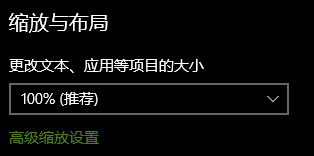 是指这个吗?
试用了 yas_v0.1.11.exe 问题依然存在,提供一些新线索 我尝试使用autohotkey来锁定/解锁圣遗物,脚本如下 ;获取坐标 !z:: { MouseGetPos &xpos, &ypos MsgBox "The cursor is at X" xpos " Y" ypos } ;锁定/解锁 !a:: { MouseGetPos &xpos, &ypos MouseClick "left" ,...
提供线索,我使用了 yas-lock 的这个版本: https://github.com/ideless/yas-lock/releases/tag/v1.0.9 很神奇它能控制我的鼠标,但是只做了几个动作就打出了相同的提示信息之后退出 1. 切换到游戏窗口 2. 鼠标移动到锁的位置 3. 鼠标移动到滚动条的位置,把滚动条拉到最上 4. 点击第一个圣遗物,往下滚动了一丢丢(大约与滚轮移动一格一致),然后归位 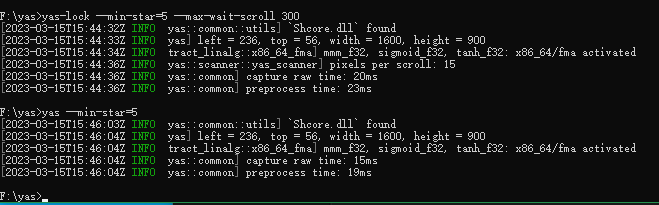 使用云原神症状一致
> > > 把系统设置里的显示缩放比例调成100%试试? > > > > > >  > > 是指这个吗? > > 是这里,个人尝试是如果不改成100%的话不能正常工作 那并没有什么用。。这里并没更改过