
2f607c39
2f607c39
can we get old and working version of chromium somewhere, then manually install it?
install old version in radxa zero did not work. what I did: - remove chromium with dietpi-software, and verify no chromium package remained. - `dpkg -i chromium_89.0.4389.114-1_deb10u1_arm64.deb` failed. - then...
> Install the package like this: > > ```shell > apt install --allow-downgrades ./chromium_89.0.4389.114-1_deb10u1_arm64.deb > ``` > > If that fails, show the full error log. ken@tv1:~$ sudo apt install...
just installed `chromium-browser_95.0.4638.78-rpt6_arm64.deb` from here `https://archive.raspberrypi.org/debian/pool/main/c/chromium-browser/` ken@tv1:~$ sudo dpkg --list | grep chrom rc chromium-browser 95.0.4638.78-rpt6 arm64 Chromium web browser, open-source version of Chrome 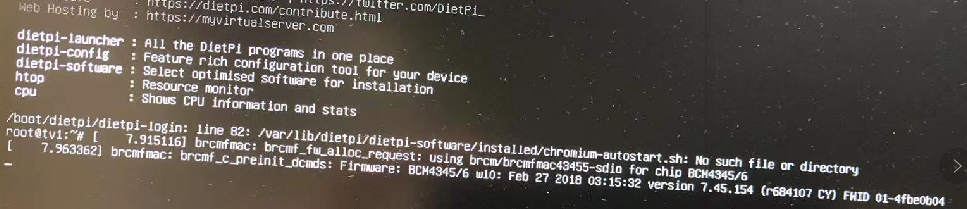
tried v92 & 95, both failed. copied `chromium-autostart.sh` to `/var/lib/dietpi/dietpi-software/installed/` 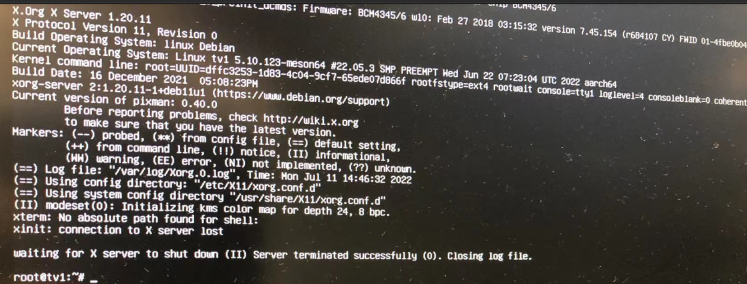 ken@tv1:/var/log$ cat Xorg.0.log [ 7.554] X.Org X Server 1.20.11 X Protocol Version 11, Revision 0 [ 7.554] Build Operating...
test with raspberry pi 4 today (dietpi 8.1 upgrade to 8.6.1 also) . it is a working kiosk with chromium v98, after upgrade to chromium v101. kiosk mode still works....
@MDAR does it have `chromium-codecs-ffmpeg-extra` package installed? I may try this later sometime, coz I've made a rpi4 as kiosk.
my bad, should be 2 packages, `chromium-codecs-ffmpeg` and `chromium-codecs-ffmpeg-extra`
pin tabs is too small, hard to find if have multiple pin tabs with same icon.
my test server failed after restore. (only 1 server in cluster) what I did: backup pve, then restore it. admin web page This page isn’t working 172.16.3.21 is currently unable...