
ngx-scanner
 ngx-scanner copied to clipboard
 zxing-js
Can't open Samsung S20 Camera
Describe the bug I've implemented this plugin in my Angular project succesfully, also I've been able to test in some smartphones and it's working great, but in my Samsung S20 I'm not able to open the camera. I've tried to check what cameras the plugin finds and it seems that it does find the back cameras, and I've also tried to implement the solution described in other bugs raised here but they don't seem to fix mine.
Here's the code that I've implemented: `camerasFoundHandler(e) { this.availableDevices = e; this.hasDevices = Boolean(e && e.length); console.dir(e);
let backCams = this.availableDevices.filter((c) => c.label.includes('back'));
console.dir(backCams);
if (backCams.length > 0) {
  this.currentDevice = backCams[0];
} else {
  this.currentDevice = this.availableDevices[0];
}
setTimeout(() => {
  this.enableScanner = true;
  console.dir(this.currentDevice);
  setTimeout(() => {
    this.th = true; // This is to enable the tryHarder
  }, 1000);
}, 1000);
}`
I've also tried to run through all the cameras trying to open one by one with the following function:
myLoop(devices){ setTimeout(() => { console.dir(devices[this.controller]); this.currentDevice = devices[this.controller]; this.controller++; if (this.controller < devices.length) { this.myLoop(devices); } }, 3000); }
but it throws an error that says "Uncaught (in promise): Error: No scanning is running at the time." Expected behavior The camera should open
Smartphone (please complete the following information):
- Device: Samsung S20
- OS: Android 11
- Browser: Google Chrome latest version

I can also confirm that this is not working. I have gone through all the other issues raised and tried all the solutions presented and they haven't worked. I am now in the process of testing the API itself. I have written this code (as a test)
  private listDevices(): void {
    let n: any = navigator;
    let v: ElementRef = this.video;

    // Older browsers might not implement mediaDevices at all, so we set an empty object first
    if (n.mediaDevices === undefined) {
      n.mediaDevices = {};
    }

    // Some browsers partially implement mediaDevices. We can't just assign an object
    // with getUserMedia as it would overwrite existing properties.
    // Here, we will just add the getUserMedia property if it's missing.
    if (n.mediaDevices.getUserMedia === undefined) {
      n.mediaDevices.getUserMedia = function (
        constraints: MediaStreamConstraints
      ) {
        // First get ahold of the legacy getUserMedia, if present
        var getUserMedia = n.webkitGetUserMedia || n.mozGetUserMedia;

        // Some browsers just don't implement it - return a rejected promise with an error
        // to keep a consistent interface
        if (!getUserMedia) {
          return Promise.reject(
            new Error('getUserMedia is not implemented in this browser')
          );
        }

        // Otherwise, wrap the call to the old n.getUserMedia with a Promise
        return new Promise(function (resolve, reject) {
          getUserMedia.call(n, constraints, resolve, reject);
        });
      };
    }

    n.mediaDevices
      .getUserMedia({ audio: false, video: true })
      .then(function (stream: MediaStream) {
        v.nativeElement.srcObject = stream;
      })
      .catch(function (err: MediaStreamError) {
        console.log(err.name + ': ' + err.message);
      });
  }
And this works on my phone (s20)

So, after a lot of messing around and my above code, I changed it to this:
private mediaTracks: MediaStreamTrack[] = [];
private constraints: MediaStreamConstraints = {
  audio: false,
  video: {
    width: { min: 640, ideal: 1280, max: 1920 },
    height: { min: 480, ideal: 720, max: 1080 },
    facingMode: { ideal: 'environment' },
  },
};

public devices: MediaDeviceInfo[] = [];

public scannerEnabled: boolean;
public canScan: boolean;

constructor() {}

ngOnInit() {
  this.listDevices();
}

private listDevices(): void {
  let n: any = navigator;

  // Older browsers might not implement mediaDevices at all, so we set an empty object first
  if (n.mediaDevices === undefined) {
    n.mediaDevices = {};
  }

  // Some browsers partially implement mediaDevices. We can't just assign an object
  // with getUserMedia as it would overwrite existing properties.
  // Here, we will just add the getUserMedia property if it's missing.
  if (n.mediaDevices.getUserMedia === undefined) {
    n.mediaDevices.getUserMedia = function (
      constraints: MediaStreamConstraints
    ) {
      // First get ahold of the legacy getUserMedia, if present
      var getUserMedia = n.webkitGetUserMedia || n.mozGetUserMedia;

      // Some browsers just don't implement it - return a rejected promise with an error
      // to keep a consistent interface
      if (!getUserMedia) {
        return Promise.reject(
          new Error('getUserMedia is not implemented in this browser')
        );
      }

      // Otherwise, wrap the call to the old n.getUserMedia with a Promise
      return new Promise((resolve, reject) => {
        getUserMedia.call(n, constraints, resolve, reject);
      });
    };
  }

  n.mediaDevices
    .getUserMedia(this.constraints)
    .then((stream: MediaStream) => {
      //v.nativeElement.srcObject = stream;
      this.mediaTracks = stream.getVideoTracks();

      n.mediaDevices
        .enumerateDevices()
        .then(
          (devices: MediaDeviceInfo[]) =>
            (this.devices = devices.filter(
              (device: MediaDeviceInfo) =>
                device.kind === 'videoinput' &&
                this.mediaTracks.find(
                  (m) => m.getSettings().deviceId === device.deviceId
                )
            ))
        );
    })
    .catch(function (err: MediaStreamError) {
      console.log(err.name + ': ' + err.message);
    });
}
And my component wrapper is defined in html like this:
<sxp-qr-scanner [enabled]="scannerEnabled" [devices]="devices" (onClose)="scannerEnabled = $event"></sxp-qr-scanner>
<button mat-icon-button aria-label="Show scanner" (click)="scannerEnabled = !scannerEnabled"
  *ngIf="devices?.length">
  <mat-icon>code</mat-icon>
</button>
my component wrapper is very simple:
export class QrScannerComponent implements OnChanges {
  @ViewChild('scanner', { static: false }) scanner: ZXingScannerComponent;
  @Output() public onClose: EventEmitter<boolean> = new EventEmitter();
  @Input() public enabled: boolean = false;
  @Input() public devices: MediaDeviceInfo[] = [];

  public deviceCurrent: MediaDeviceInfo | undefined;
  public deviceSelected: string = '';

  constructor() {}

  ngOnChanges(): void {
    if (!this.devices || !this.scanner) return;
    this.scanner.device = this.devices[this.devices.length - 1];
  }

  public onSuccess(e: any): void {
    console.log(e);
  }

  public onDeviceSelectChange(selected: string) {
    const selectedStr = selected || '';
    if (this.deviceSelected === selectedStr) {
      return;
    }
    this.deviceSelected = selectedStr;
    const device = this.devices.find((x) => x.deviceId === selected);
    this.deviceCurrent = device || undefined;
  }

  public close(): void {
    this.enabled = !this.enabled;
    this.onClose.emit(this.enabled);
  }
}
and the html:
<div class="scanner-container" [@inOutAnimation] *ngIf="enabled">
    <zxing-scanner #scanner class="scanner"
        (scanSuccess)="onSuccess($event)">
    </zxing-scanner>
</div>
When I use it like this, the button aria-label="Show scanner" only shows if the getUserMedia finds and filters and devices found in enumerateDevices and what I have found there is that on the s20 the button doesn't show. On other phones, it does. So that tells me the API behind the scenes is not correctly finding the s20 camera
I can also confirm. @r3plica are you saying it doesn't pick up the devices at all?

For my phone it picks up 4 devices, but 3 of them are the back camera. None of them work for me. I have also tried this on multiple sites that claim to work with them and none of them work. The method with using a stream only seems to work with the front facing camera, but the method above doesn't work with either
How can I help? Im willing to take a look, but I don't have a S20 nor do I have a simulator. But I can try help where I can?
Not sure if you can if you don't have an s20/simulator (not that a simulator would help). I have found this on stack:
https://stackoverflow.com/questions/59636464/how-to-select-proper-backfacing-camera-in-javascript
and it has pointed me to this:
https://unpkg.com/[email protected]/src/lib/cameraAccess.ts
I am going to reverse engineer it and see if it helps
Actually, there is something I could do with knowing. When I set [autostart]="false" and manually assign a device, how do I then get it to start?
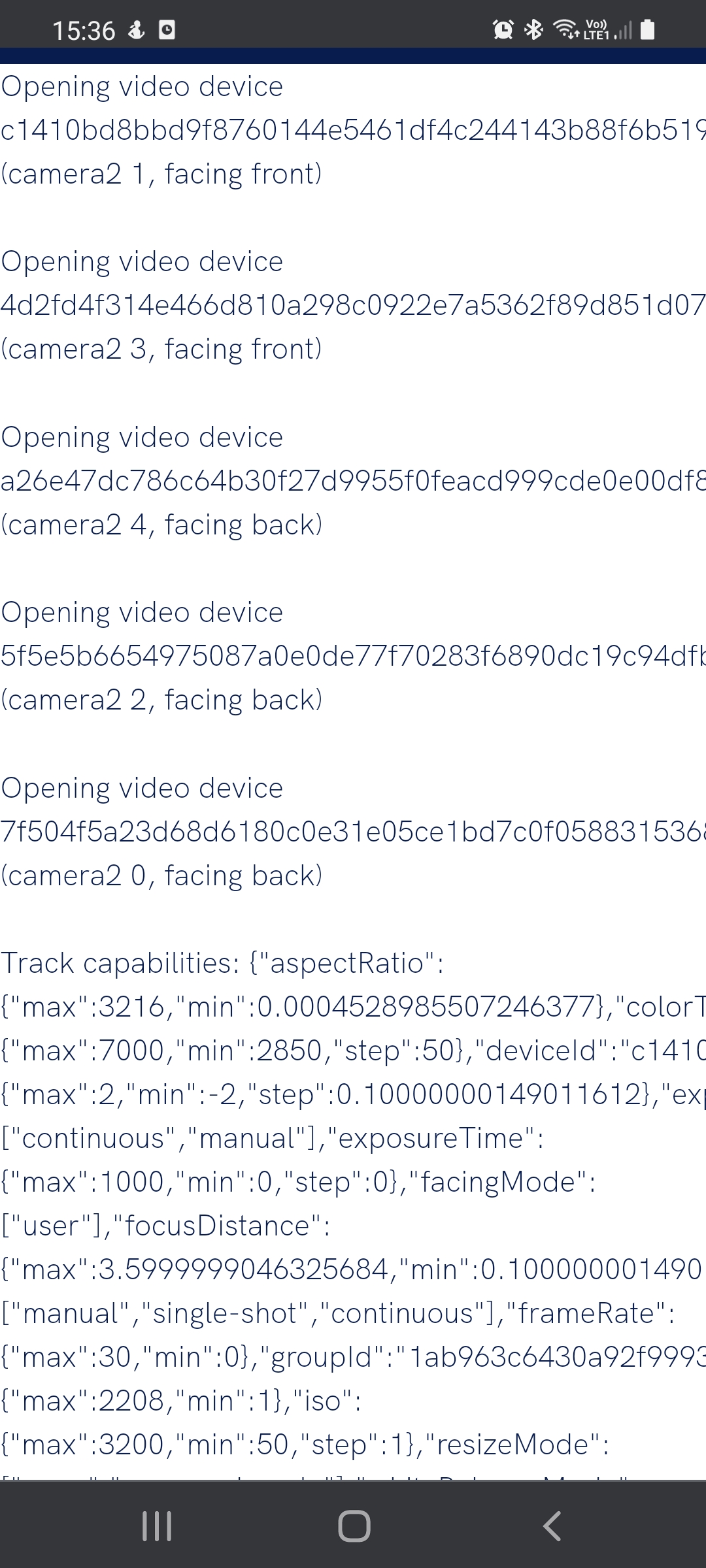
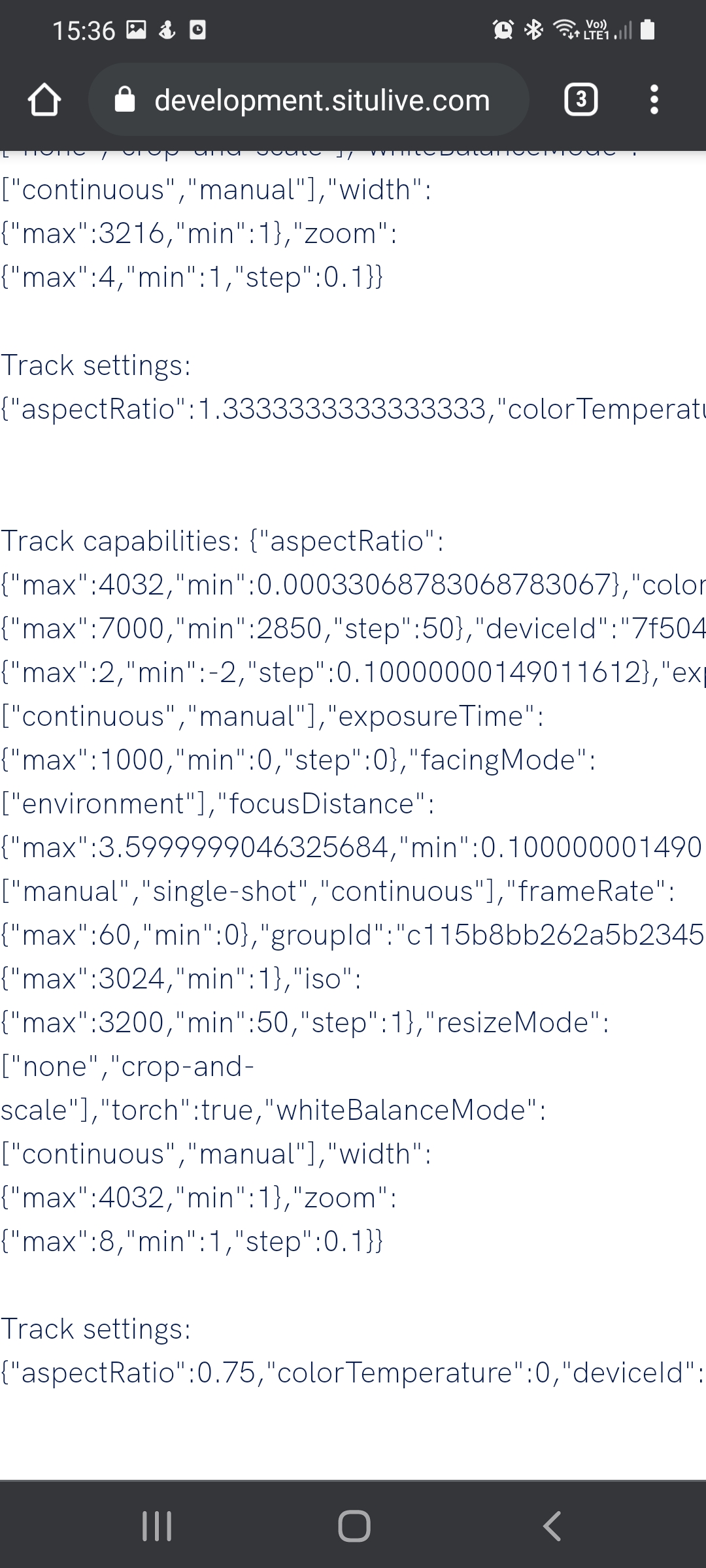
My reverse engineering yielded the same results, but I found an scandit example that works, so they have figured it out somehow.
https://websdk-label-demo.scandit.com/
