

 zufuliu
metapath icon are ugly
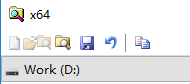
Metapath icons are looking like they're coming stright from windows 3.1. Since metapath is the companion of notepad2, it would be great to modernize its look a bit.
I've to port some of the notepad2 icons to metapath, increasing the color depth, but ended up in with weird pink colored toolbar. This is obviously due to transparency, but I couldn't find where to adjust it in the code. Any pointer welcome.

The toolbar image is just a bmp, has no alpha / transparency, you can change the entire toolbar image background color to the save black, pink or other color.
The Visual Studio Image Library or other open source asserts might be used as reference resources. If icon or image comes from else where, a note (resource link and license) need add to License.txt.

@rmarquis I'm going to rebuild toolbar image for metapath (change image to 32-bit rgba) but cann't find out icon for recycle bin and previous document.
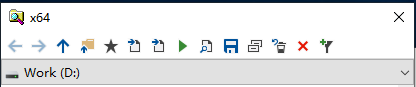
Yes, you won't find them because they don't exist. I created them based on existing icons.
 On a semi-related note, I've experimented with updated icons for Notepad2 from the latest VS Image Library. I've ran into issue when the icons are disabled (see above). I'm not sure if the code has to be adapted somehow, or if they image format has to be changed instead.
I got that very issue with Metapath icon (the previous/next icons), but it seems like you found a way to fix them.
It may because alpha channel lost (I don't find a easy way to save png in 32bpp bitmap). I will upload a script (require Python 3.7 and Pillow) tonight to concat ARGB pngs to 32bpp bitmap, make toolbar image will be very simple.
The script (tools/ImageTool.py) is added in commit ec6402165b75a3c37ff3dd7ef80dbecd1d34efff.
uncomment #make_matapath_toolbar_bitmap() and run python3 ImageTool.py will make Toolbar.bmp for metapath (like the one in https://github.com/zufuliu/notepad2/issues/89#issuecomment-471316903).
You can update make_matapath_toolbar_bitmap(), replace the two images mentioned above to make a new toolbar image for matapath. or create a new function make_notepad2_toolbar_bitmap() to make toolbar image for Notepad2.
Perfect! I'm a bit short on time these days, but I'll try to do this on the week end. Stay tuned!
Toolbar image for metapath is updated in commit 4df789d97a172fdc473e0e56dbf99b5f6de8d3df.

New SVG PreviousDocument_16x.svg and RecycleBin_16x.svg are created from NextDocument_16x.svg and RestoreFromRecycleBin_16x.svg using Inkscape.
The new SVG files are saved as "Optimized SVG" via "Save As...", with line endings converted to LF.
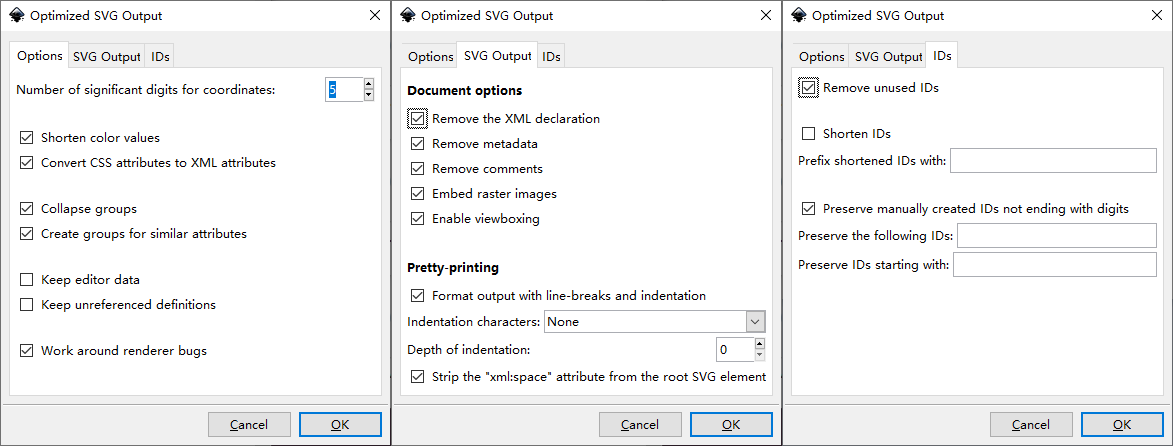
Updated: Enable viewboxing is enabled.
Hi @rmarquis
- Metapath Winstripe style Toolbar XP style icon is also usable. Put in the same folder as metapath.exe.

I think we need a better application icon (metapath.ico) for metapath, other Win95 style icons can be updated later as they are only visible on individual dialogs (so does Notepad2's Win95 style icons). @Matteo-Nigro are you interested to design one (also in develop branch)?
Of course no problem @zufuliu! Were you thinking of a simple modernisation of the icon while keeping it the same, or a total overhaul? I ask because the 'Browse' icon in the new toolbar could probably already be the solution, obviously by converting it to the appropriate format with the different 'sizes' inside.

Sorry for the delay, I was label closed issues. It seems better to make a 3D-like (see Notepad2.ico or C:\Windows\explorer.exe) SVG from the flat Browse.svg to use as the program icon.
Hi @zufuliu ! I drew this vector icon for metapath.. I have to do some tests to eventually adjust the contrast of some points. If you like it overall, as soon as it's perfected, I package it in .ico format and do the PR. 😄

Looks good 👍, you can upload metapath.ico here (in zip), so we can build metapath to see actually appearance in Windows explorer with different folder view options.
Ok, currently the Notepad2 icon has these formats inside: 16x, 24x, 32x, 48x. Do I keep the same in Metapath or do I add others like the 64x, 128x, etc? Another specification... I only produced this very large SVG (currently 512x512 px) to draw better. Now I'll do a simple export to the other dimensions as a preview but obviously in the final icon the smaller icons may need to be redrawn or otherwise adapted.
Only 16px, 24px, 32px, 48px. and 64px (to reduce binary size); 128px or 256px is used for extra large icon view option.

by the way, Notepad2.ico lacks 64px (large icon view option).
As requested @zufuliu here is the package with the requested icon. If it might already work this way I don't do the optimization for smaller icons otherwise I work on it.... Thanks for your feedback.. 😉 metapath_ico.zip
Good work 👍 It seems am wrong, 128px or 256px is needed for large icon view. attached 64-bit metapath.exe built with the new icon, @WanderMax, can your test it on your 4K monitor? metapath-new-icon-0109.zip
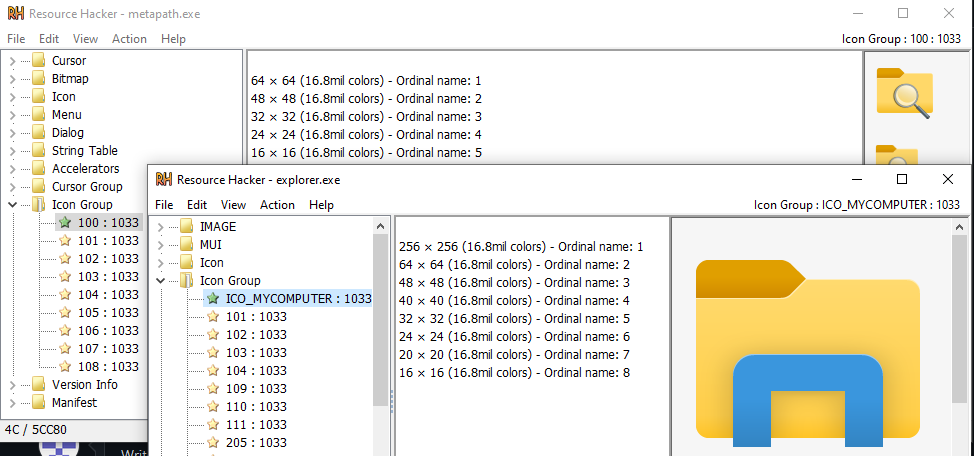
See following screenshot (ICO_MYCOMPUTER.ico is the icon extracted from explorer.exe with Resource Hacker), the new icon seems can't be recognized as folder + magnifier as first glance.
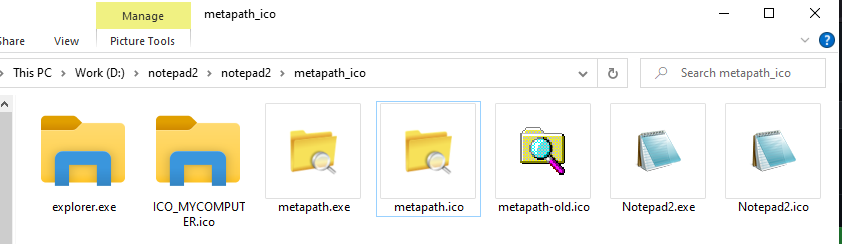
Okay, you mean so I should make the folder more like the system folder used by Windows? I confirm that when the icon shrinks the readability, especially of the lens shrinks a lot... that's why I was talking about optimizing small icons.😉
P.S. Do I then also include the 128px and 256px format?
Yeah, system folder like icon make it easy recognizable. You can test the new icon on your system to make it works with large icon view (see above screenshot), metapath.exe and metapath.icon in large view mode should have size as explorer.exe (you can copy it from C:\Windows folder). When it works, upload metapath.ico and metapath.exe in zip and ask @WanderMax to test.
Extra large icon view can be addressed later, as (I think) it's not widely used (but not sure on @WanderMax's 4K monitor).
Great all clear last question. Sorry for the many questions but they are jobs that require a lot of time and it is better to do them right away... Taking the Windows style, do I always keep the folder in an "oblique" view to give greater three-dimensionality or do you want me to use a front view at this point? (It would basically become the explorer.exe icon only with a magnifying glass over it) 😂
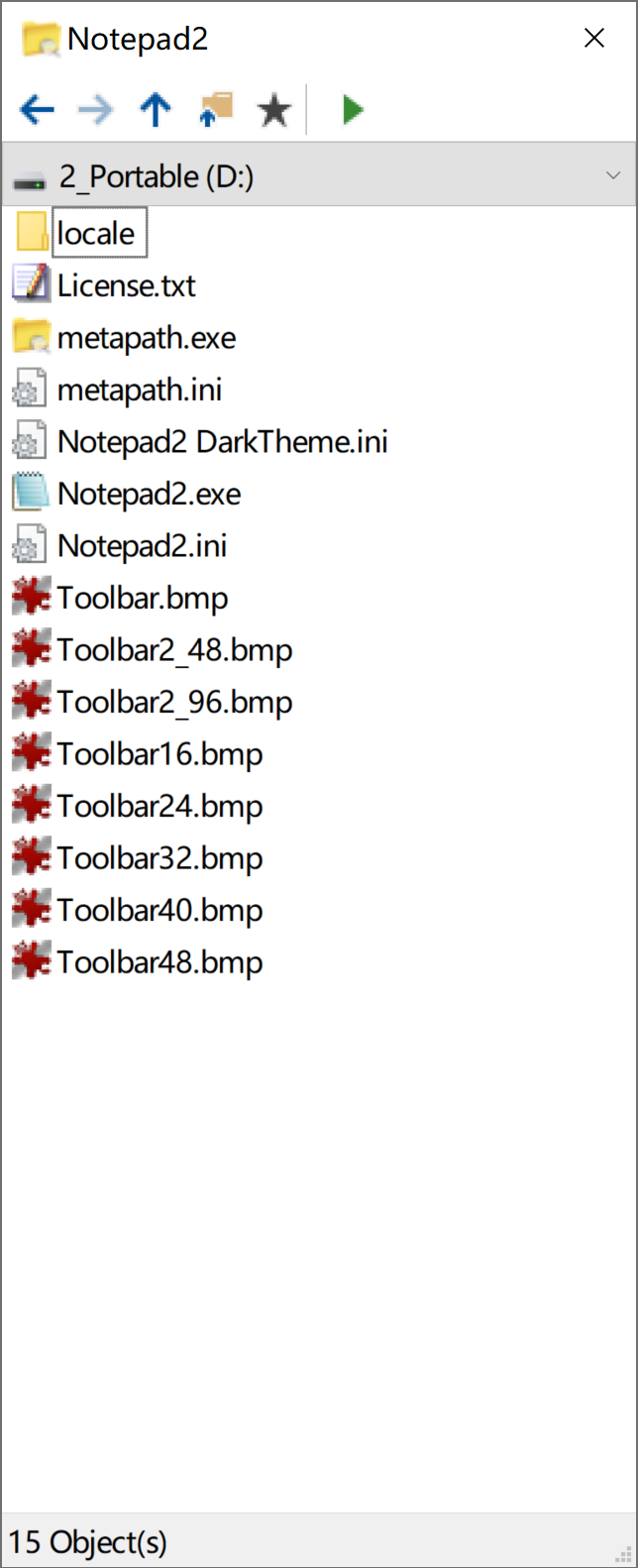

@WanderMax test different icon view option in explorer folder along with explorer.exe (see my above screenshot).
@Matteo-Nigro Yeah, It can be simplified as explorer's icon with the blue gate replaced with a magnifier.
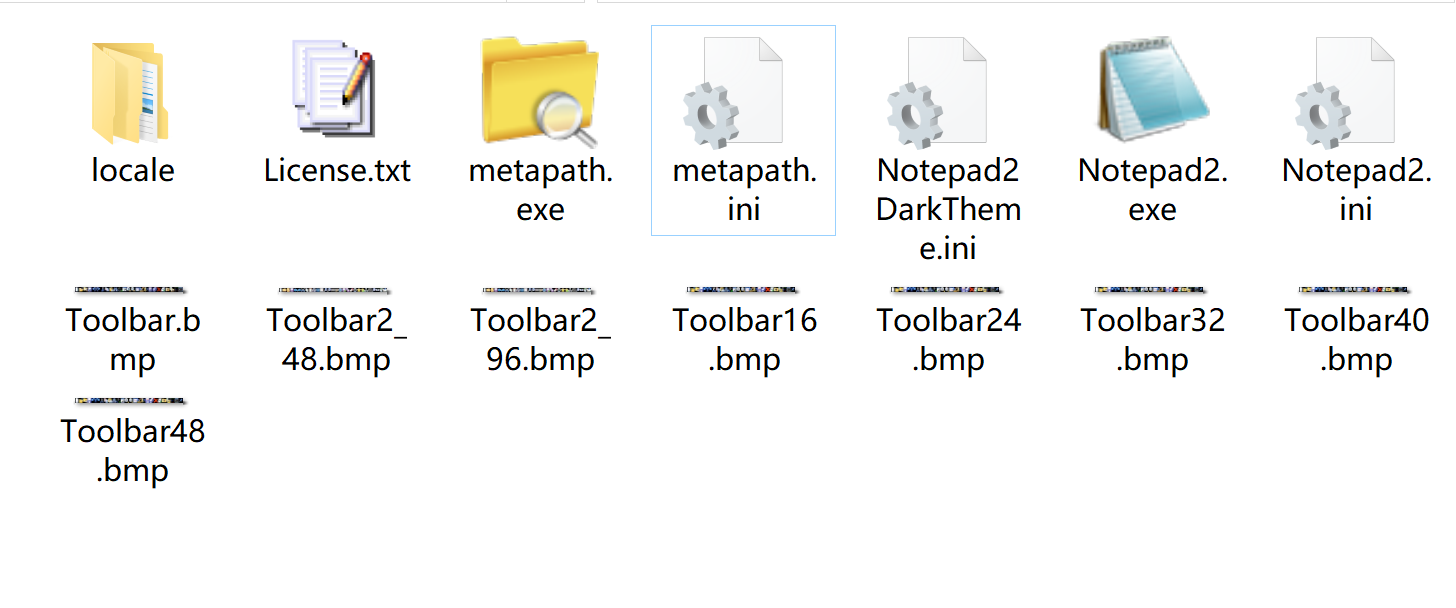 large
large
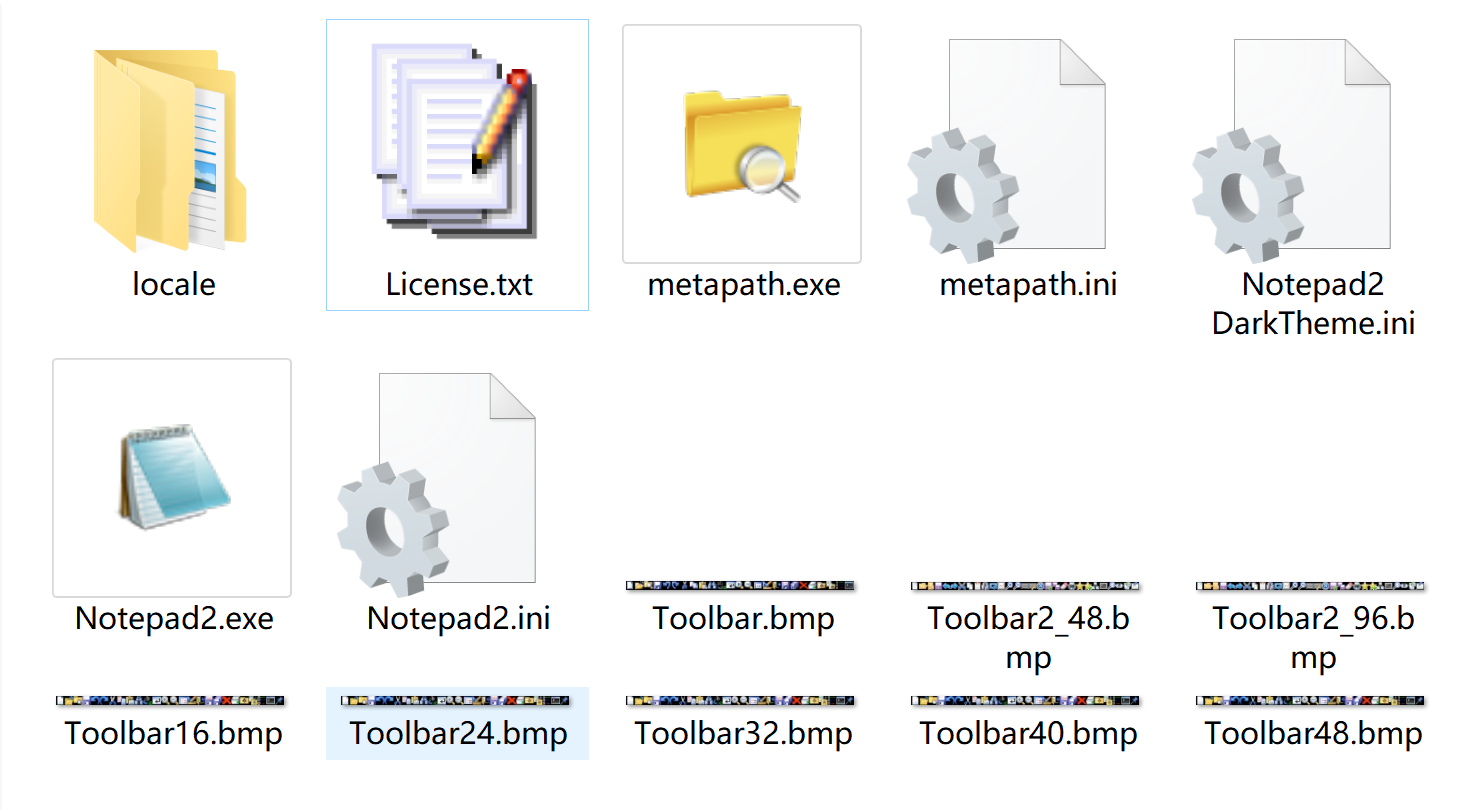 ex large
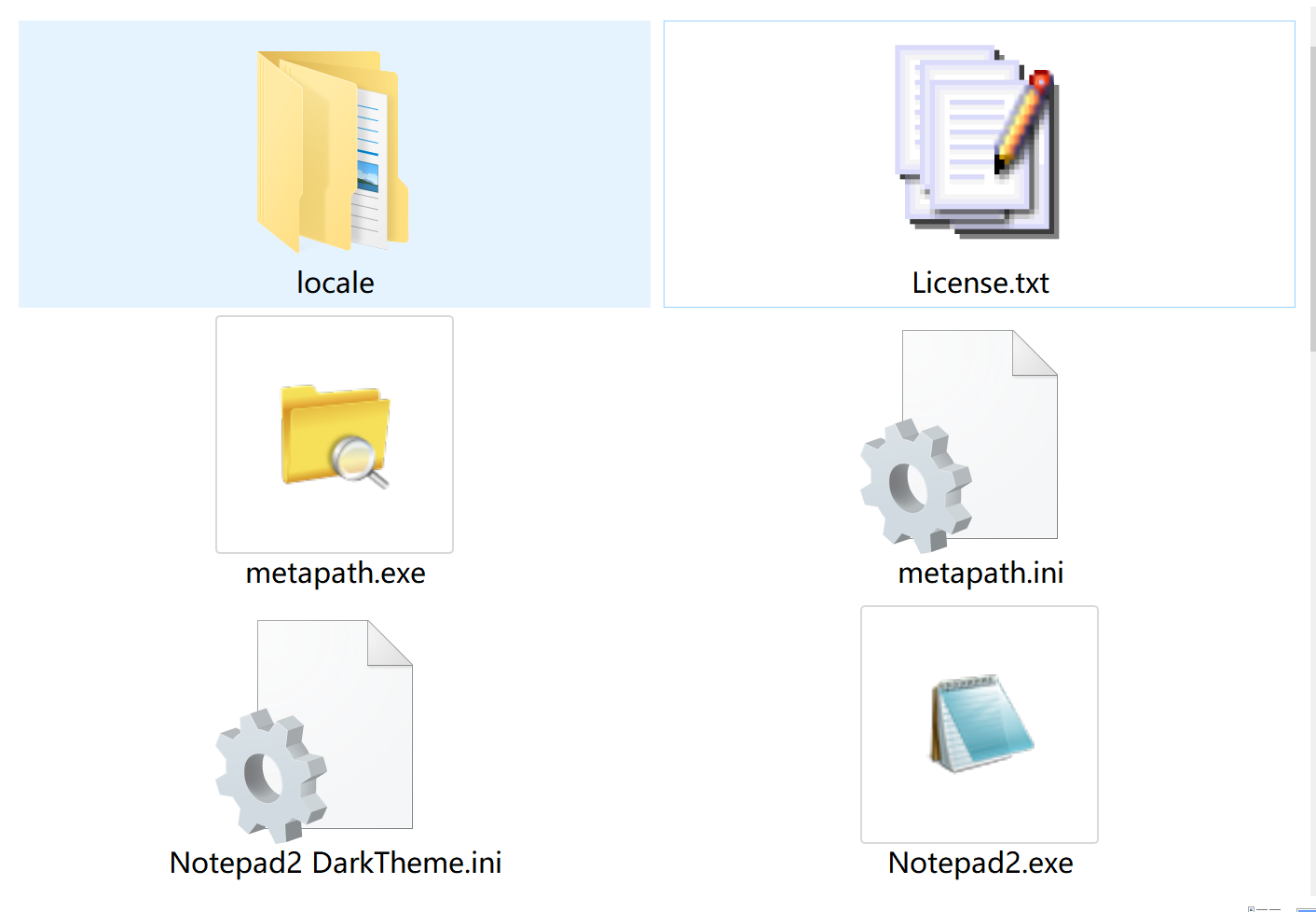
Hi @zufuliu , as requested here is the updated icon with the new directions...

The icon contains the images from 16 to 64px. I had tried to include also the 128px icon but the file even if lightened from all superfluous icons (24, 8, 4 bit) came to weigh almost 100 KB!
Attached is Metapath.exe compiled with this icon and the .ico file . I kindly ask Mr. @WanderMax to test this version as well. Metapath.zip
It appears good 👍 and is recognizable at glance, but still not work in large icon view mode. I think 256px is need (don't need care the size, we will need two icons, small and HD), following is the icon differences:
OK I already have the material ready, tomorrow morning (local time) I will upload the second icon. Shall I proceed directly with a PR? If so directly in the main branch or always in develop? 😉
PR (still in develop branch) need to be wait until I split out metapath's images from images folder, see issue #46.
Added issue #585 to track status for Win95 style icons, so we can close this issue after @Matteo-Nigro finished the application icon.