

 zufuliu
Dark Mode
2nd default scheme now configured as base style for dark mode (commit f587369d0711c015ff42623f4e6dbedccb2ae509).
Built-in lexer styles still not configured for dark mode, some color (red, blue, etc.) is very ugly in dark mode.


Basically, it would be nice if the color caret is the opposite of the background color. Even with various color background settings, the carats will be visible.
and, some opinion. issue - Batch - label 'fore: # C80000; back: # F4F4F4; eolfilled ' It would be nice to change it to the default value.

I think dark mode / theme is ready, I added a new screenshot for v4.19.04.
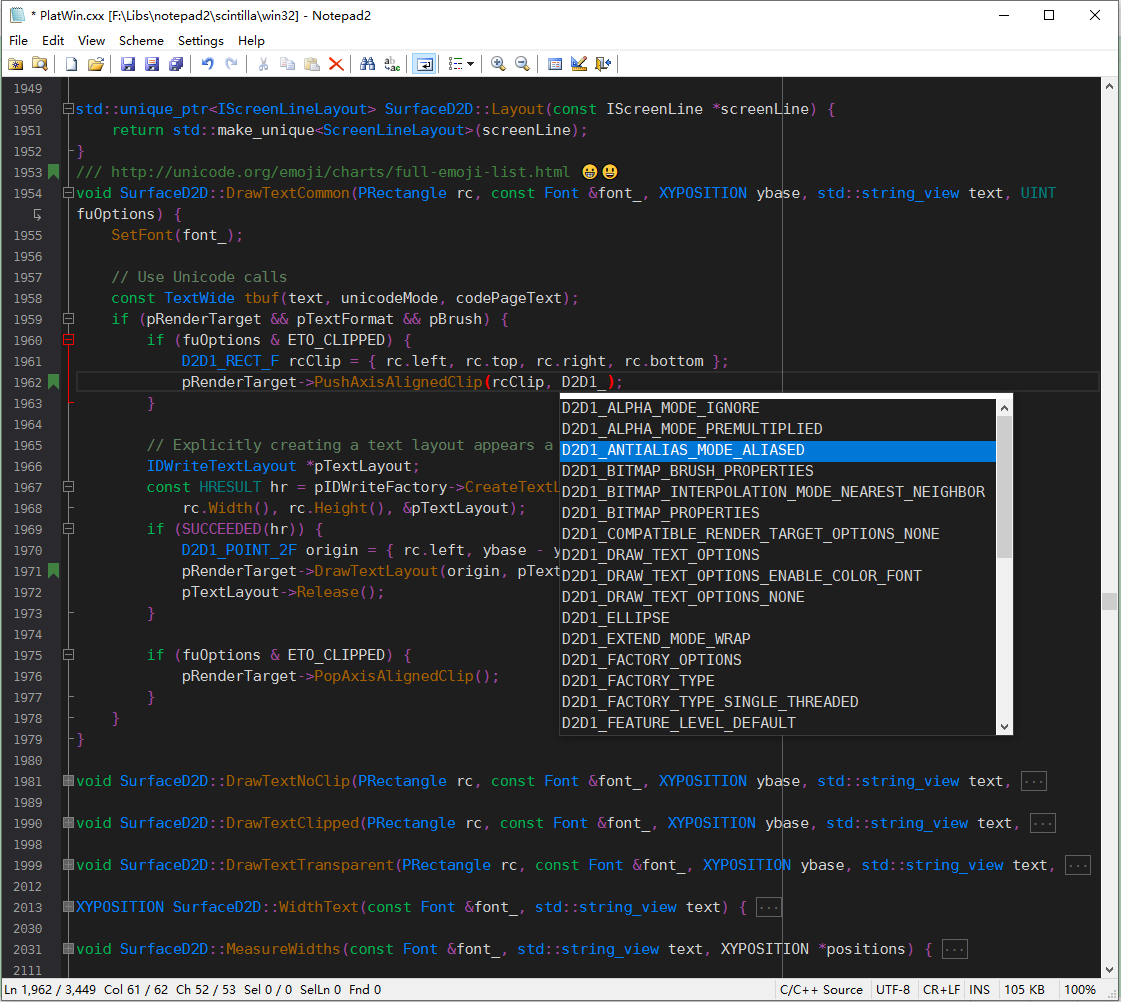
Menu, toolbar and statusbar requires complicate custom drawing for dark mode, are not implemented.
The white area above auto-completion box on win10 (above screenshot by v4.19.04) was removed in v4.19.06. Related discussion can be found at https://sourceforge.net/p/scintilla/feature-requests/1284/.
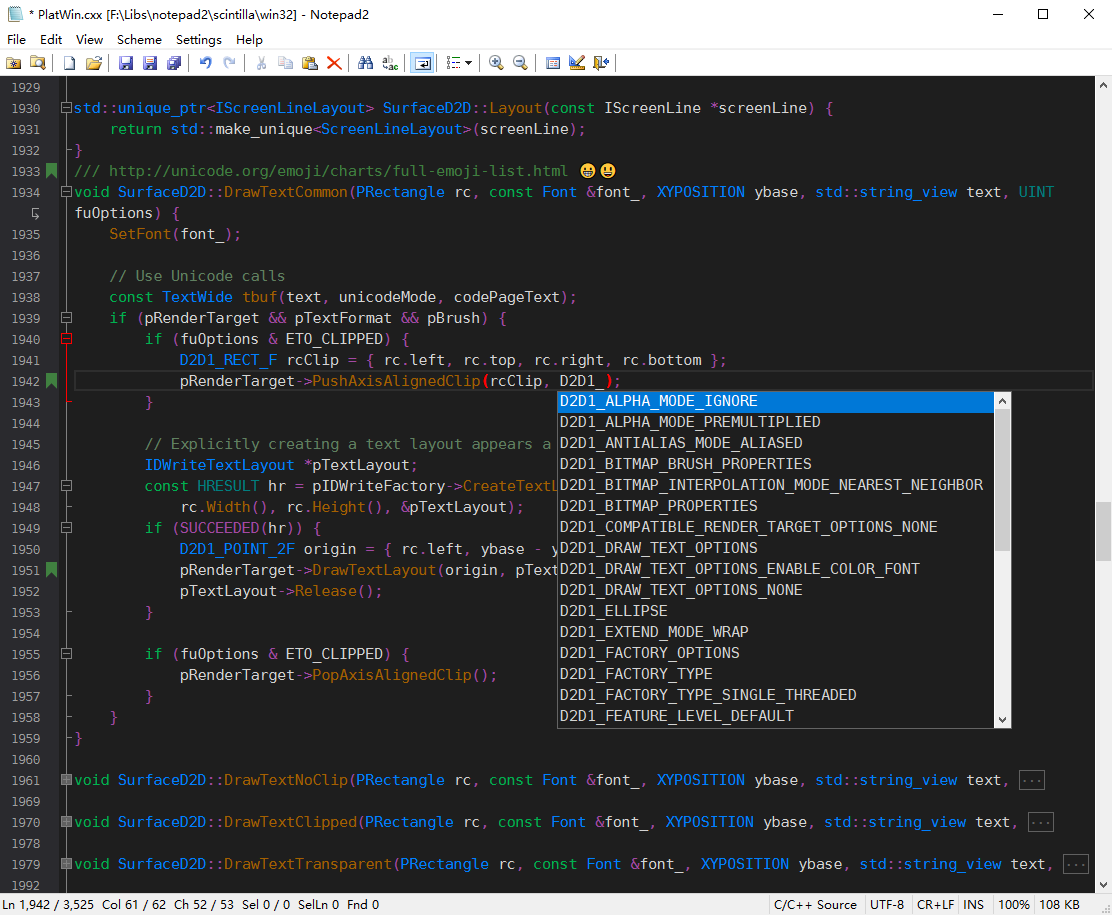
Hi,zu did you get this one patched for the new version? I am running 4.19.06 r2148 now, cursor is still invisible in the dark mode

@jzhao2007 can you try v4.19.12.r2604 and replace Notepad2 DarkTheme.ini with the one in zip.
Hi! I created 18 color themes. maboroshin/Notepad2ColorTheme
My recommendations: In order, Solarized Dark, Iceburg (Dark), Solarized Light. My tweaks are now visible in probably all languages. In Solarized (Notepad2_Solarized.ini), color scheme 1 is light and color scheme 2 is dark. But some languages in this light theme are a bit darker.
There are code to detect system dark mode on Win 10:
https://sourceforge.net/p/scintilla/scite/ci/09b21fe9d954ba1b350289fdbe7b16d59f7134ac/
HKEY_CURRENT_USER\Software\Microsoft\Windows\CurrentVersion\Themes\Personalize
    AppsUseLightTheme           REG_DWORD
    SystemUsesLightTheme        REG_DWORD
HIGHCONTRAST info{};
info.cbSize = sizeof(HIGHCONTRAST)
SystemParametersInfo(SPI_GETHIGHCONTRAST, 0, &info, 0);
info.dwFlags & HCF_HIGHCONTRASTON;
This is simple.
If the system is in dark mode when Notepad2's auto-detection setting is on, apply the dark theme. New menu: Style Theme -> Auto Detect (or System Color ... etc)
Apps such as the following are already auto-detected.
It can be added later. by the way, you can use DarkTheme.ini (in Notepad2 section in Notepad2.ini) to set custom theme file path, without import.
[Notepad2]
;Notepad2.ini=%LOCALAPPDATA%\Notepad2\Notepad2.ini
;DarkTheme.ini=%LOCALAPPDATA%\Notepad2\Notepad2 DarkTheme.ini
[Settings]
SettingsVersion=1
Question from occasional user (but still a fan!) of Notepad2.
How do you turn Dark Mode on? Is there a setting in the GUI? Do I need to configure the .ini or other files?

Thanks, but still struggling to find it. Is it in one of the following menus/windows? Or am I missing something? I also tried turning on the 2nd default scheme, as noted in the original post in this issue thread, but I didn't notice any changes.
If you could provide more explicit steps, maybe with screenshots, that might help! FYI, I'm running 4.2.25 r998.


Hi @ejm554 please download latest release from https://github.com/zufuliu/notepad2/releases

Hey all. Could full dark mode support be added where the entire UI can be made dark (preferably based on OS setting like previously mentioned in the thread)? I am a big fan of this fork of Notepad2 with all its features, but during night time I reluctantly use alternatives due to this.
Notepad3 implemented it using https://github.com/ysc3839/win32-darkmode/
Notepad3 using Windows 11 Dark theme

Notepad3 using Windows 11 Default theme

Notepad2 using Windows 11 Dark theme

Notepad2 using Windows 11 Dark theme but Dark Style manually enabled

