
Zufu Liu
Zufu Liu
`##` in rtlarch.S is fixed by e92cad93f7b37e6a97f3040b4fe41c9451f588f1.
Redirection is already supported: https://github.com/zufuliu/notepad4/blob/7b31ae4bef0a84338e24f4fc1b08a718abd7d4e2/doc/Notepad4.ini#L1-L4
> 自动提供这个按钮就更好了。 Not work for menu.
It's indented to open the dialog: https://github.com/zufuliu/notepad4/blob/c547da6e8254573afb8bf10deb011be6e1c2f2fb/src/Notepad4.cpp#L3810-L3820
Implemented by 8d1ce642f27766e2ea20c14c897bb192c87f38dc, but probably you are looking for Ctrl+F3 and Ctrl+Shift+F3, i.e. find next/previous occurrence of current selected text regardless of the saved search string.
Download HD version, then right-click toolbar, click "Use Larger Toolbar":
> 仍然有点小,好像菜单文字没有变大选项,notepad3也是 You can change menu text using system settings, Settings > Accessibility > Text size https://www.microsoft.com/en-us/windows/tips/easier-to-see https://www.microsoft.com/zh-cn/windows/tips/easier-to-see 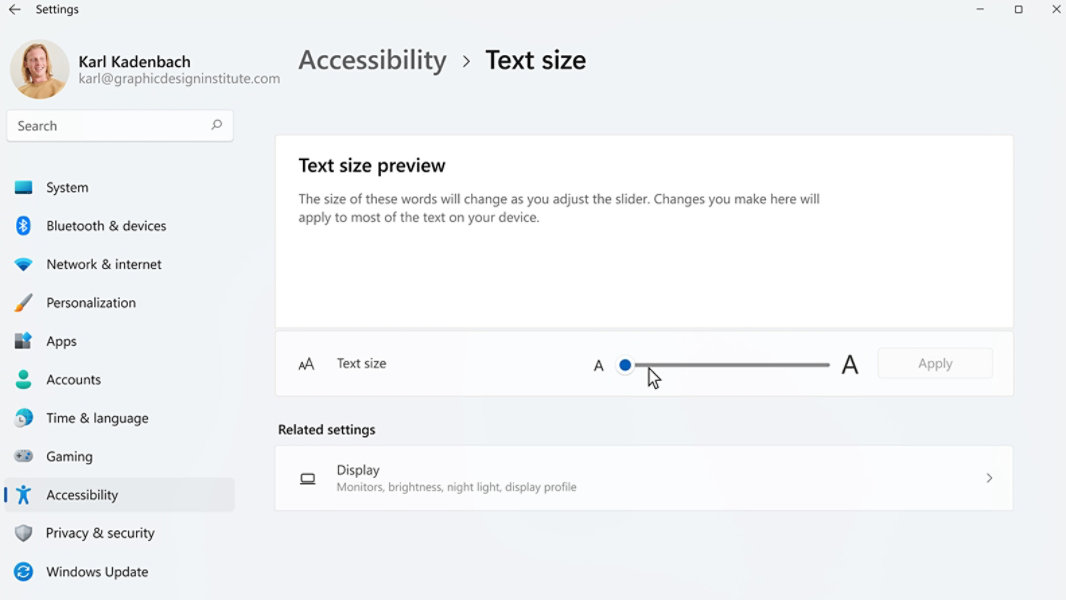
Support "Settings > Accessibility > Text size" for editor window and dialogs could be implemented by reading registry `HKEY_CURRENT_USER\Software\\Microsoft\\Accessibility\TextScaleFactor`.
You can use "Select All" button on "Find Text" dialog:
> 确实用“大文件模式”要快一些 https://github.com/zufuliu/notepad4/blob/e13093bebca36caa59d01a14eeceb93223e3c5fa/scintilla/src/CellBuffer.cxx#L222-L226 large file will use more memory (not measured, search `largeDocument` in `scintilla/src` folder). > 功能建议:可否让用户决定直接启用“大文件模式”? `SC_DOCUMENTOPTION_STYLES_NONE` need to be omitted to enable styling for real small file....