

 zowe
zowe
Update Zowe Overview Video
@ajinrocket presented feedback to doc squad on 3/11/2021
The main points of conversation focused on the following topics:
- Remove the "components" section from the Overview Video and create individual videos for each component.
- Ask each team to come up with features they would like to demo for their respective components.
- Create a short ~90 second overview video that highlights the advantages of Zowe while comparing it to current methods of operating in the mainframe (in a neutral manner).
- Long term plans to have the OMP create professional videos for the Zowe.org site, based on the drafts we create.

hi @Joe-Winchester , @RASakach , @balhar-jakub ,
This is a draft for Zowe overview video. Any comments, suggestions or questions are welcome. The videos attached are the intro parts, very short ones. Thanks!
Deck: Zowe overview video redesign draft.pdf Intros: https://user-images.githubusercontent.com/95402892/191709718-1da4bb86-f8dd-4506-8402-c4275a403c52.mp4 https://user-images.githubusercontent.com/95402892/191709701-302008f2-a945-4bab-a167-f0786cfb5e90.mp4

Since this will be a marketing style overview video, please leave some comments here.
- What do you think about the video structure?
- Will 3-5 minutes do for this video?
- What kind of style do you prefer for this video. I will leave some examples here and let me know what's your opinion. https://mediacenter.ibm.com/media/Overview+of+IBM+Z+Operational+Log+and+Data+Analytics/1_7bn4ucwm/233881122 https://mediacenter.ibm.com/media/New+in+Service+Management+Unite+1.1.4+--+Faster+installation+with+Docker+image/1_fos2ghd3
Feel free to leave your comments and thoughts here and with that I will produce a conceptual demo ASAP. @RASakach @Joe-Winchester @DivergentEuropeans
Hey @samanthasusu , I see a few issues with both intro drafts mainly: the frame rate seems to be too low (appears choppy?) and the second one has a funkier feel to it, they're both suffering some polish. The font looks suspiciously close to comic sans. So far, out of the two, my favorite so far is choice 1 EXCEPT play it:
- from 0:00 to about 0:02 and 2/3 (nearly 0:03)
- increase playback speed to 1.5x
Final result?
https://user-images.githubusercontent.com/20528015/198724275-08c55318-06ac-4c39-92f3-630cc392f245.mp4
(please ignore watermark, no time to use dedicated editor)

I'd like to see a good render of the above, except with a better font maybe the one from zowe.org
I would experiment with the colors too. Try:
- same background color, dark blue logo fades into black logo, white shimmer runs along black logo OR
- same background color, dark blue logo fades into black logo, white shimmer runs along black logo, black logo fades back into dark blue logo
Shimmering twice looks tacky, I wouldn't recommend it. Just my opinion though 🙂
hi Leanid, thank you so much for your comments and suggestions. Since the two intros are just drafts to show the effect like text animation or graphics animation, don't worry about that and I will refine them. Also, github has some limitations in the size so I will send all of you the next demo with high resolution via other methods. I have some questions below to confirm before I start creating this video.
- What do you think about the video structure? (the structure is in the deck)
- Will 3-5 minutes do for this video?
- What kind of style do you prefer for this video. I will leave some examples here and let me know what's your opinion. https://mediacenter.ibm.com/media/Overview+of+IBM+Z+Operational+Log+and+Data+Analytics/1_7bn4ucwm/233881122 https://mediacenter.ibm.com/media/New+in+Service+Management+Unite+1.1.4+--+Faster+installation+with+Docker+image/1_fos2ghd3 Thanks again for your quick feedback.
I would experiment with the colors too. Try:
* same background color, dark blue logo fades into black logo, white shimmer runs along black logo OR

* same background color, dark blue logo fades into black logo, white shimmer runs along black logo, black logo fades back into dark blue logo
Shimmering twice looks tacky, I wouldn't recommend it. Just my opinion though 🙂
Hi @samanthasusu - great start on the Zowe INTRO video! My comments:
- Video Structure: I like this outline: (1) INTRO (2) Challenges (3) User Experience w/o (4) User Experience w (5) Benefits (6) Ecosystem Benefits (7) Resources (8) OUTRO ---- I would like to make modification to the deck - any chance you can share a version I can edit or suggest edits?
- The SHORTER the better, so I would try to shoot for 3 minutes
- Style: The first style looks too "Markety" to me so I prefer the 2nd style
Feel free to join our weekly Onboarding call tomorrow if you would like to discuss further or reach out directly to me on SLACK.

Sorry for my slow reply @samanthasusu I been busy with dev work 🙂
Agree with everything from @RASakach need something to suggest edits . I'll go further, 2nd style is better but I think both styles have weaknesses (once again my preferences, maybe others vary):
-
Videos that contain stock footage of people pointing at monitors is as cliché as middle-aged folk strolling through rye fields for a pharmaceutical drug ad - steer clear. I still like stock footage just don't use it for people, and if you have to, make a really good effort to avoid cringe. When in doubt, use graphics. Here's a good example from video 1

-
Please use good microphone equipment. If we're going to make a video, let's make it good. If you don't have one, I have a nice gaming mic at home so just send me the script. The best products coming from the top fortune company videos on YouTube, you're not going to hear someone with a laptop-quality mic (video 1) and volume isn't too low (video 2)
-
The slides are very useful and the content is great, but the presentation is a bit monogamous (top-left title, left-hand text, right-hand image). I see you said "structure" here, so not sure if those are visuals the way they're intended or you're outlining, just making sure 🙂
Thank you so much for your such detailed comments and feedback on the draft @RASakach @DivergentEuropeans . I am working on the demo this week. Hopefully I can bring this up to our Friday's call for further discussion. Also thanks Lenny for bringing up the voice-over quality thing, I don't have such high-quality equipment so your help is absolutely needed :)
I have nothing to add to Leanid and Rose. I agree with what has been already said.

hi folks @RASakach @DivergentEuropeans @balhar-jakub @Joe-Winchester @Domenico-DAlterio
I've uploaded the latest version of this demo, about 1 minute 30 seconds long and not completed, and it basically follows the scrip here.
I would like to ask for your opinion about the script in the storyboard, and you could edit it directly. Because the video should be based on the script.
Please see the demo here.
Thanks in advance for your input!
@samanthasusu First, on the storyboard, I don't see the images, it claims I don't have the right to see them. I made some changes around the language and comments.
I saw the demo video and overall I like it. There were two things:
- I would shorten the introductory section without any content but maybe it's going to change as there will be voice talking about the topics.
- I would prolong by a half second or maybe second the phase where the pieces are shown for the first time as it was too fast a movement for me.
@samanthasusu First, on the storyboard, I don't see the images, it claims I don't have the right to see them. I made some changes around the language and comments.
I saw the demo video and overall I like it. There were two things:
1. I would shorten the introductory section without any content but maybe it's going to change as there will be voice talking about the topics.

2. I would prolong by a half second or maybe second the phase where the pieces are shown for the first time as it was too fast a movement for me.
Thanks for your comments! I will re-upload the images later. Also,
- Agree with you. The introductory section can be shortened if we remove some scripts in this part.
- That's good point. I will check the demo and see which clips should be longer.
Got around to reviewing the video too! Excellent start, respectable presentation quality 🍨 @samanthasusu excited to see it develop and flesh out. Saw it first time in onboarding call, so second impressions:
- agree with all @balhar-jakub 's points
- Going to review storyboard now and add comments there, but I'm guessing intro section will have narration. This intro section (the stock footage specifically) is great room for content. The first scene we can leave as is, it's an intro. The following scenes I made screenshots of, have room for CONTENT,
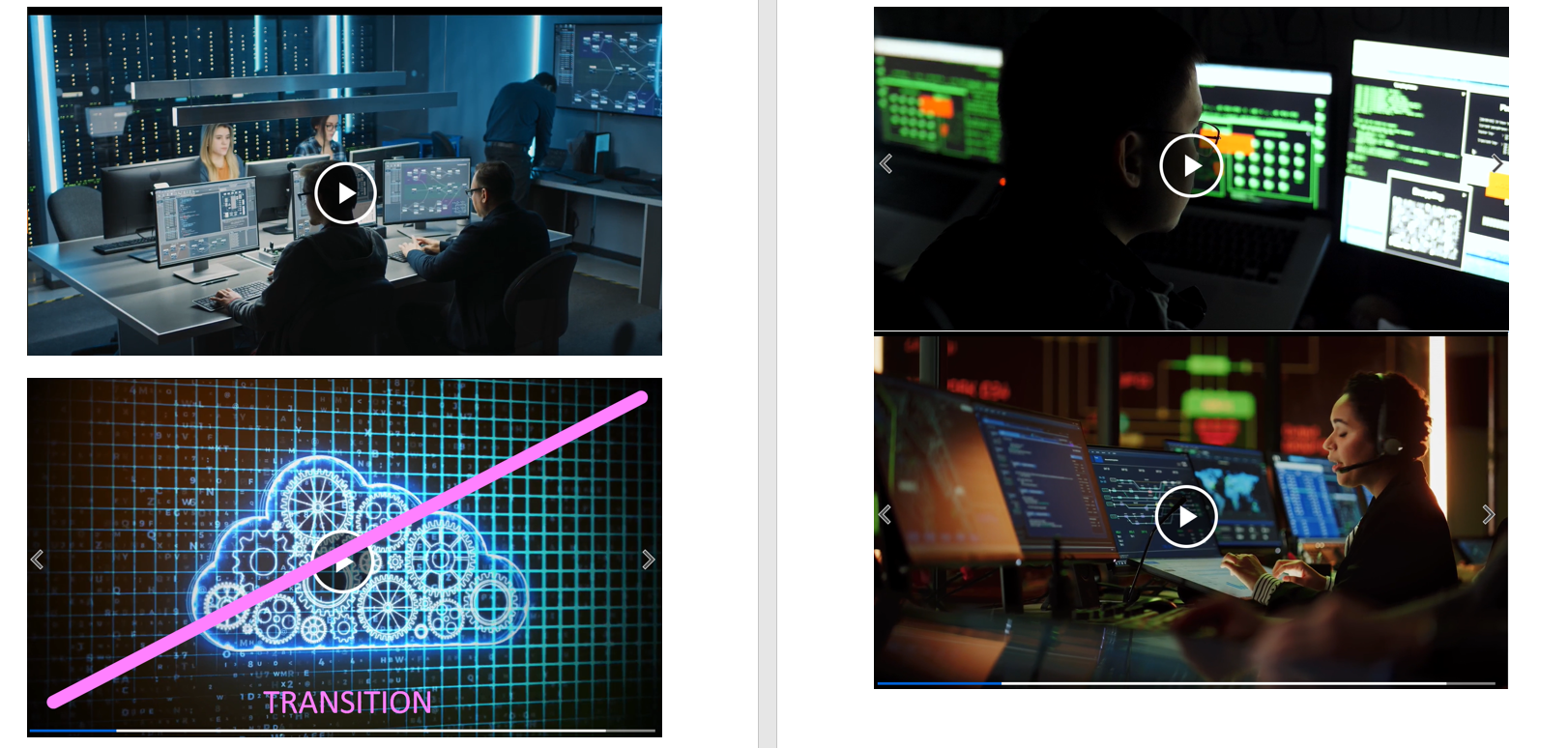
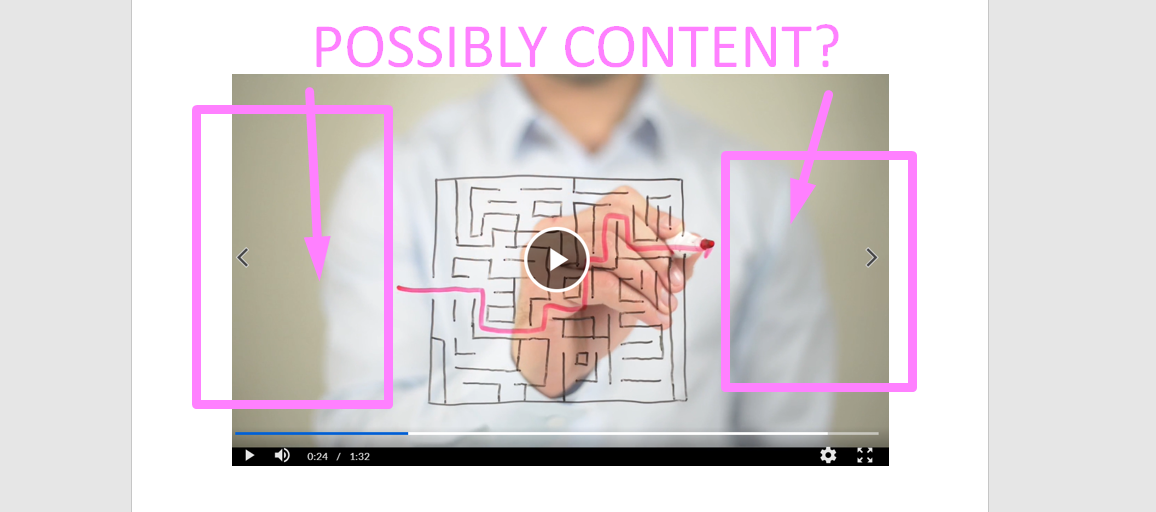
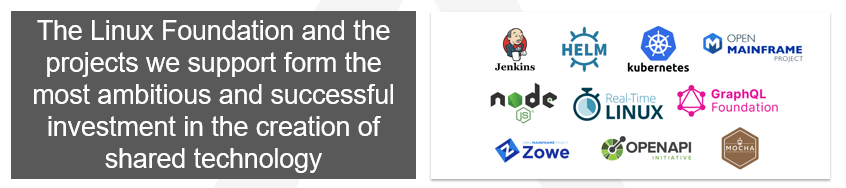
content like (not necessarily in this order: just thoughts): a) z/OS (label or vector graphic) ? b) intended Zowe users (system admins, system programmers, modern programmers) ? c) I want to see a scene about a plug from the Linux Foundation, as Zowe is a project of dozens of very popular, very cool projects - these projects are buzznames that people will know, we want to be associated with them
d) Zowe is hybrid cloud, I want to see a scene that relates Zowe to providing a similar experience to what modern cloud platforms do today. Graphics or name drops of AWS or Google Cloud not needed, but I want a sentence mentioning hybrid cloud, what it means, how Zowe is it, with maybe hybrid cloud vector art if needed to illustrate the point. Please reach out if you have questions
- I think before you spend hours and hours curating correct content for each core component, it would be a really good idea to ask a representative of the core squads to give you a gameplan for what they want their component to showcase. I can be go-to person for the App Framework (Desktop) squad I'll be consulting with @1000TurquoisePogs anyway for anything meaningful, I'm guessing @balhar-jakub can volunteer to be the go-to for API ML, now you need someone for VSCode Explorer and CLI. I saw some very old screenshots in that video, many of them are out of date, and I don't expect you to know everything about every component, however we absolutely NEED the help of the squads. We want to ask them "What do you want to show the world in 45 seconds?" and the 6-12 bullet points that you receive BECOMES the content
Will be happy to help you coordinate/introduce point 3, with the squads at a Technical Steering Committee call for example
Hey Lenny @DivergentEuropeans , thank you so much for bringing point 3! I was thinking about it either. That would be really appreciated if you could let other squads know this video on TSC call. I agree with you that we should update the features for each component, so maybe we can reach out to them and ask them to list some bullet points here in this thread? So that we can also let them know the latest design of each component. For the rest points, I will try to add some content on them according to the script that you modified. Thanks again for your detailed suggestions!
@samanthasusu Let's bring the video for the TSC call, this week the attendance may be smaller as the people from Czech aren't joining due to public holidays, so I would propose next week. If you are ok with next week, I will make sure it's on agenda.
Apart from that I am ok with being the one to prepare the screenshots and other content for the API ML squad.
If we have time towards the end, let's briefly mention it in this week's call @balhar-jakub and we can spend more time on it next week. These cross-squad things may take time, so the earlier we make people aware of it, the better probably for this whole task
@balhar-jakub @DivergentEuropeans Thanks for your suggestions! Not sure if I can make this Thursday's call because of an overlapped meeting. But you could bring the storyboard and the demo to this call and make other squads aware of this overview video revamp. They can leave their input and comments directly on the storyboard. Thanks again for your efforts on pushing forward this redesign.
Here is a short demo with part of the content that @DivergentEuropeans mentioned previously. Hope I got the effect you want correctly.
@samanthasusu I prepared the current content concerning the API Mediation Layer.
Four images could be used within the video representing the latest state of the API ML. Each has a relevant description around.
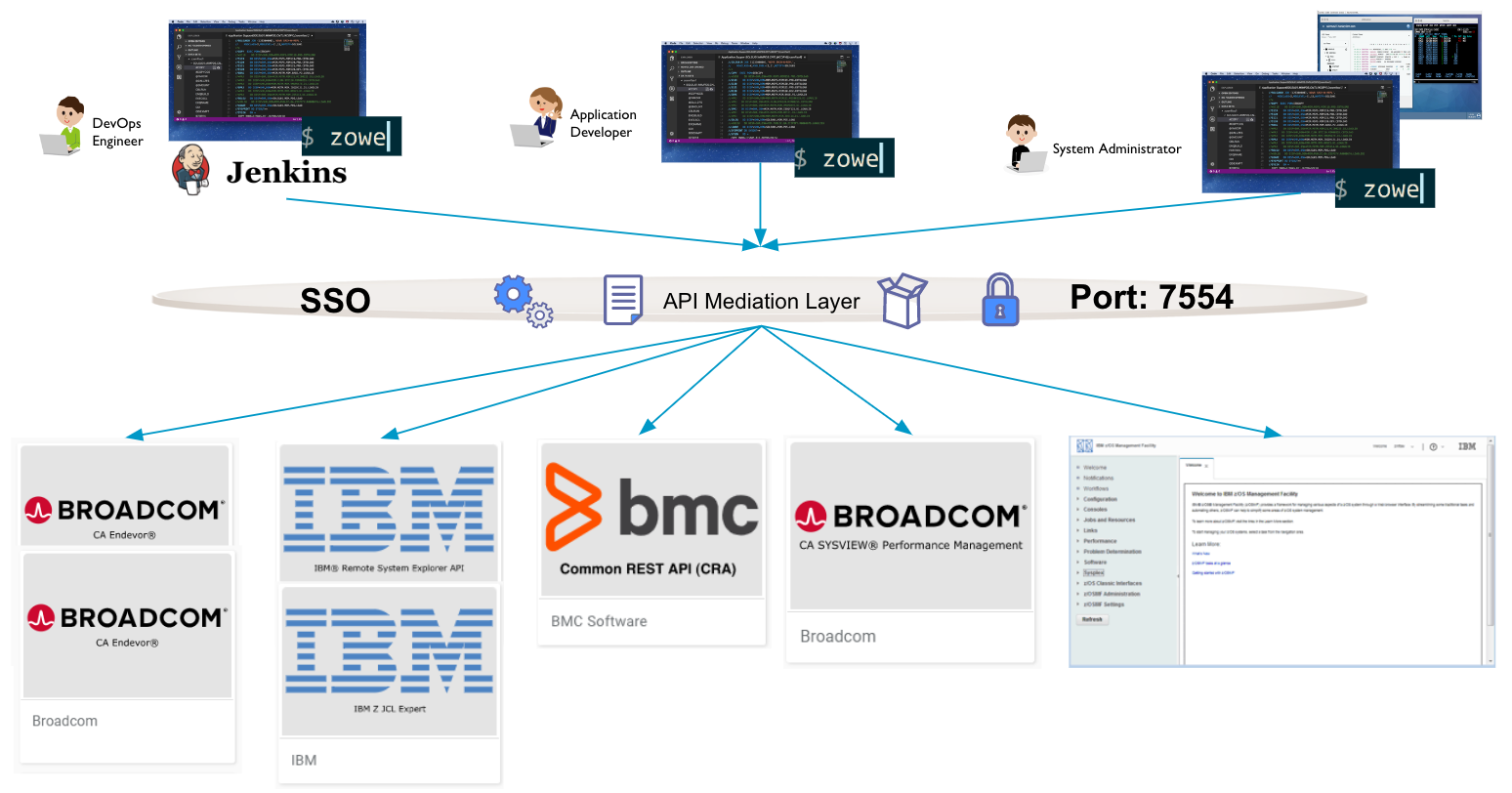 - This one shows the benefits of SSO toward many varied services hidden behind dingle port to
secure.
- This one shows the benefits of SSO toward many varied services hidden behind dingle port to
secure.
 - The API Mediation Layer provides a catalog with the possibility to explore the onboarded APIs including trying them out for real and directly grabbing the code snippets into your favorite programming language.
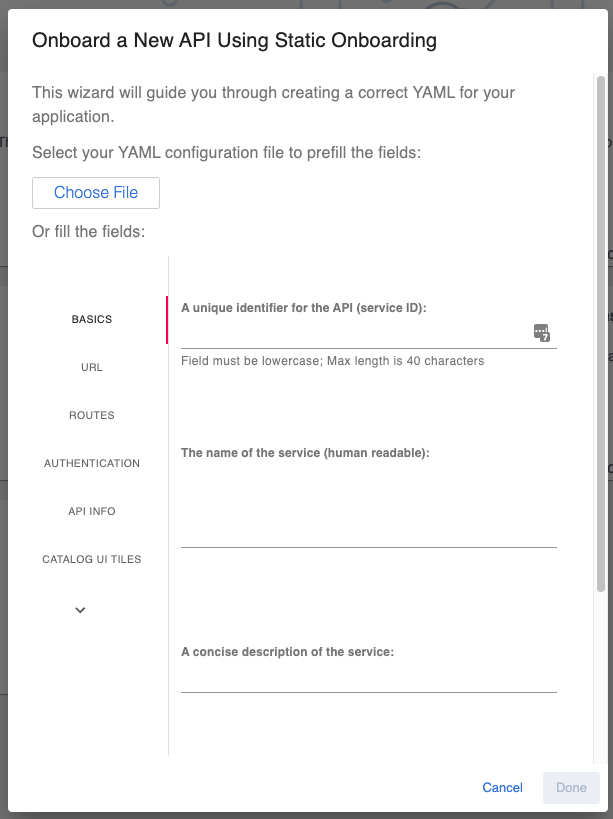 - The API Mediation Layer support you in onboarding your own services with minimum effort via wizard in the API Catalog.
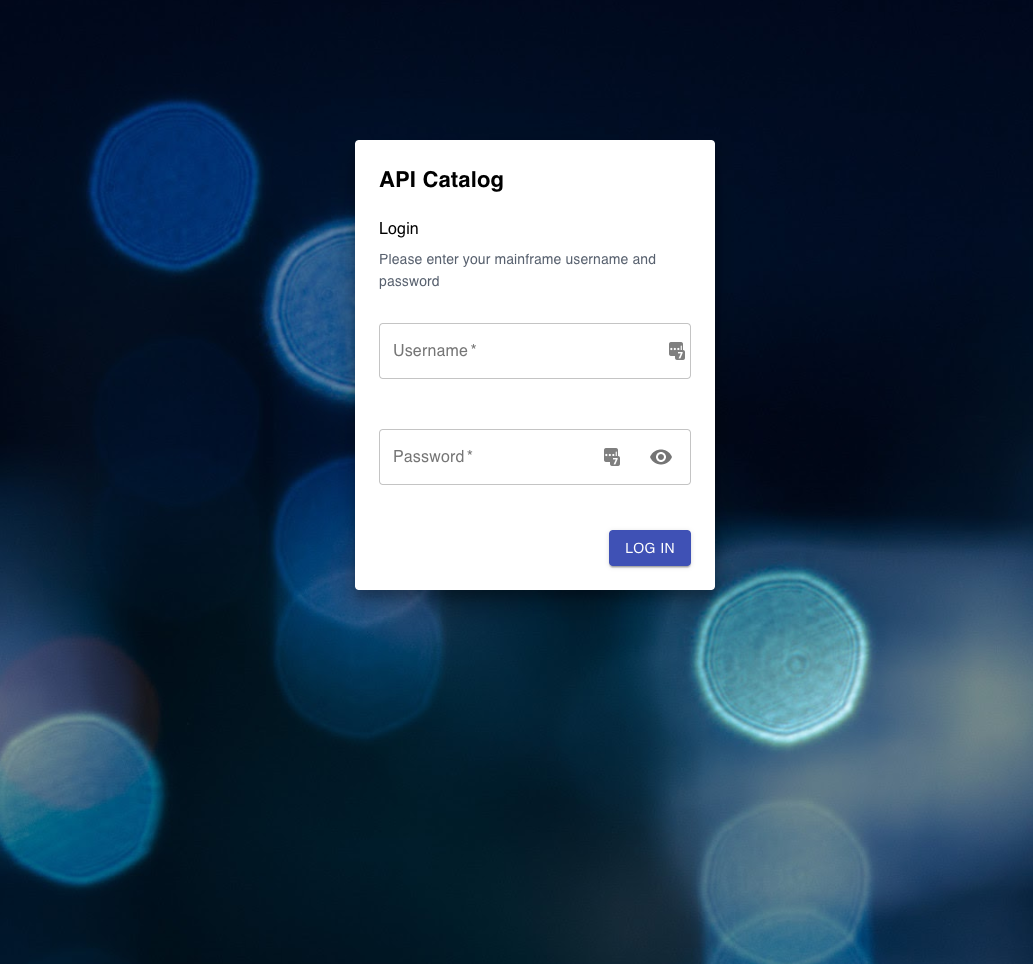 - This just shows the current login screen, if you want to show it somewhere.
If you need an overall description somewhere, I would recommend something alongside the following:
The API Mediation Layer provides Single Sign On functionality to mainframe services. You can easily onboard your services and integrate them into Single Sign On vi many different methods and allow access via Personal Acces Tokens and Client Certificates without any code change. The API ML also hides all the services behind one port, making it easier to manage and secure, and within the API Catalog, you can explore and experiment with all the onboarded APIs in an easy-to-use environment.
@balhar-jakub Thanks Jakub for your input! I will create a demo for this part of content and let you have a review on it. Then we can see if any changes to make.
@samanthasusu just shared me her latest version. Posting my comments here so people can publicly agree or disagree
Ok, nice! Every 30 seconds is an improvement over what I saw before. I see you integrated some of my changes and added some content from what Jakub sent, this is great progress 👍
A few things I'd like to see better:
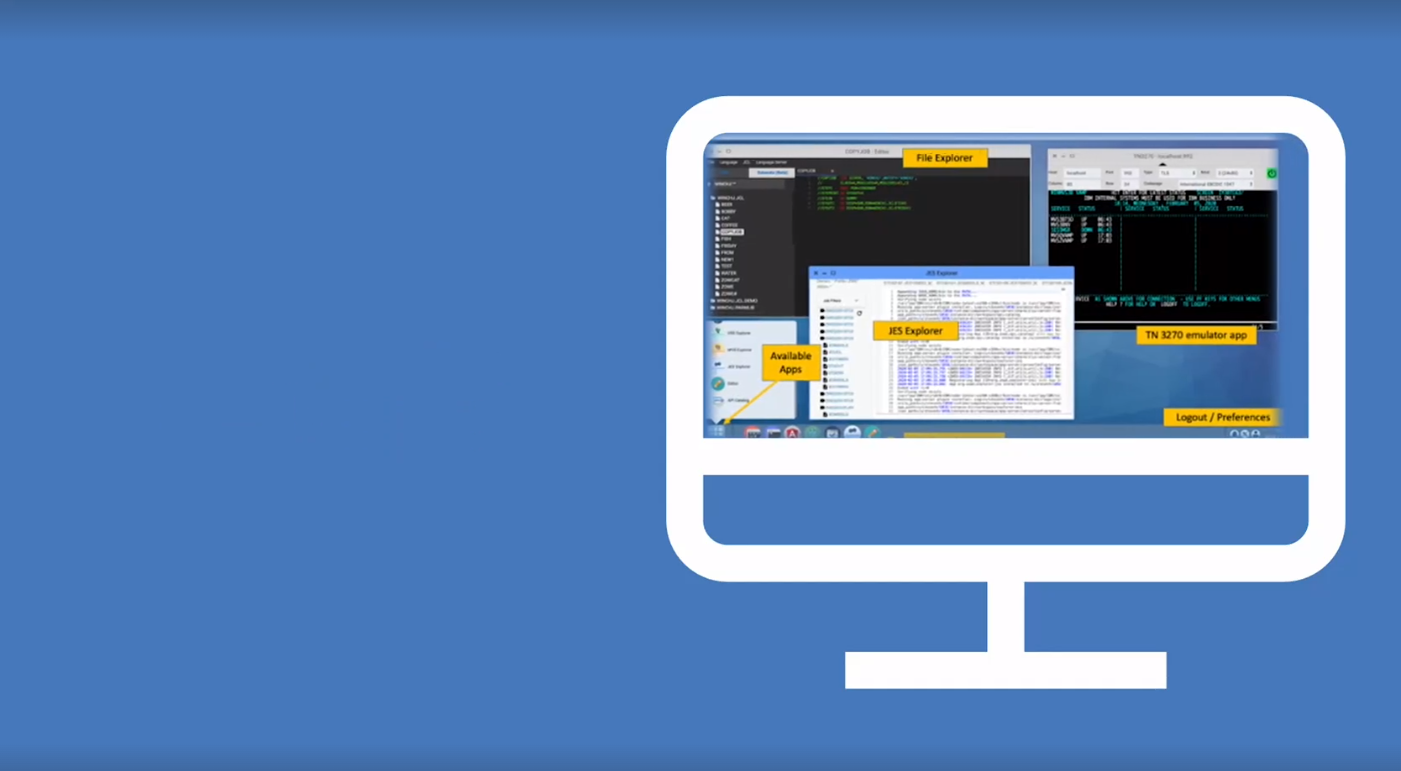
- I don't think this is an effective way of showing screenshots, we need to think of a better way, with more screen real estate. In the screenshot, it's hard to see the details. Consider doing a full screen showcase, or maybe something like this?
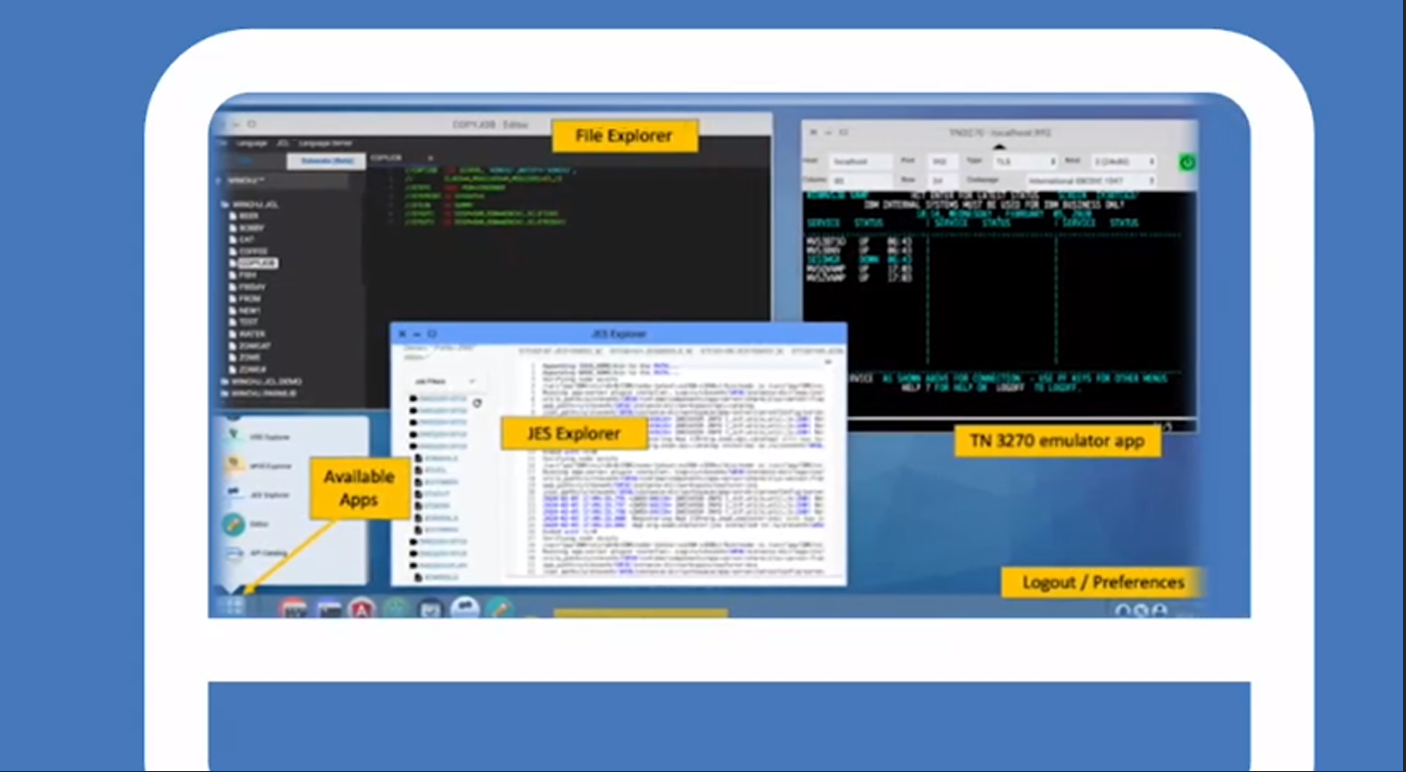
If you wanted to be super professional, I imagine a .5-1.0 sec transition from beginning with a monitor the size of your screenshot, then we zoom into that monitor to about the size of my screenshot, THEN we carousel through the content we want to show

This is the right idea! But I think it looks a bit clumsy/awkward. Maybe something closer to this?
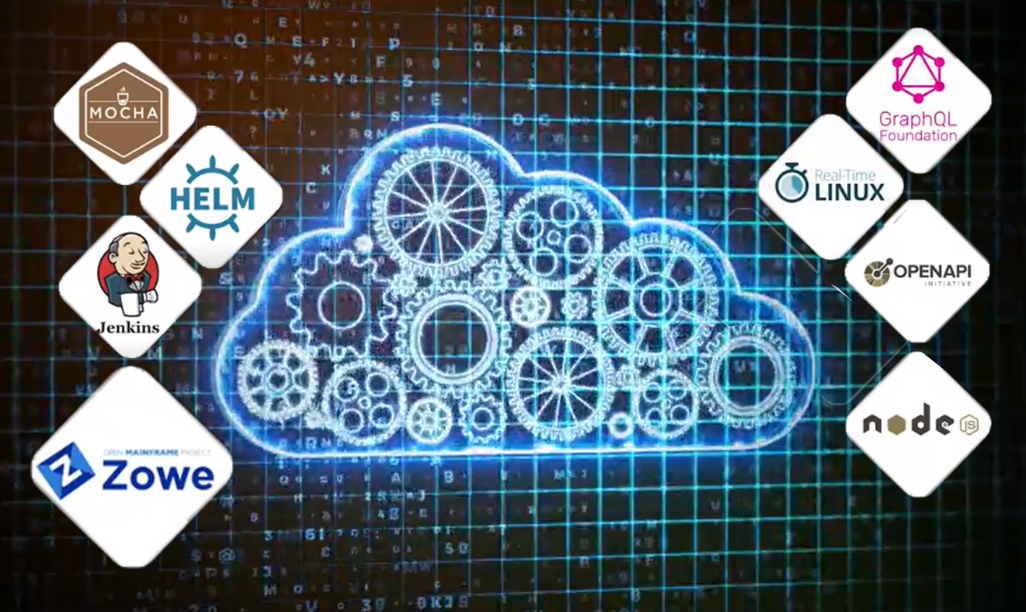
Just brainstorming. It still doesn't look great, but I think it's a little better. Something else to try? Remove the white tile w/ background, keep the logos with their transparent backgrounds and instead add some drop shadow, like an outer glow, or add a flat drop shadow, that makes the logos pop. ALSO, please add the Kubernetes logo. It's a popular one, you should keep it there unless you intentionally removed it
- Show this text more quickly (perhaps halfway through the drawing animation). It appears too briefly in the video, to read without rewinding
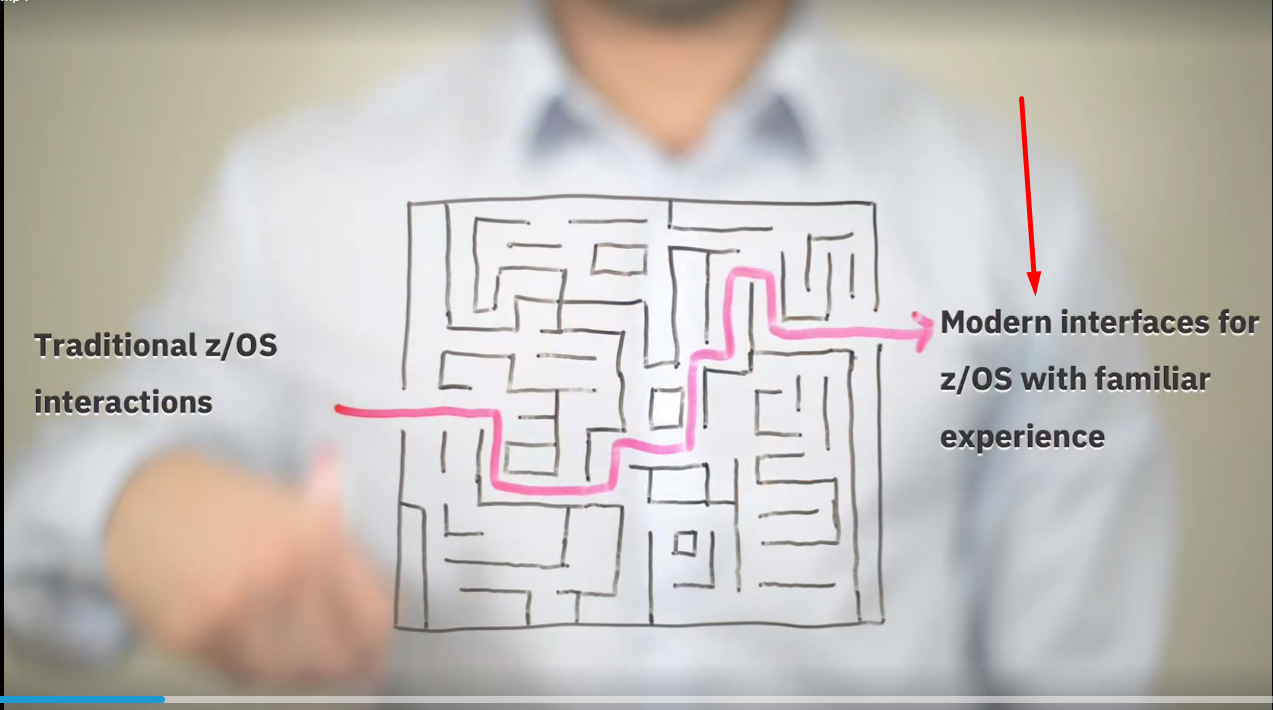
The animations are getting cooler too! Good
@samanthasusu Hello, I've prepared some images for Zowe IntelliJ Plugin
The first one - a high-level overview
The second one - demo on how it works with z/OS datasets and USS files through working sets + JCL Highlight
The third one - demo on how it works with JES through JES working sets + JCL Highlight

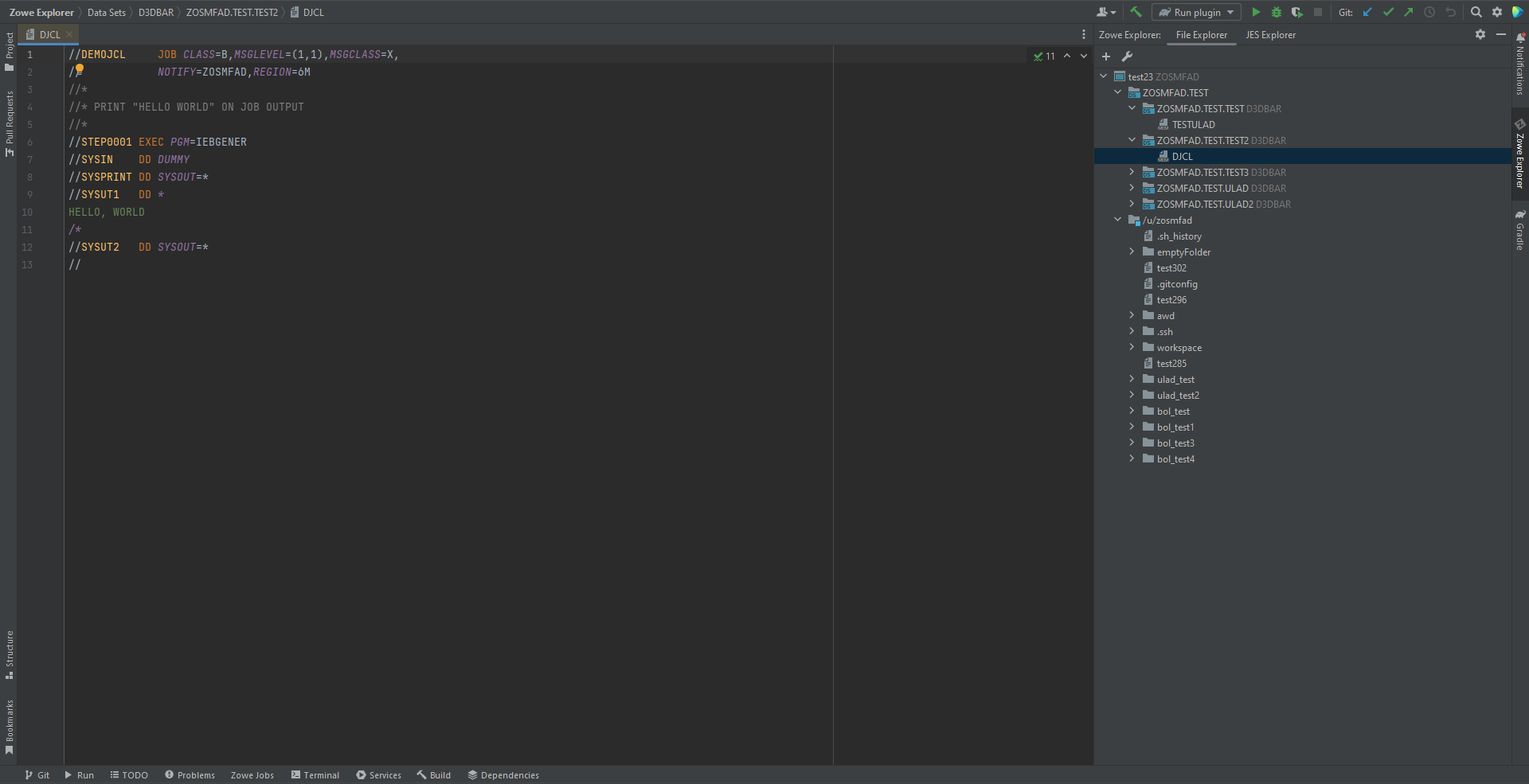
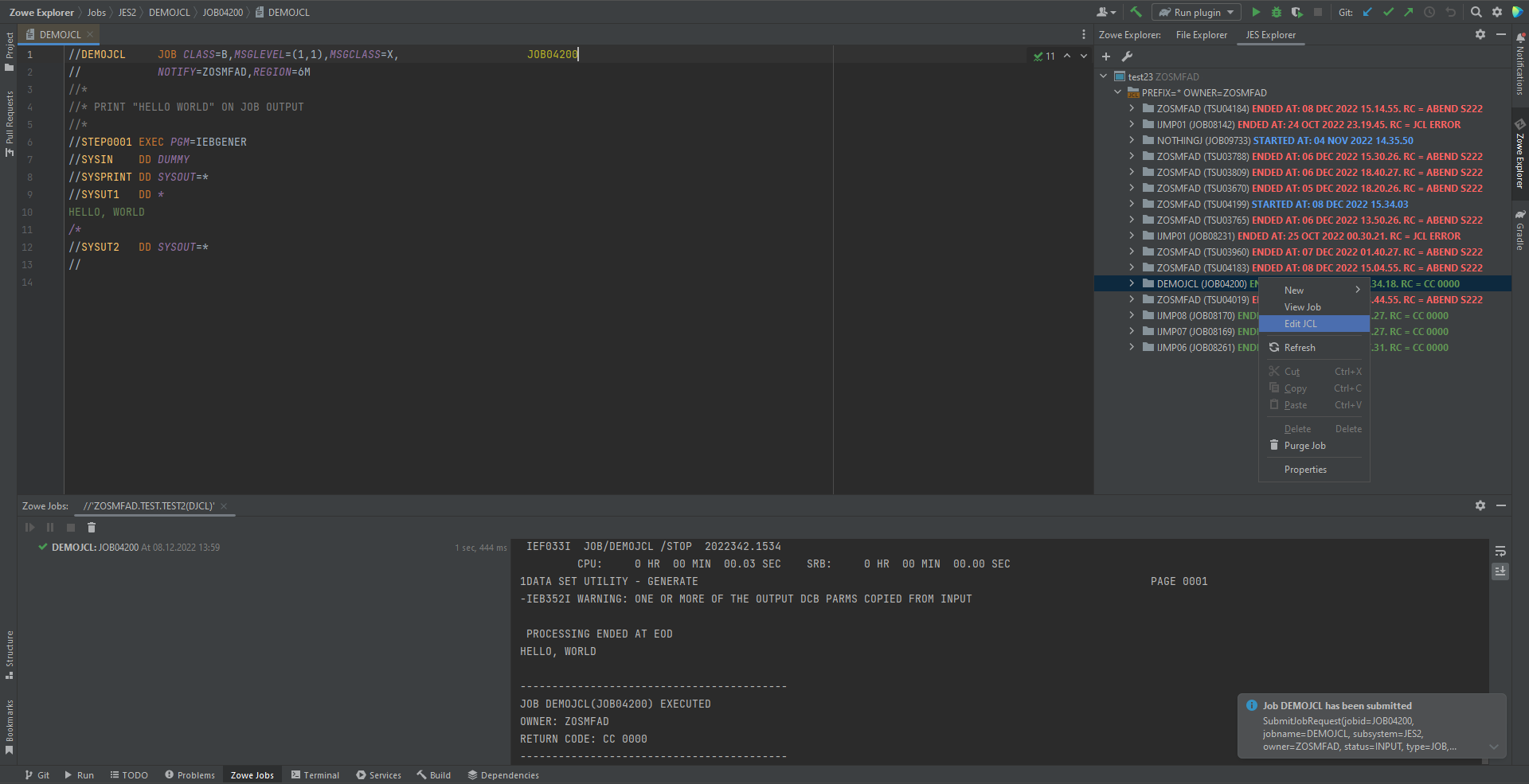

@samanthasusu Hello, I've prepared some images for Zowe IntelliJ Plugin The first one - a high-level overview The second one - demo on how it works with z/OS datasets and USS files through working sets + JCL Highlight The third one - demo on how it works with JES through JES working sets + JCL Highlight
hi Uladzislau! Thanks for your detailed input and I can get your point. I am wondering if you could send me the picture in .svg or other editable format because I want to convert this into an animation. Thank you.

@samanthasusu I prepared the current content concerning the API Mediation Layer.
Four images could be used within the video representing the latest state of the API ML. Each has a relevant description around.
If you need an overall description somewhere, I would recommend something alongside the following:
The API Mediation Layer provides Single Sign On functionality to mainframe services. You can easily onboard your services and integrate them into Single Sign On vi many different methods and allow access via Personal Acces Tokens and Client Certificates without any code change. The API ML also hides all the services behind one port, making it easier to manage and secure, and within the API Catalog, you can explore and experiment with all the onboarded APIs in an easy-to-use environment.
hi Jakub! I am wondering if you could send me a gif or short demo video about API Catalog, like the user log in process. Because I can only access the ztrial environment to record it. Thank you so much for your input!
@DivergentEuropeans @RASakach @balhar-jakub hi all, I've uploaded the latest demo here and will finish the rest after Chinese New Year vacation. Any comments or suggestions are welcomed! Thank you so much!
Hello, i have a few comments to the video:
CLI
- the screen showcasing some of the plugins moves too fast to be able to pick any out and the text resolution on these plugins seems off
- we very quickly show some small API Catalog screenshots; perhaps these should be part of the API ML section
EXPLORER
- the screenshots appear too briefly to get a real sense of what it is
APIML
- this whole section moves too fast also
- for the first screen with the visual i think we want to convey the following
-
- personas using CLI and Explorer can..
-
- single sign on via the API ML to..
-
- multiple REST services behind the API ML
- better link between the 'microservices' in the first screen with the Services in the second screen, make it obvious this is the same thing
- this is the section where we should show some screenshots from the API Catalog

The recording of the login screen and some of the API Catalog functionality is attached.
New Recording - 17_01_2023, 14_14_14.webm
hi Jakub, seems like something wrong with the video format here, would you mind uploading a copy in .mov or .mp4 to this folder? Thank youuuu!
The recording of the login screen and some of the API Catalog functionality is attached. New.Recording.-.17_01_2023.14_14_14.webm