awtk

awtk copied to clipboard
 zlgopen
最新的AWTK,控件的opacity属性不能正常生效
你好, 最新的AWTK控件的opacity属性不能正常生效。 我是在xml中设置的,例如:
<button x="c" y="m" w="80%" h="270" opacity="220"/>


我刚试了下,发现如果控件的style中包含了round_radius,那么opacity就不生效了。
例如:
控件:<button x="32" y="m" w="200" h="80" style="test" opacity="135"/>
控件 style:
<style name="test" bg_color="black" round_radius="5">
    <normal     />
    <pressed    x_offset="1" y_offset="1" />
    <over     />
    <disable/>
</style>
如果style中包含round_radius="5",那么opacity就不生效了,反之去掉则正常。
抱歉上面的问题我没有描述清楚,我刚试了下,上述问题是在使用CARIO的时候才会出现。 编译选项 awtk_config.py: VGCANVAS='CAIRO' NANOVG_BACKEND='AGGE'
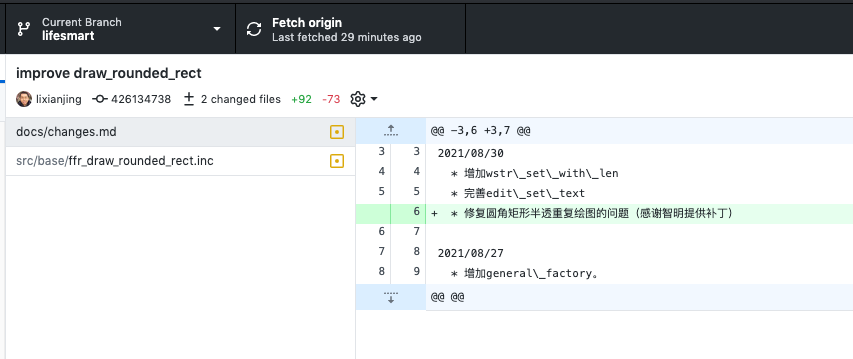
然后我刚试了下该问题应该是8月30号的一次修改造成的,我将ffr_draw_rounded_rect.inc中的内容回退到了8月30号之前的,上述问题就解决了。