

 zhongyang219
Bad text align


This appeared after the latest Win11 update. So I assume MS fiddled with the taskbar settings.


Hi, I think it was the KB5022913 update that shows this effect. And you can't uninstall it. Nice.
But it's just a temporary fix only. Maintainer release a fix.
On Fri, Mar 17, 2023 at 8:29 PM f465gt @.***> wrote:
Hi, I think it was the KB5022913 update that shows this effect. And you can't uninstall it. Nice.
— Reply to this email directly, view it on GitHub https://github.com/zhongyang219/TrafficMonitor/issues/1554#issuecomment-1473974032, or unsubscribe https://github.com/notifications/unsubscribe-auth/ATTUOTCG5VM7UWSWHHMBNL3W4R36BANCNFSM6AAAAAAVZGVVSA . You are receiving this because you commented.Message ID: @.***>


Its fixed, use the build here and set the desired vertical offset in the settings.
It works very nicely! Thanks a lot!
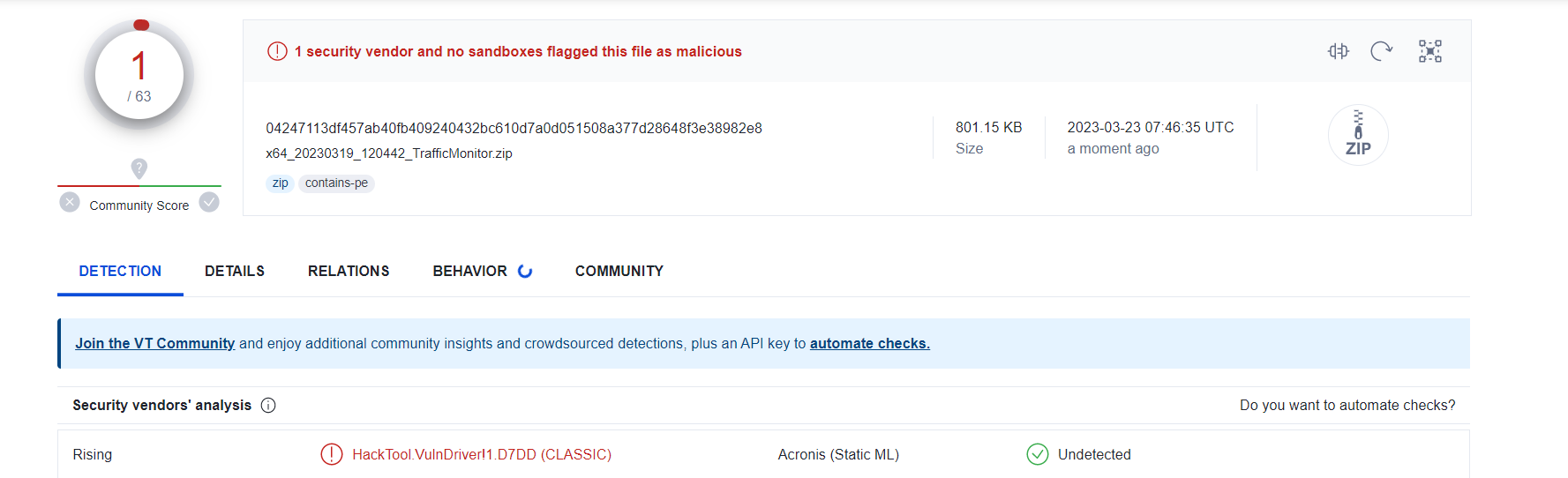 Virus total is flagging this.
Its fixed, use the build here and set the desired vertical offset in the settings.
sorry but how do I add this to the exe I'm new to this

Just download the x64 or x86 TrafficMonitor artifact zip file that you find at the "here" link. Stop the TrafficMonitor and unzip all files into the TM folder. Then restart ist.
Just download the x64 or x86 TrafficMonitor artifact zip file that you find at the "here" link. Stop the TrafficMonitor and unzip all files into the TM folder. Then restart ist.
Thanks, links weren't clickable earlier for some reason-
Its fixed, use the build here and set the desired vertical offset in the settings.
The artifacts have expired, and are no longer available. Please create a new release :(

Its fixed, use the build here and set the desired vertical offset in the settings.
This builds are expired. Can you create new release or artifacts? Thanks

and set the desired vertical offset in the settings.
@numbfall Where can one set "the vertical offset"? Checked the settings 4 times, nothing there. A screenshot would be very helpful...

No, this "new build" get's wiped by my AV software immediately. Listed as "compromised application" !
Without a proper release management, simply a normal / fully maintenance of this project, this software is dead. Only more and more problems over time.
It's false positive,even if you check for the official build it show the same result.
I am using it and it is running fine.
The official release is working just fine. Just the sideloaded unofficial crap version (which is very likely totally fine but misses probably some signatures or sth. like that) was immediately wiped as shown in my screenshot above. The official version is ignored by the AV software. All those sideloaded unofficial one constantly trigger AV software. What a bummer.

Is there a way to fix this? "Taskbar window appears to the left of the taskbar" is broken since 24H2
