
goctl-vscode
 goctl-vscode copied to clipboard
 zeromicro
goctl extension for Visual Studio Code

刚刚接触go-zero,很抱歉我还是个强迫症,关于错误提示没有出现在`problems`中我很意外,所以我添加了这个功能 另外,我发现目前插件仅仅是简单的每次抛出一个错误,还需要使用**format**才可以触发插件提示,虽然我想参照[vscode-extension-samples](https://github.com/microsoft/vscode-extension-samples/blob/main/code-actions-sample/src/diagnostics.ts)中的例子进行更改,以实现实时监控的功能,但是很抱歉我失败了,因为我发现我没法把error暴露出来,又不想破坏原本的代码结构,也可能是因为我js学的不到位,始终没有做到。 所以,目前仅仅是简单的一条一条的处理错误信息。同时也希望你可以参考下[vscode-extension-samples](https://github.com/microsoft/vscode-extension-samples/blob/main/code-actions-sample/src/diagnostics.ts),并完善该插件。 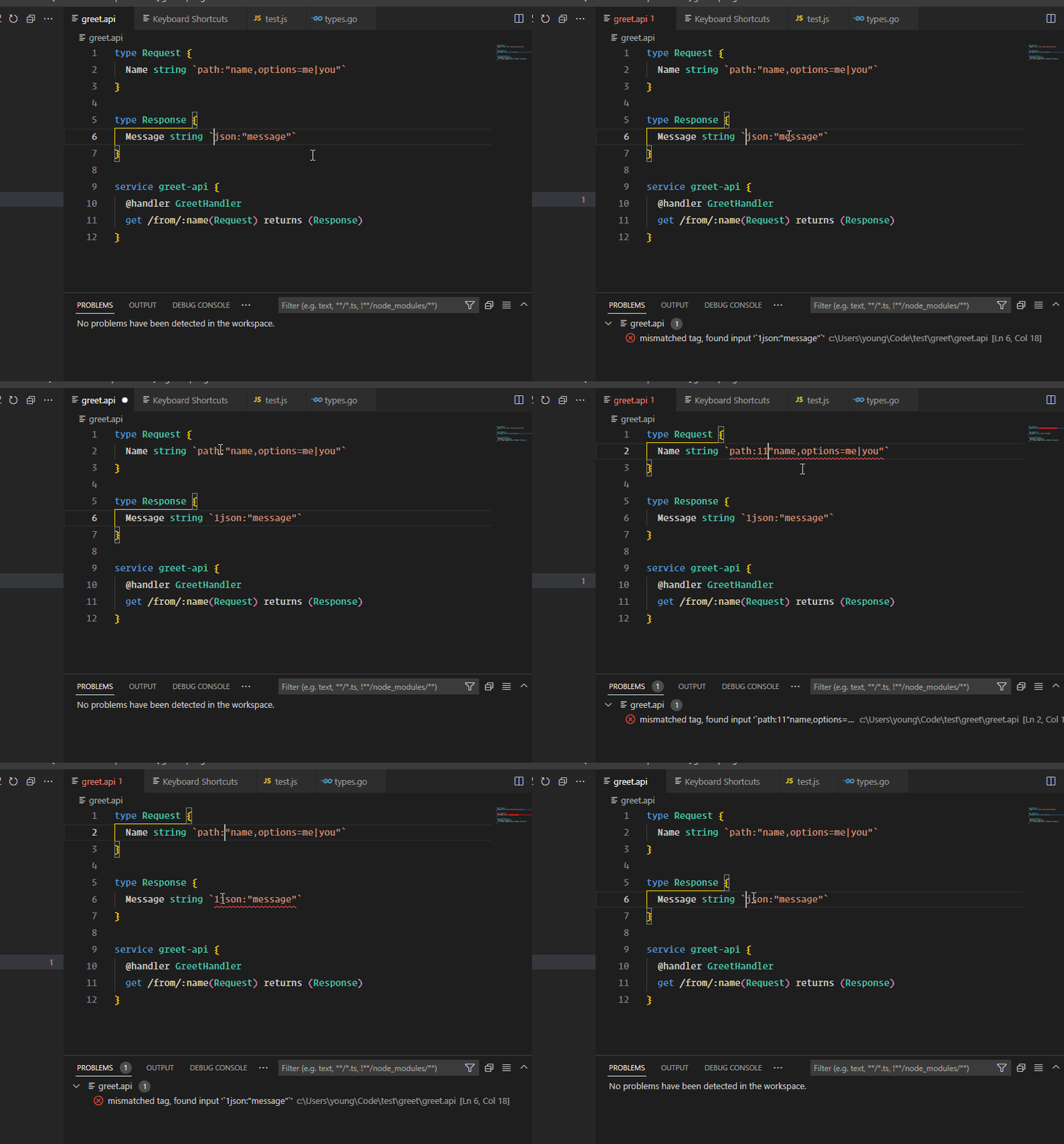

code-server地址:https://github.com/coder/code-server 

goctl-vscode version: 0.1.10 goctl version: 1.7.2 linux/amd64 报错内容:Check the console in goctl when formatting. goctl seem not in your $PATH , please try in terminal. 实际: 

我有一个结构,需要字段名为小写,格式化后被转为了大些首字母 格式化前 type GameSessionEnd { user_id string `json:"user_id"` game_id string `json:"game_id"` //游戏id } 格式化后 type GameSessionEnd { User_id string `json:"user_id"` Game_id string `json:"game_id"` //游戏id } 如何关闭此功能??

**Is your feature request related to a problem? Please describe.** A clear and concise description of what the problem is. Ex. I'm always frustrated when [...] **Describe the solution you'd...


实现跨文件代码跳转。 支持以下 import 语法规范: ``` ImportStmt = ImportLiteralStmt | ImportGroupStmt . ImportLiteralStmt = "import" interpreted_string_lit . ImportGroupStmt = "import" "(" { interpreted_string_lit } ")" . ``` Close: https://github.com/zeromicro/goctl-vscode/issues/22
