

 zenml-io
Pillow Image materializer
I ported a version of our Pillow image materializer from the annotation example such that it works with #812.
Pre-requisites
Please ensure you have done the following:
- [x] I have read the CONTRIBUTING.md document.
- [ ] If my change requires a change to docs, I have updated the documentation accordingly.
- [ ] If I have added an integration, I have updated the integrations table and the corresponding website section.
- [x] I have added tests to cover my changes.
Types of changes
- [ ] Bug fix (non-breaking change which fixes an issue)
- [x] New feature (non-breaking change which adds functionality)
- [ ] Breaking change (fix or feature that would cause existing functionality to change)
- [ ] Other (add details above)

Thanks for the reviews and comments. I've now updated / amended things as per the feedback.
I think my feeling around having it as a built-in materializer was that Pillow feels like at least as fundamental as Pandas or Numpy for computer vision work, but since consensus wanted it in integrations instead, that's where I've put it for now.
I can give you a pretty simple reason, ZenML does not have a dependency on pillow last time I checked. Why should we force every user to install Pillow just so the ones that want to use it can save a single line of installation?

I can give you a pretty simple reason, ZenML does not have a dependency on pillow last time I checked. Why should we force every user to install Pillow just so the ones that want to use it can save a single line of installation?
@schustmi the same reason we force every user to install numpy: the only thing requiring numpy in ZenML is the materializer, yet we have it as a ZenML dependency.
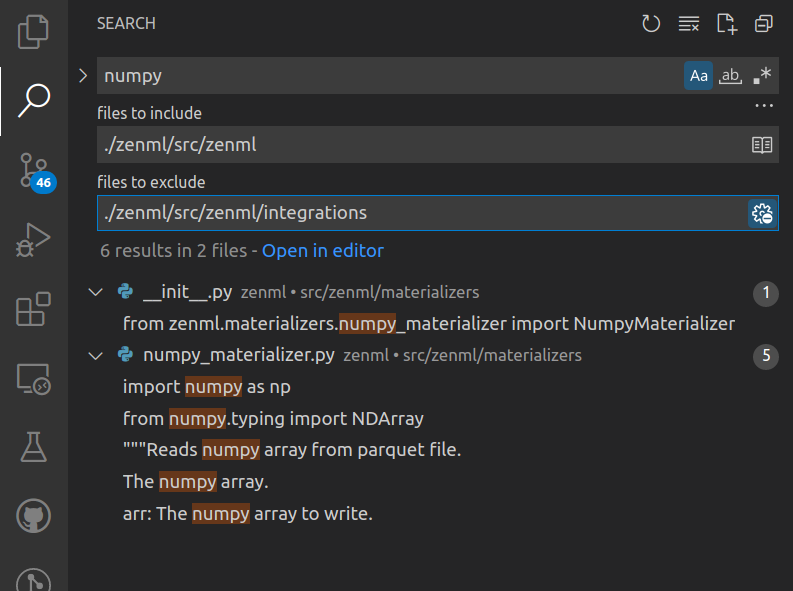

@stefannica good point, I think having individual materializers as separate integrations feels really weird in general. However, having them as dead-weight dependencies is even worse IMO.
Would it be possible that we somehow only load materializer code at runtime so we can make them automatically available without having them as a dependency of ZenML itself?
E.g., maybe instead of having to iterate over all available materializers and for each checking whether the type is in ASSOCIATED_TYPES, could we instead have a dict that maps {data type -> materializer source code path} and only loads the materializer source code at runtime when it's needed? Could that work?

I can give you a pretty simple reason, ZenML does not have a dependency on pillow last time I checked. Why should we force every user to install Pillow just so the ones that want to use it can save a single line of installation?
@schustmi the same reason we force every user to install numpy: the only thing requiring numpy in ZenML is the materializer, yet we have it as a ZenML dependency.
I'm quite certain that numpy is required by some dependency of ZenML and that's why it was added as a built-in. The reason was definitely not "we force every user to install this", and I don't think we should ever do that with something we don't actively require.
Don't get me wrong, I dislike having them in integrations as well, but simply requiring it for the sake of having the materializer built-in seems wrong, especially with quite heavy-weight dependencies like Pillow.
Possible solutions:
- Option 1: Loosen the restrictions on materializer integration requirements: If an integration would for example just require "Pillow" for it to be activated, there are 0 user steps involved in getting this to run. If they are using Pillow in their code, they will need to run
pip install Pillowat some point, at which point ZenML will detect that and "activate" the materializer. This however still leaves us with a long list of essentially empty integrations which contain a single materializer. - Option 2: Keep all the materializer integrations in a separate folder in core-zenml. Then once we get to a point where materializers might be needed (I can only think of running a pipeline at the moment), we can try to import all those files. The import will fail if the package doesn't exist, but if it succeeds the materializer is registered.
The downside to both of those: A materializer might be broken in certain package versions, and users will have to deal with that themselves.