
SmartTomcat
 SmartTomcat copied to clipboard
 zengkid
The Tomcat plugin for Intellij IDEA
SmartTomcat
The Tomcat plugin for Intellij IDEA
The SmartTomcat will auto load the Webapp classes and libs from project and module, You needn't copy the classes and libs to the WEB-INF/classes and WEB-INF/lib. The Smart Tomcat plugin will auto config the classpath for tomcat server. The Smart Tomcat support Tomcat 6+

User Guide
-
Tomcat Server Setting
  Navigate File -> Setting or Ctrl + Alt + S  Open System Settings.
  In the Setting UI, go to Tomcat Server, and then add your tomcat servers, e.g. tomcat6, tomcat8, tomcat9
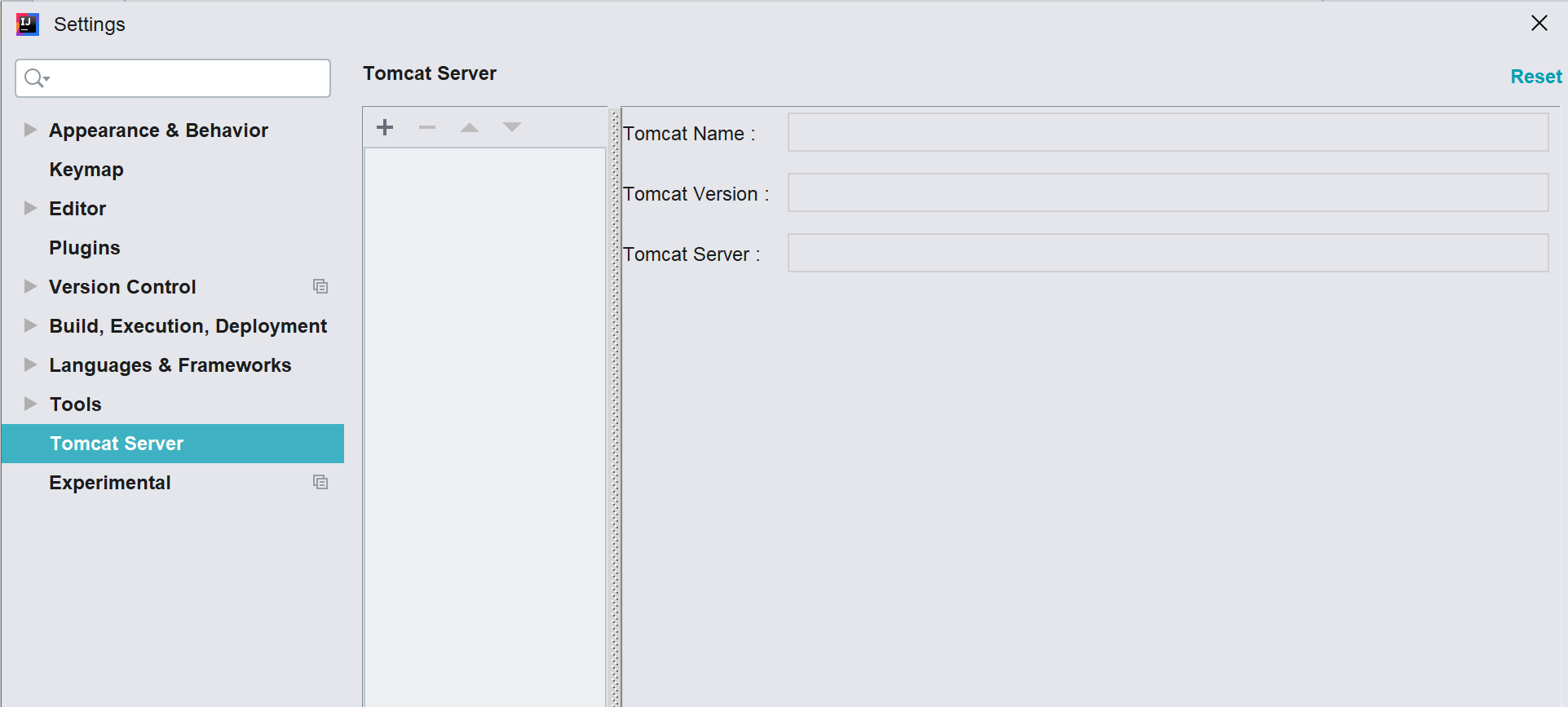
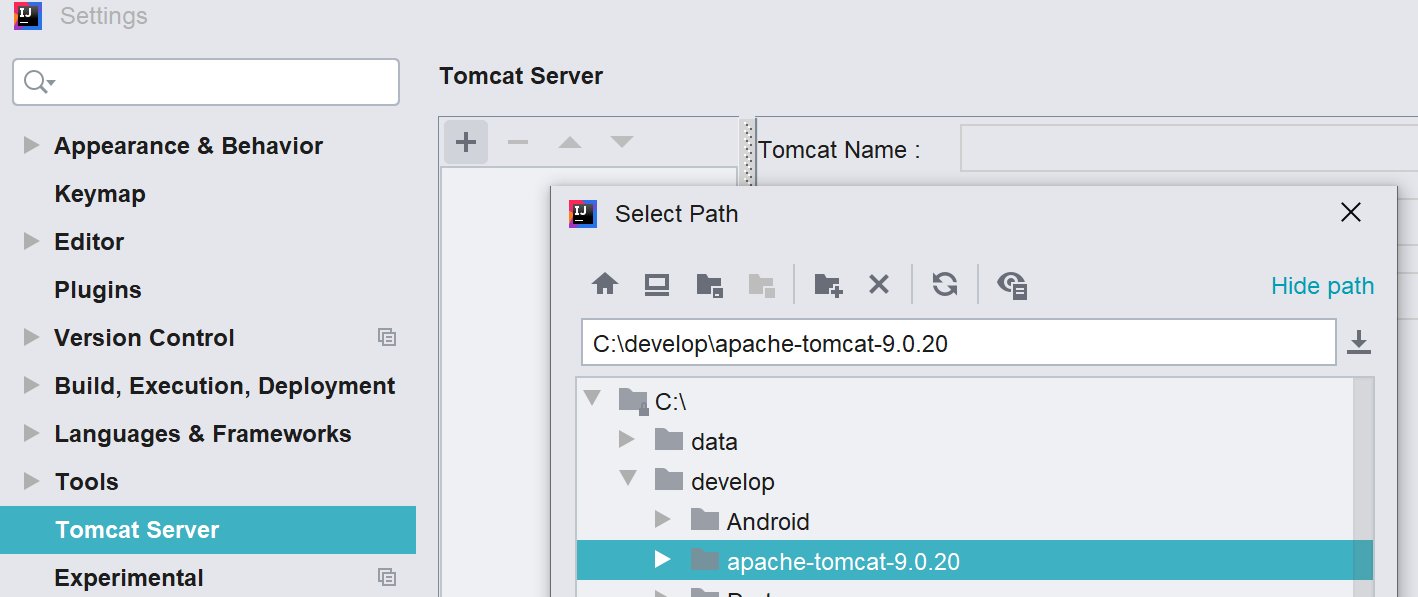
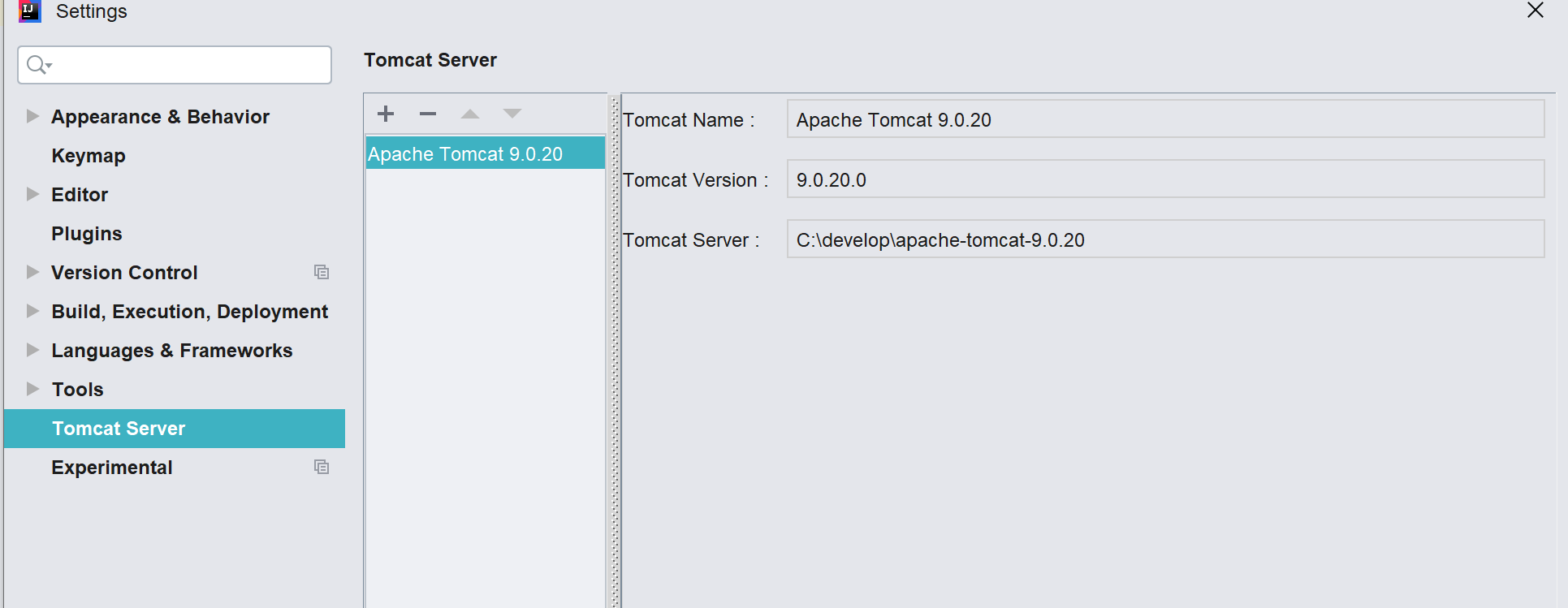
-
Run/Debug setup
  Navigat Run -> Edit Configrations to Open Run/Debug Configrations.
  In the Run/Debug Configrations, add new configration, choose Smart Tomcat,
  for detail config as below
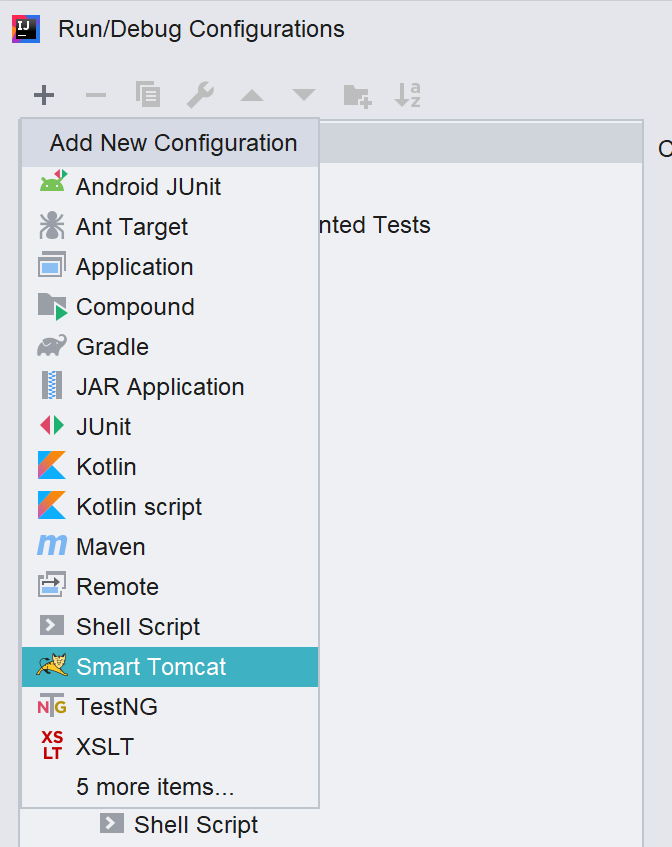
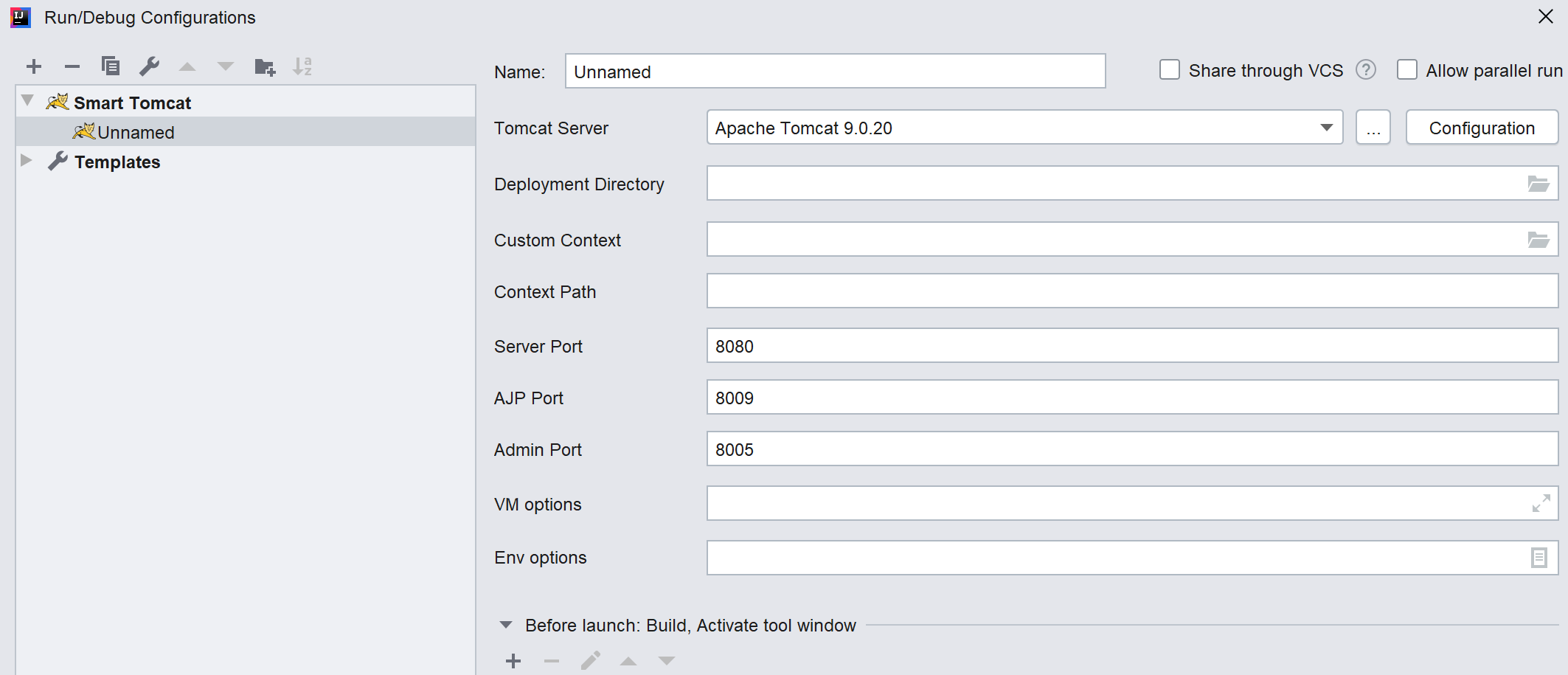
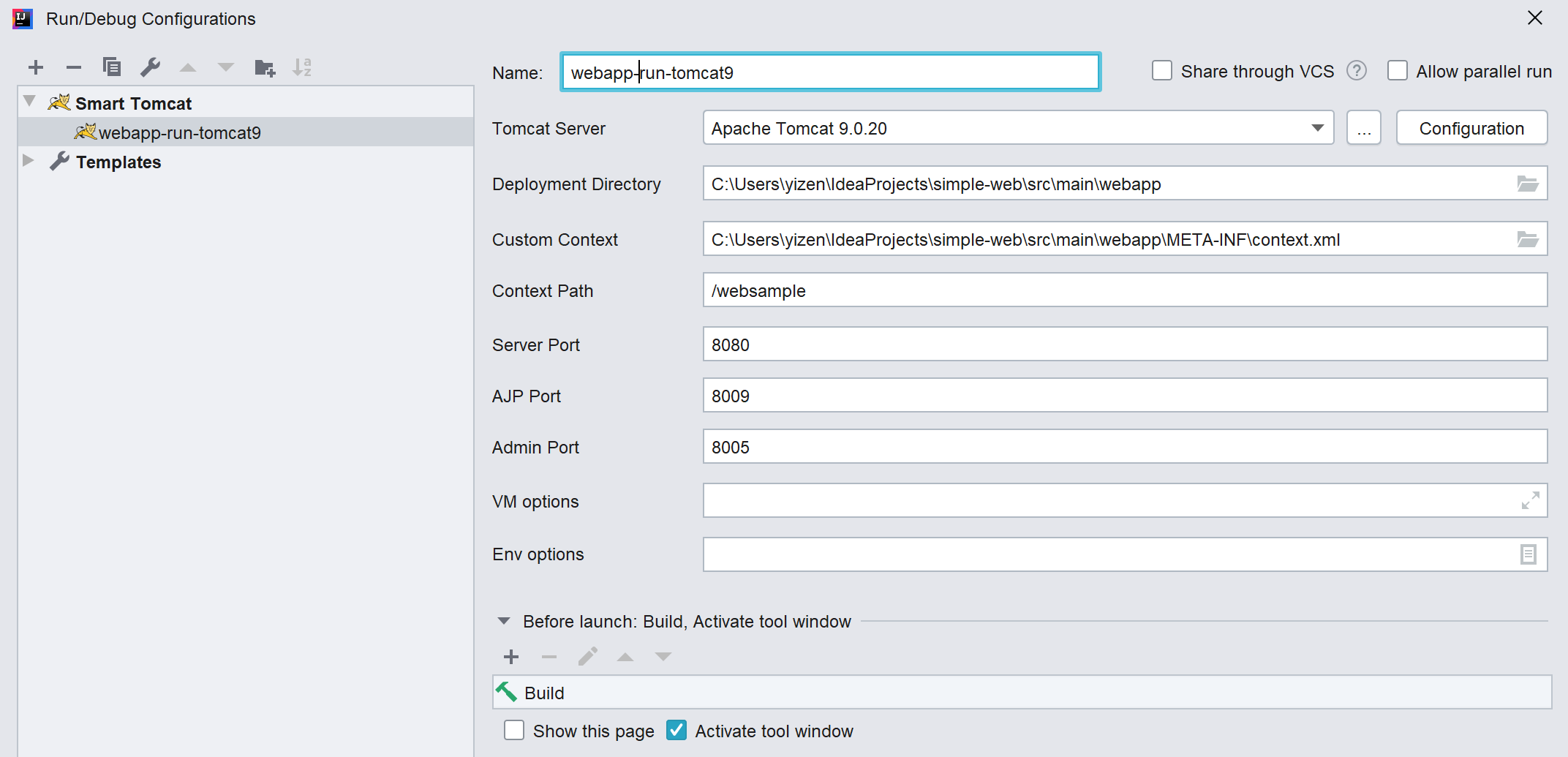
- Run/Debug config detail
-
Tomcat Server
choose the tomcat server. -
Deployment Directory
  the directory must be in project or module webapp.
  maven or gradle project, the default folder is <project_name>/src/main/webapp
DON'T add output webapp to deployment directory.
-
Custom Context
  opional, if webapp/META-INF/context.xml, if will auto add it.
  sample context.xml:
<?xml version="1.0" encoding="UTF-8"?> <Context> <Environment name="varName1" value="theValue1" type="java.lang.String" override="false"/> <Environment name="varName2" value="theValue2" type="java.lang.String" override="false"/> <Resource name="jdbc/ds" auth="Container" type="javax.sql.DataSource" username="sa" password="sa" driverClassName="org.h2.Driver" url="jdbc:h2:mem:db;DB_CLOSE_DELAY=-1" maxActive="8" maxIdle="4"/> </Context>In Java Servlet, we can call it as below
Context ctx = new InitialContext(); ctx = (Context) ctx.lookup("java:comp/env"); String value1 = (String) ctx.lookup("varName1"); String value2 = (String) ctx.lookup("varName2"); DataSource datasource = (DataSource) ctx.lookup("jdbc/ds"); -
Context Path
default value is '/<module_name>' -
Server Port
default value is 8080 -
~~AJP Port~~
~~default value is 8009~~
-
Admin Port
default value is 8005 -
VM Options
extract tomcat VM options e.g. -Duser.language=en -
Env Options
  extract tomcat env parmaters
  e.g. param1=value1
-
 zengkid