

 zedeus
Difficulties with text selection on iOS due to CSS
With popular browsers on iOS (and possibly other mobile platforms?), the tweet-link CSS class that enables you to click anywhere in a tweet-body to go to that tweet's URL makes it hard to select text in a tweet.
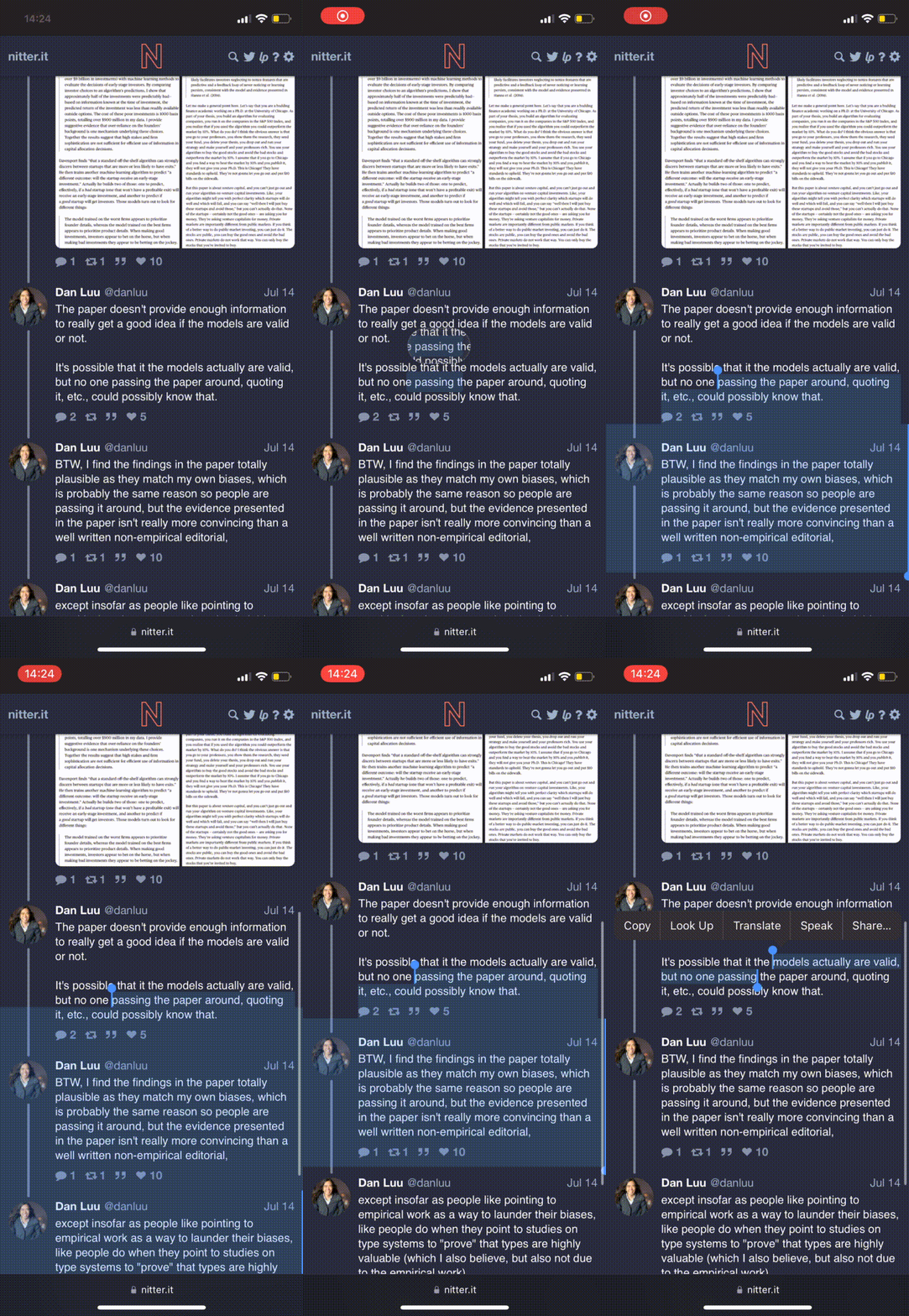
In iOS Safari and Firefox, when I attempt to start a text selection via long-press, I often miss the text and mange to tap the background, which makes it think I'm trying to open the tweet in a new tab. I can either keep retrying to get a long press, or I sometimes just zoom in and carefully long-press text to start a text selection. However, then another problem I frequently run into is that I cannot select spanning two tweets, the cursor visually expands to fill the whole next tweet but my selection is only partial. I try to capture this behavior here:
In iOS Chrome, I can't start a text selection at all: every long-press on text in a tweet registers as an attempt to open a new tab.
My hacky solution—if I disable the tweet-link background <a> tag, by for example replacing the existing CSS with this:
.tweet-link {
    display:none;
}
I'm able to easily do text selection spanning multiple tweets.
Is this behavior intended? If not, is there maybe a better way to handle tweet-link classes?
Thanks for Nitter, I love it!

I fixed this by adding -webkit-user-select: none; to .tweet-link and to some other attributes like avatar.
Still makes shorter tweets hard to select on but it's better than it was before and it's still broken on iOS chrome, but I think to solve that is just to use Safari or Firefox :D

@datanomi since apple forces all app developers to use webkit for rendering web content on iOS the bug in chrome seems to be caused by css or js injected by google.
Since your last comment a few months passed. Do you still experience the bug in chrome on iOS?
