

 zed-industries
Add a vertical scroll bar to project panel
Check for existing issues
- [X] Completed
Describe the feature
HI, I found that zed doesn't have a scroll bar in project panel, when I have a project with large source file tree, it's too slow to navigate to other directory quickly if I don't have scroll bar. If I have a scroll bar, I can drag it to the position I want quickly.
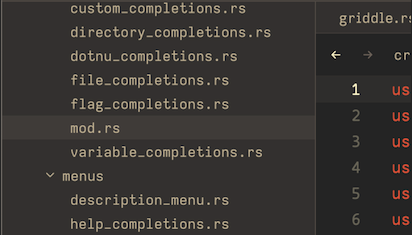
I think it's good to have a scroll bar for large projects, or have a short-cut to fold directories in explorer
If applicable, add mockups / screenshots to help present your vision of the feature
Here is how vscode doing:

when I focus on Explorer, it shows scroll bar, but if I don't, the scroll bar disappeared.

The project panel is pretty much unusable if you accidently open node_modules folder in a js project.

Doesn't even have to be a generated directory, opening e.g. lib/CL of https://github.com/pocl/pocl/ already leads to an eternity of scrolling when using a mouse with a simple scrolling wheel.

Also, please Add a scroll bar to bottom dock(usually be a terminal window). when I output too many information in the terminal, It is hard to scroll.

@kumomiX same issue here a workaround is to select any file or folder in the node_modules then press the left arrow multiple times until the node_modules folder is closed
Does each window require its own scrollbar logic? because seeing so many scrollable windows without a scrollbar leads me to think it's a lot of work to implement. I'll take a look at the code and try to figure it out.
