
OpenPype
 OpenPype copied to clipboard
 ynput
ynput
OP-1233/ Import Reference during Publish
Brief description
The references are imported during publish if you set the attribute of "import reference" in look instance to True. So if the users want to import references, they can enable the function. While they dont want, they can just leave it by default(which doesn't import any reference). EDIT: I make another extractor for importing reference which can be activiated through openpype studio setting. The extractor would save the scene with imported reference as a temp scene (ascene with "_tmp") at the backend and publish it as a workfile. This will be submitted to the deadline. The action will not affect the current workfile scene with reference.
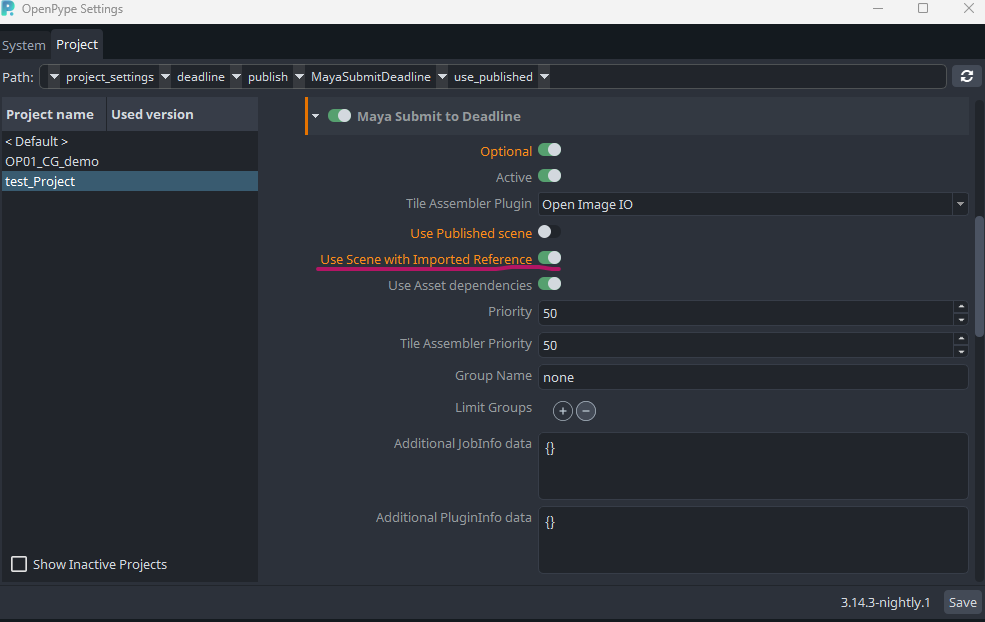
UPDATE: I have moved the enabled option into Submit Maya Deadline, see the screencapture below
Openpype Setting


I've noticed this during the integration step:

That means the results are two files - OPC_s010_workfileModeling_v098.ma and OPC_s010_workfileModeling_v098.mb - that seems to be a bit confusing.
So I guess we need to change template for that one Also the original scene won't reopen after the publish.


So what about doing it like this:
import sys
import os
from openpype.lib import source_hash, run_subprocess

ref_scene_name = "some_scene_file.ma"
current_file = "current_scene.ma"  # instance.data["currentFile"]
script = f"""
import maya.standalone

maya.standalone.initialize()
cmds.file('{current_file}', open=True, force=True)


reference_node = cmds.ls(type='reference')
for ref in reference_node:
    ref_file = cmds.referenceQuery(r, f=True)
    if ref == 'sharedReferenceNode':
        cmds.file(ref_file, removeReference=True, referenceNode=ref)
    else:
        cmds.file(ref_file, importReference=True)

cmds.file(rename='{ref_scene_name}')
cmds.file(save=True, force=True)
"""
mayapy_exe = os.path.join(os.getenv("MAYA_LOCATION"), "bin", "mayapy")
if sys.platform == "windows":
    mayapy_exe = mayapy_exe + ".exe"

subprocess_args = [
    mayapy_exe,
    "-c",
   script.replace("\n", ";")
]


try:
    out = run_subprocess(subprocess_args)
except Exception:
    self.log.error("Maketx converion failed", exc_info=True)
    raise
Note that this is just code fragment written from top of my head and needs to be adjusted ofc and integreted...
btw is this PR ready for review? I suppose so. Switching from draft, but please correct me if I am wrong.
I've just tested it in the complex scene and it fails on the nested references (references inside references) with the error:
The specified reference file cannot be imported because its parent file is not the top-level scene file.
Good way to replicate it is to publish a set dress from Maya with referenced models and then load that set dress as a reference into the render scene. To make it usable, we'll need to be able to flatten all the references.
Extractor error:

Offending reference:
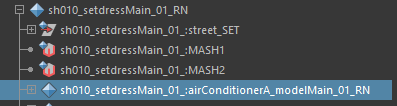
I've just tested it in the complex scene and it fails on the nested references (references inside references) with the error:
The specified reference file cannot be imported because its parent file is not the top-level scene file.Good way to replicate it is to publish a set dress from Maya with referenced models and then load that set dress as a reference into the render scene. To make it usable, we'll need to be able to flatten all the references.
Extractor error:
Offending reference:
Yes, I agree. For the updated PR I take reference from setdress publisher and rewrite the code to import reference while reunning it in maya standalone. It should import references of reference and also import reference.
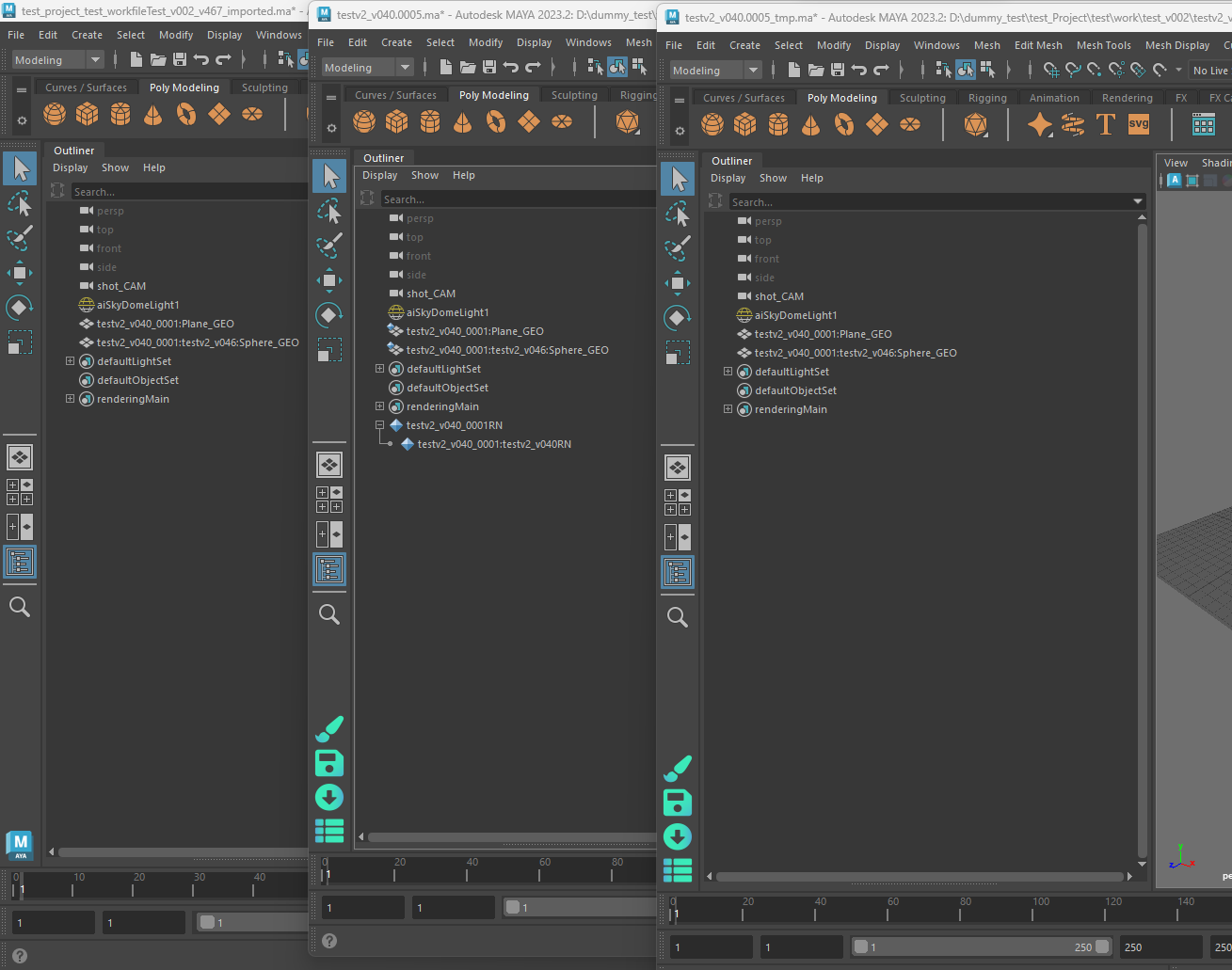

Argh... We still need to tweak something. There is a logic that will switch the scene to the published one here:
https://github.com/ynput/OpenPype/blob/5dfd92d303f1ab39820de1978e6de6b936f7c275/openpype/modules/deadline/abstract_submit_deadline.py#L498-L586
I think it will replace the scene with imported references for the published one.