

 yingDev
WGestures 调用everything.exe 搜索本地关键词
WGestures可以选中文字用浏览器搜索关键词很方便,但设置限制了只能使用浏览器; 我想法:取消浏览器限制。 如何实现,获取关键词在Everything.exe显示结果 Everything.exe -search {0}
我试过添加,URL 协议,通过浏览器调用协议打开Everything.exe,Everything.exe -search {0} 并搜索内容,但浏览器传回来的字符是URL,无法搜索。 要怎么改

@gynkms 我是用AHK实现的,在WGestures里面设置了三个与搜索相关的手势,这是其一。
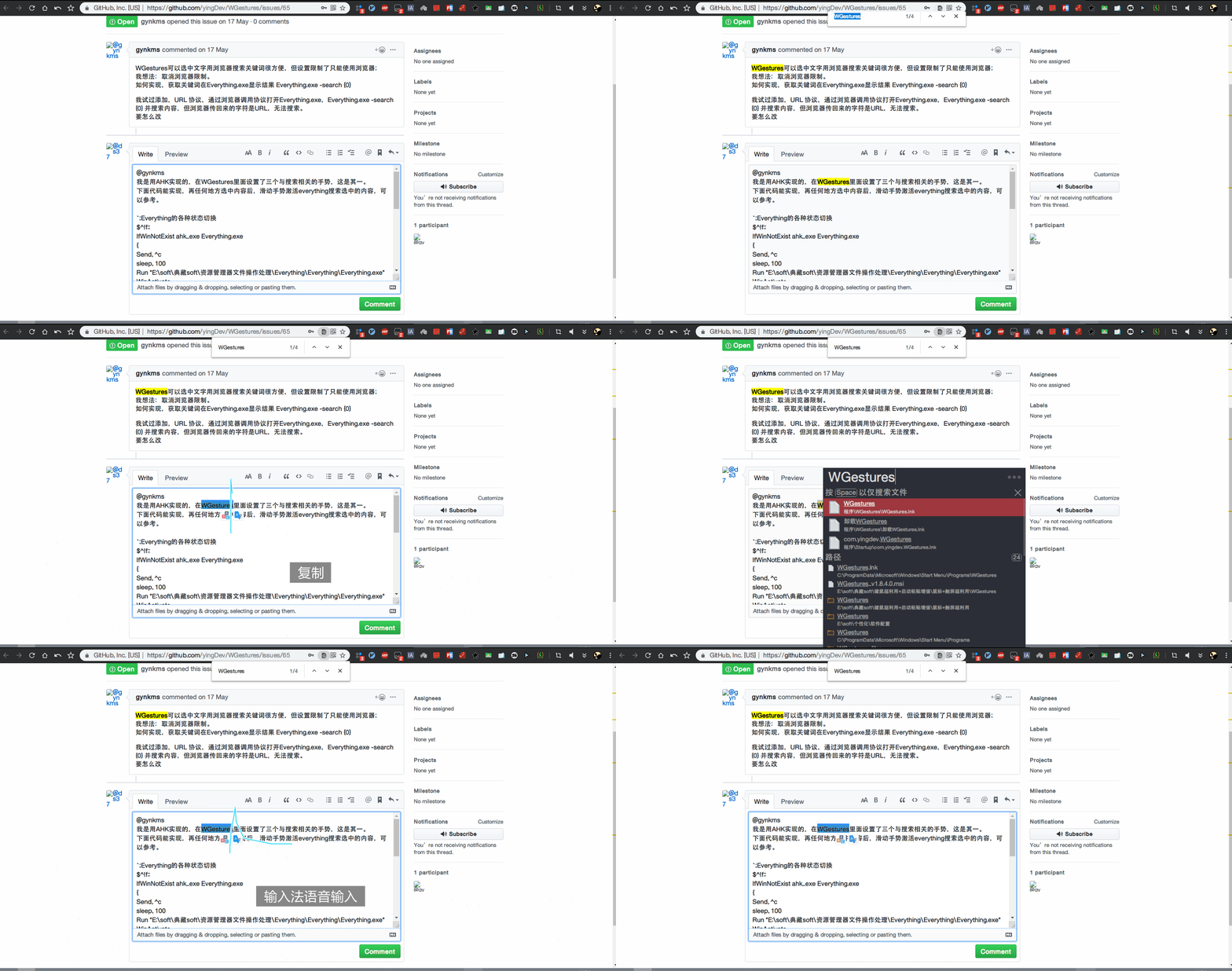
下面代码能实现,再任何地方选中内容后,滑动手势激活everything搜索选中的内容,可以参考。
;Everything的各种状态切换
$^!f:: IfWinNotExist ahk_exe Everything.exe { Send, ^c sleep, 100 Run "E:\soft\典藏soft\资源管理器文件操作处理\Everything\Everything\Everything.exe" WinActivate sleep, 500 Send, ^v ;ControlSetText, Edit1, !lnk %clipboard%, %title% } Else IfWinNotActive ahk_class Everything { ;选中内容复制,并粘贴到Everything搜索框 Send, ^c sleep, 100 Send, ^!f WinActivate ;Send, ^v ControlSetText, Edit1, !lnk %clipboard%, %title% } Else { WinMinimize } return

