
async-validator

async-validator copied to clipboard
 yiminghe
Use debounce library to perform Axios request
I need to validate input field with ajax query like this:
verifyProject(rule, value) {
    return new Promise((resolve, reject) => {
        try {
            const project = value;

            this.$http.get(`${this.$root.paths.domainPath}/${project}`).then(() => {
                resolve();
            }).catch((error) => {
                if (typeof error.response !== 'undefined') {
                    throw error.response.data.error;
                }

                reject('No se pudo encontrar la empresa');
            });
        } catch (err) {
            reject(err);
        }
    });
},
But if i add debounce to promise, it doesnt work:
debounce(() => new Promise((resolve, reject) => {
    try {
        const project = value;

        this.$http.get(`${this.$root.paths.domainPath}/${project}`).then(() => {
            resolve();
        }).catch((error) => {
            if (typeof error.response !== 'undefined') {
                throw error.response.data.error;
            }
            /* eslint-disable-next-line */
            reject('No se pudo encontrar la empresa');
        });
    } catch (err) {
        reject(err);
    }
}), 500);
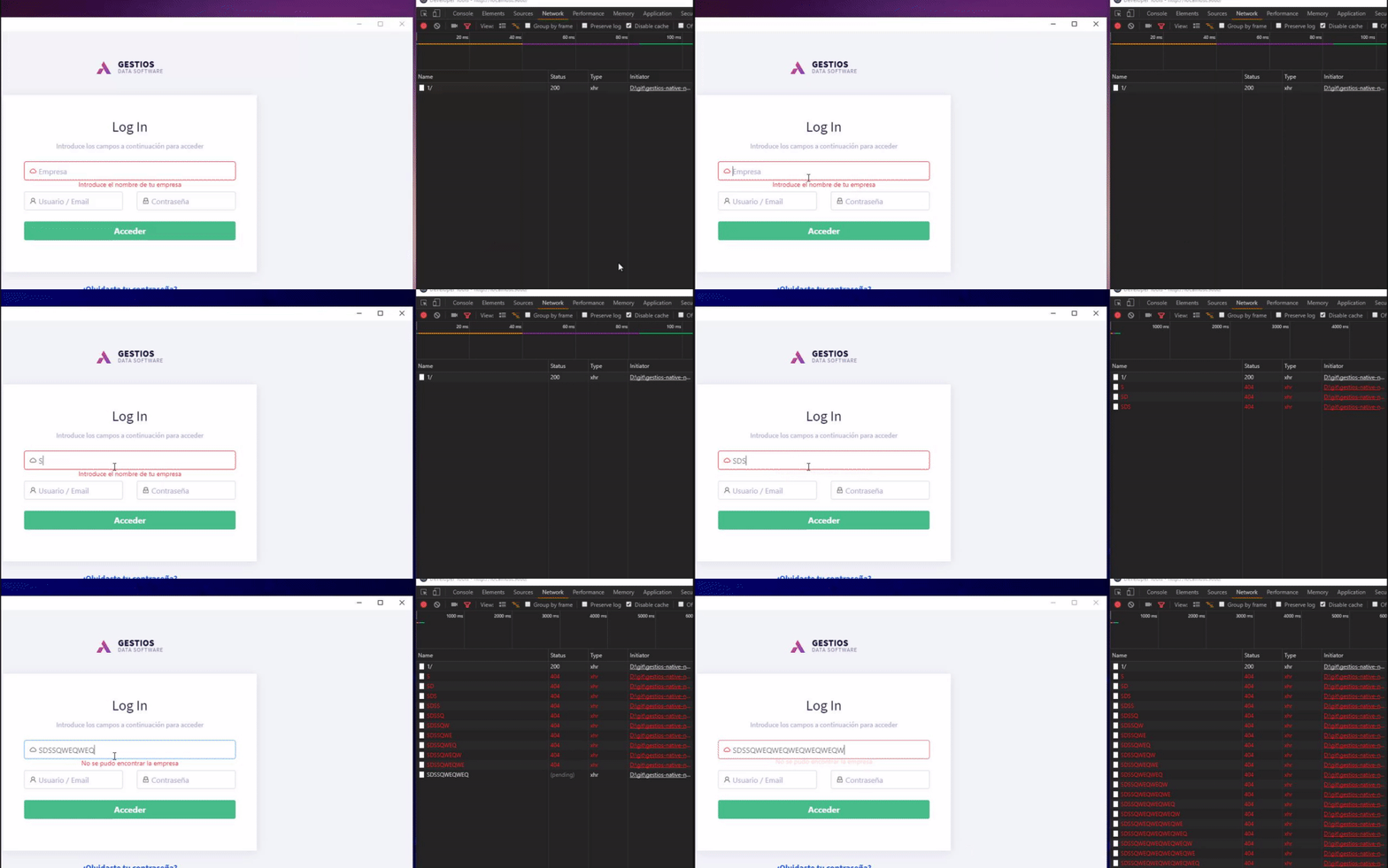
My problem is that every time i type in input axios call one request per letter change:

You can write a debounce directive so it will pass the value only after X milliseconds.
in my team we embbeded it like this:
import { debounce } from 'lodash';

Vue.directive('debounce', {
    bind(el, {arg: eventName, modifiers, value: onChangeHandler}) {
        const debounceDelay = Object.keys(modifiers)[0];
        el.debounceHandler = debounce((e) => {
            const value = e.target.value;
            onChangeHandler(value, e);
        }, debounceDelay);
        el.addEventListener(eventName, el.debounceHandler);
    },
    unbind(el, {arg: eventName}) {
        el.removeEventListener(eventName, el.debounceHandler);
        el.debounceHandler = null;

    }

});
and you can use it like this:
<b-form-input placeholder="Value"
                                      :value="property.value"
                                      :disabled="property.isSet && !propType"
                                      v-debounce:input.300="(val) => $emit('property-change', {property, value: val})"/>
so instead using v-model/ng-model - what ever you use, you just pass with a function the value and a update it accordingly
