

 yashaka
consider to remove aliases from __init__.py
Example
from selene.core.entity import Browser as _custom_browser, Config as _custom_config_for_custom_browser
Config = _custom_config_for_custom_browser
Browser = _custom_browser

from selene.support import by as _by_style_selectors
by = _by_style_selectors

from selene.support.conditions import be as _be_style_conditions
be = _be_style_conditions
Proposal solution
from selene.core.entity import Browser as _custom_browser, Config as _custom_config_for_custom_browser
from selene.support import by as _by_style_selectors
from selene.support.conditions import be as _be_style_conditions
Already have tested without aliases on python 3.7. I have run all tests on current master and they all passed.
Consider
Does selene still need these aliases? And for what?

This aliases were needed to make autocompletion work correctly in at least PyCharm. Before it did not work. From what I saw in latest version of PyCharm, we don't need these workarounds anymore.
we can leave it as:
from selene.core.entity import Browser, Config
from selene.support import by
from selene.support.conditions import be, have
and whether automatic imports via Quick Fix will work correctly both in PyCharm and VSCode at least...

This aliases were needed to make autocompletion work correctly in at least PyCharm. Before it did not work. From what I saw in latest version of PyCharm, we don't need these workarounds anymore.
we can leave it as:
from selene.core.entity import Browser, Config
from selene.support import by
from selene.support.conditions import be, have
and whether automatic imports via Quick Fix will work correctly both in PyCharm and VSCode at least...
Answered in https://github.com/yashaka/selene/pull/273#issuecomment-757399315
TL;DR:
- Autocomplete - ok.
- Suggested imports - not.
- VS code can suggest import even with aliases in init.py, may be need to request this feature in their repo.
Copying here discussion from closed PR #273
https://github.com/yashaka/selene/pull/273#issuecomment-757399315
This aliases were needed to make autocompletion work correctly in at least PyCharm. Before it did not work. From what I saw in latest version of PyCharm, we don't need these workarounds anymore.
Tested
Autocompletion
Tested on
from selene import have- see screenshots.Pycharm 2020.3 - yes it does autocomplete.
VS Code 1.52.1 (latest) - yes it does autocomplete.
Import suggestion
just check please in PyCharm and VSCode that we can we can see the suggested import via Quick Fix in PyCharm and VSCode. If yes, we can merge this PR
With suggested imports is the different situation: Pycharm 2020.3 doesn't suggest import from
selenepackage without alias. VScode 1.52.1 (latest) doesn't suggest import from selene package even with alias. Seems we have to create an issue in their tracker https://github.com/microsoft/python-language-server/issues?page=2&q=is%3Aissue+is%3Aopen+init@yashaka with this information what will you decide? Half functional works at Pycharm but the second one doesn't work in VSCode even with aliases. Do we need suggested import only in Pycharm?
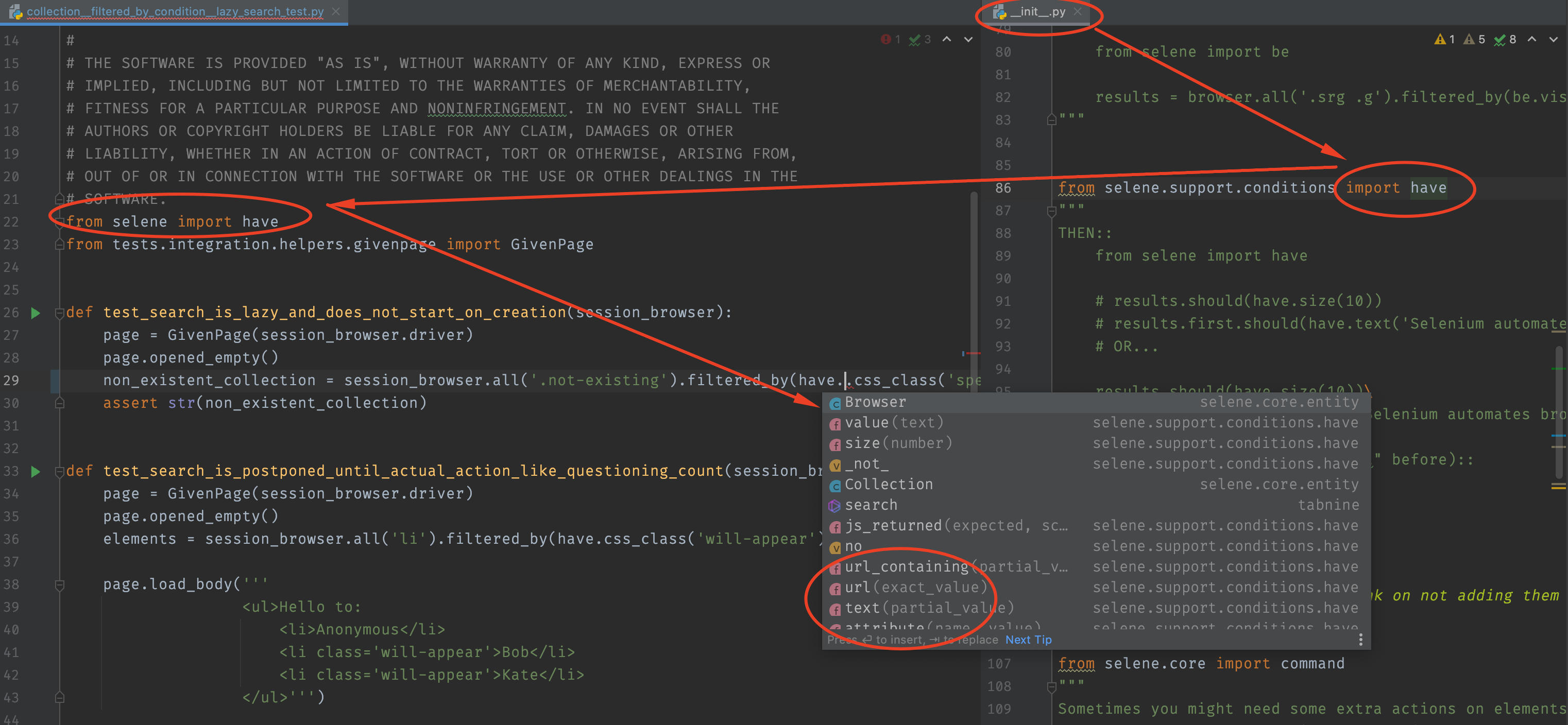
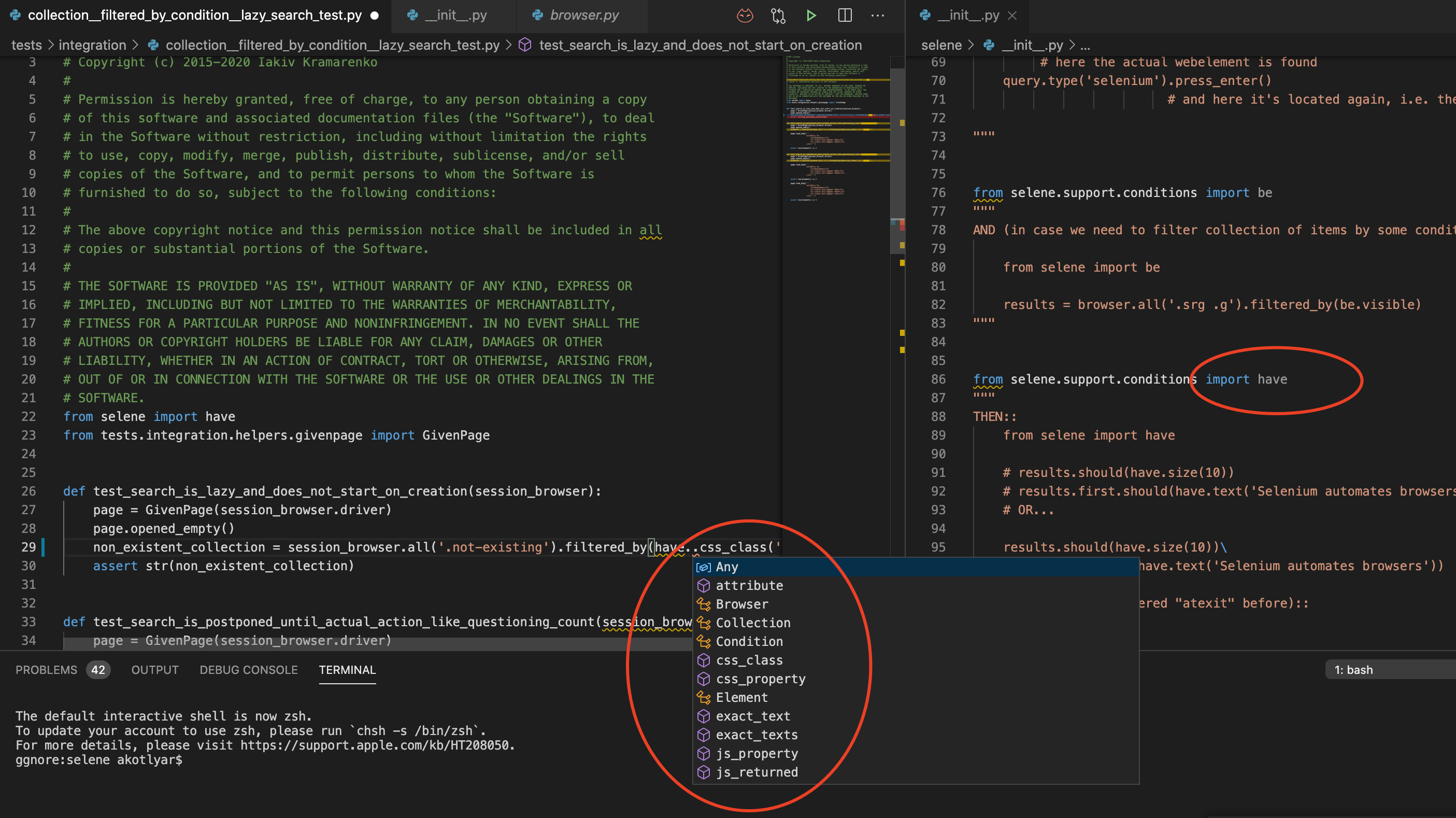

https://github.com/yashaka/selene/pull/273#issuecomment-757468194
Heh, since quick fixing imports does not work neither in PyCharm nor in VSCode - let's keep the current workarounds. And let's find time to file issues for both PyCharm and VSCode... Maybe we can move this discussioin into some selene issue, if we have not created it yet