

 yashaka
Add helper for actions_chains
Hi!
I cannot find actions_chains in selene.
Can you point me out to it or, in case it's missing from selene, I suggest to add some helper for it.

Hi, @Vickgrego. It seems selene still has no action_chains. I am waiting too for it. I will join the queue for you.

@Vickgrego I think it will be interesting for you. I found few selene's methods which uses selenium's ActionChains
selene.core.entity.Element.double_click()
selene.core.entity.Element.context_click()
selene.core.entity.Element.hover()
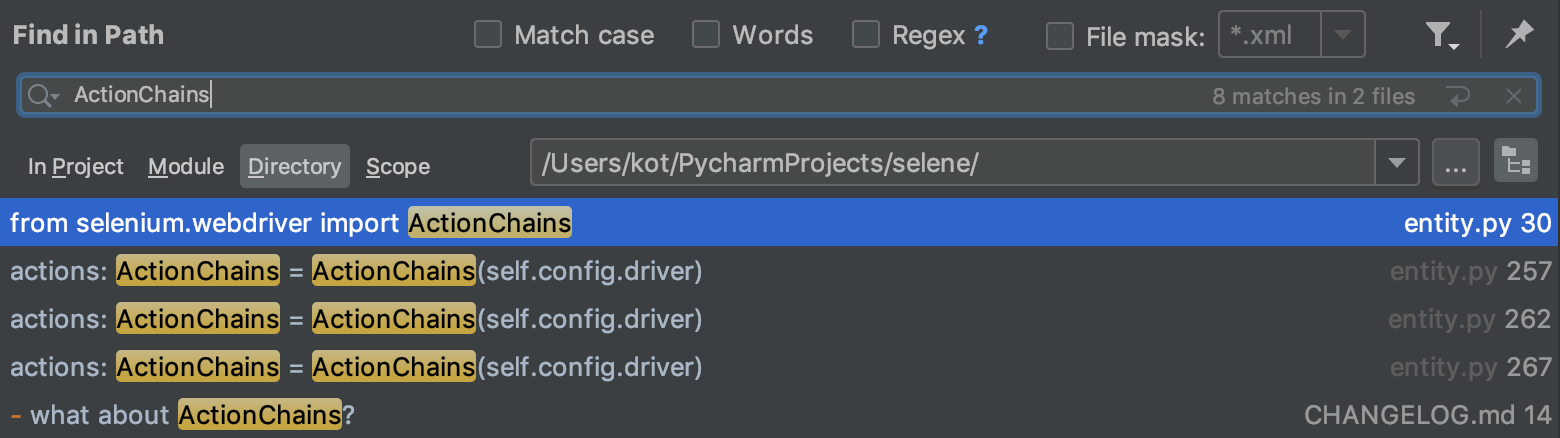 Tell please, if you need more methods, and what.
Yeah... There is no object of ActionsChains class yet in Selene. You can create it quickly as a helper in your code....
Probably It is reasonable to have it in Selene API too... I will add something like browser.actions property

#188 & #178 could be first candidates - they are about ActionChains too.
So...
Seems like we can't just simply add something like browser.actions
class Browser(WaitingEntity):
    # ...

    @property
    def actions(self) -> ActionChains:
        """
        It's kind of just a shortcut for pretty low level actions from selenium webdriver
        Yet unsure about this property here:)
        comparing to usual high level Selene API...
        Maybe later it would be better to make own Actions with selene-style retries, etc.
        """
        return ActionChains(self.config.driver)
# ...
because it will not be consistent with other API...
browser.actions.click(browser.element('#foobar')).perform()
will not work... I mean, if we add something to browser.*, it would be best if it can work with instances of Element class, but in case of ActionChains it will not... First we have to transform selene element to selenium webelement:
element = browser.element('#foobar')
webelement = element()
browser.actions.click(webelement).perform()
Probably best would be to create our own "dynamic retriable" version of Actions over ActionChains from Selenium Webdriver...
Unless we do that, the recommendation is to create your own actions helper;)