KiKit

KiKit copied to clipboard
 yaqwsx
CLI comands in Windows, ' instead of "
Prerequisites
- [X] I have read FAQ
- [X] I use the KiKit at least 1.0.4 (older version are not supported)
KiKit version
1.0.5
KiCAD version
6.0.4
Operating system
Windows 10
Description
I tried kikit run from command line, just copy that:
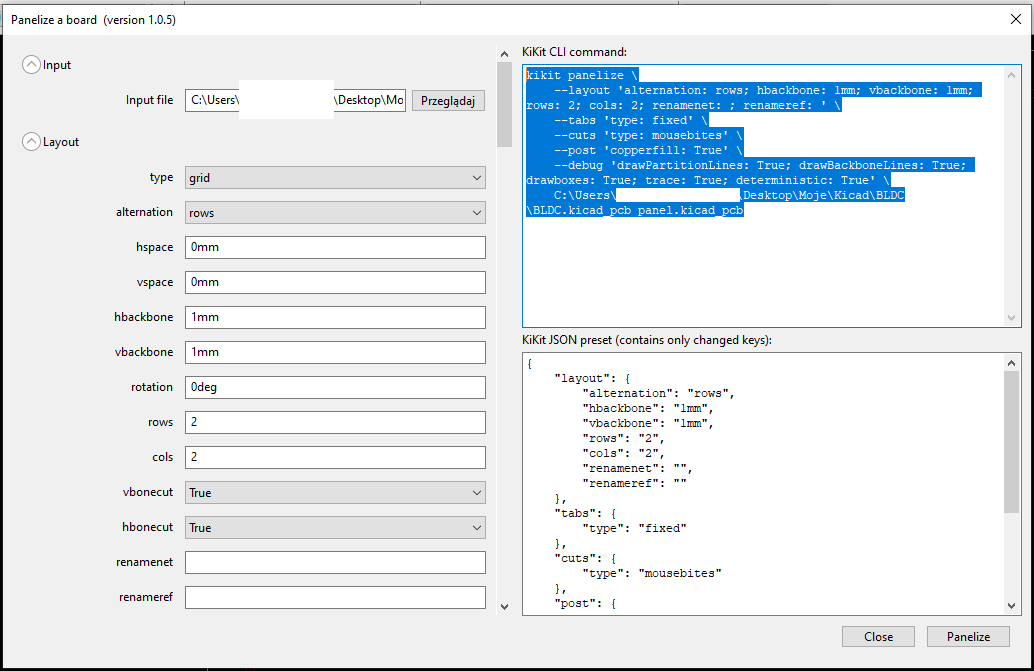 but in Windows is neccesary to replace ' by ". Instead of this I got an error:
 Maybe this is the reason why I cannot create panel from kikit GUI?
Other issue are extra
Steps to Reproduce
I tried copy commands from GUI window to Kicad command prompt, results are above.

This was already addressed in 6b8c604215f87f068a45c206aff31cac2da85e0b. It will be part of the upcoming release.
The GUI doesn't invoke the command, instead it calls internal functions directly so it is unlikely that this is the cause.