

 yahyatamim
Issue when applying mask with idw.regression_idw_interpolation
Hello,
Thanks for this work.
I am having an issue with regression_idw_interpolation : the boundaries mask is not applied. Below an expected output (obtained with idw_interpolation):
 And here is what i get :

Could you provide guidelines about what may be wrong ? Thanks in advance, Best, J.

Hello,
It's unfortunate that you're having trouble using my library.
Your raster tiff file and boundary masking shape file seem to to be from a different coordinate system.
You are welcome to send me your raw data files so that I can review them and make any necessary recommendations.
Regards, Md. Yahya Tamim

Thanks for your prompt answer,
As the initial points are coming from a geodataframe with defined coordinate system (EPSG:4326) :
metar_gdf_coords = gpd.GeoDataFrame(metar_df_coords.drop(columns="time"), geometry=gpd.points_from_xy(metar_df_coords.longitude_deg, metar_df_coords.latitude_deg))
metar_gdf_coords.crs = 'epsg:4326'
metar_gdf_coords.to_file("./data/metar_df_coords.shp")
...and are working well with the boundaries shapefile (gathered on HDX https://data.humdata.org/dataset/cod-ab-mar), i suppose the issue is not coming from these parts.
Regarding the DEM .tif file, it is extracted from Copernicus DEM 90 via SentinelHub EO browser, specifying EPSG:4326 as coordinate systems.
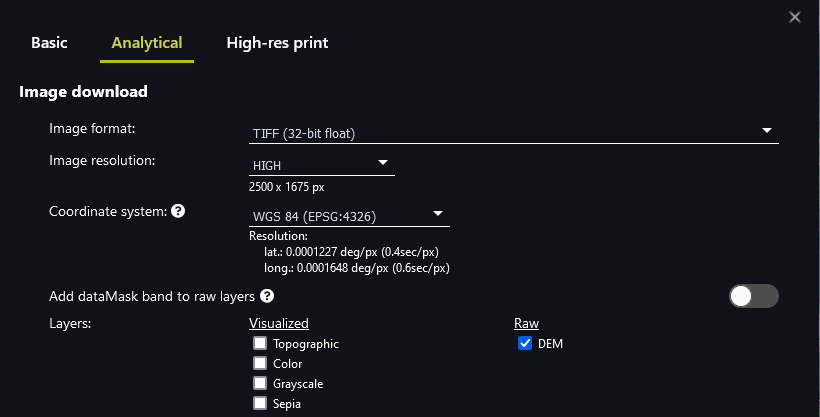
If you still want to check the files, please let me know at which address i could send them to you. Thanks in advance, Best, J.