

 xou816
[Feature] Modify playlist support
Add support in the right click selection screen to add/remove items from playlists.
API support seems relatively simple to add, only issue would be whether spot adds the modify playlists scope when it makes the token (I'm assuming it adds all scopes).
https://developer.spotify.com/documentation/web-api/reference/#category-playlists
Adding more buttons to the bottom menu might make it more confusing though, I'm not sure which would be best to use icons to use (maybe take inspiration from official spotify client) :man_shrugging:
I'm thinking add to playlist shows up everywhere, leads to a selection popup where you chose the playlist to add to (probably would have to be paginated). Would be nice to have the thing where you confirm duplicate songs in playlist.
The remove from playlist option should probably only show up when the playlist UI is open and nowhere else, ideally can tell what playlist you have open from UI state. It looks like the right click UI already has support for conditional buttons (move up/down in queue).
Is this adding too much stuff to the right-click menu?
Also not sure about invalidating the cached playlists after they have been changed

API support seems relatively simple to add, only issue would be whether spot adds the modify playlists scope when it makes the token (I'm assuming it adds all scopes).
Right, we're missing a few scopes, but it shouldn't be an issue!
Adding more buttons to the bottom menu might make it more confusing though, I'm not sure which would be best to use icons to use (maybe take inspiration from official spotify client) man_shrugging
I was thinking of going with the selection tools indeed (I am assuming this is the bottom menu you speak of), but I would modify the behavior of the current Add/+ button...

...so that clicking it shows a popover with a list of playlists we can modify, or the play queue. What do you think?
Also not sure about invalidating the cached playlists after they have been changed
Definitely doable, we can invalidate all the caches related to a playlist, I don't think it's worth trying to be too smart about this, could get really complicated!

Would be nice to have the thing where you confirm duplicate songs in playlist.
Not familiar with this, some kind of warning I suppose?
...so that clicking it shows a popover with a list of playlists we can modify, or the play queue. What do you think?
Ye that's a good idea
Definitely doable, we can invalidate all the caches related to a playlist, I don't think it's worth trying to be too smart about this, could get really complicated!
Ye maybe just like a cache "invalidate" function that deletes the related cache files. Then just reload the page if the playlist is currently being displayed (play queue wouldn't update though). Not efficient but seems workable.
Would be nice to have the thing where you confirm duplicate songs in playlist.
Not familiar with this, some kind of warning I suppose?
Ye, essentially if a song is already in a playlist asks for confirmation before adding it.
Could also check the playlists snapshot_id to see whether playlist needs to be invalidated (in request that doesn't fetch any tracks).
https://developer.spotify.com/documentation/web-api/reference/#category-playlists
Ye maybe just like a cache "invalidate" function that deletes the related cache files.
Yes!
Then just reload the page if the playlist is currently being displayed (play queue wouldn't update though). Not efficient but seems workable.
This however we can manage more efficiently (see for instance code related to liking an album -- the library screen is not completely reloaded, but it does get more complex indeed)
#211 Damn nice work! A lot more elegant than what I would've come up with in terms of UI. Now we just need a remove from playlist button :) .
It's not perfect, I did get a bit lazy...
It is missing cache invalidation, and, keep it a secret, but duplicate tracks are not working all that great :grimacing:
But we're getting there! If you want to get a stab at the remove part or something related, go ahead :)
We'd also ideally have reordering similar to the play queue!
Just wanted to add my two cents that adding not just single tracks, but also whole albums to a playlist at once would also be useful. I often use this to add things to a "To do" playlist.

It's already possible, but maybe not very intuitive? Go to any album, enter Selection mode (using the Selection button on the right hand side of the headerbar, or by long-pressing the album tracklist), then use the Select all tool and finally use the Add tool :)
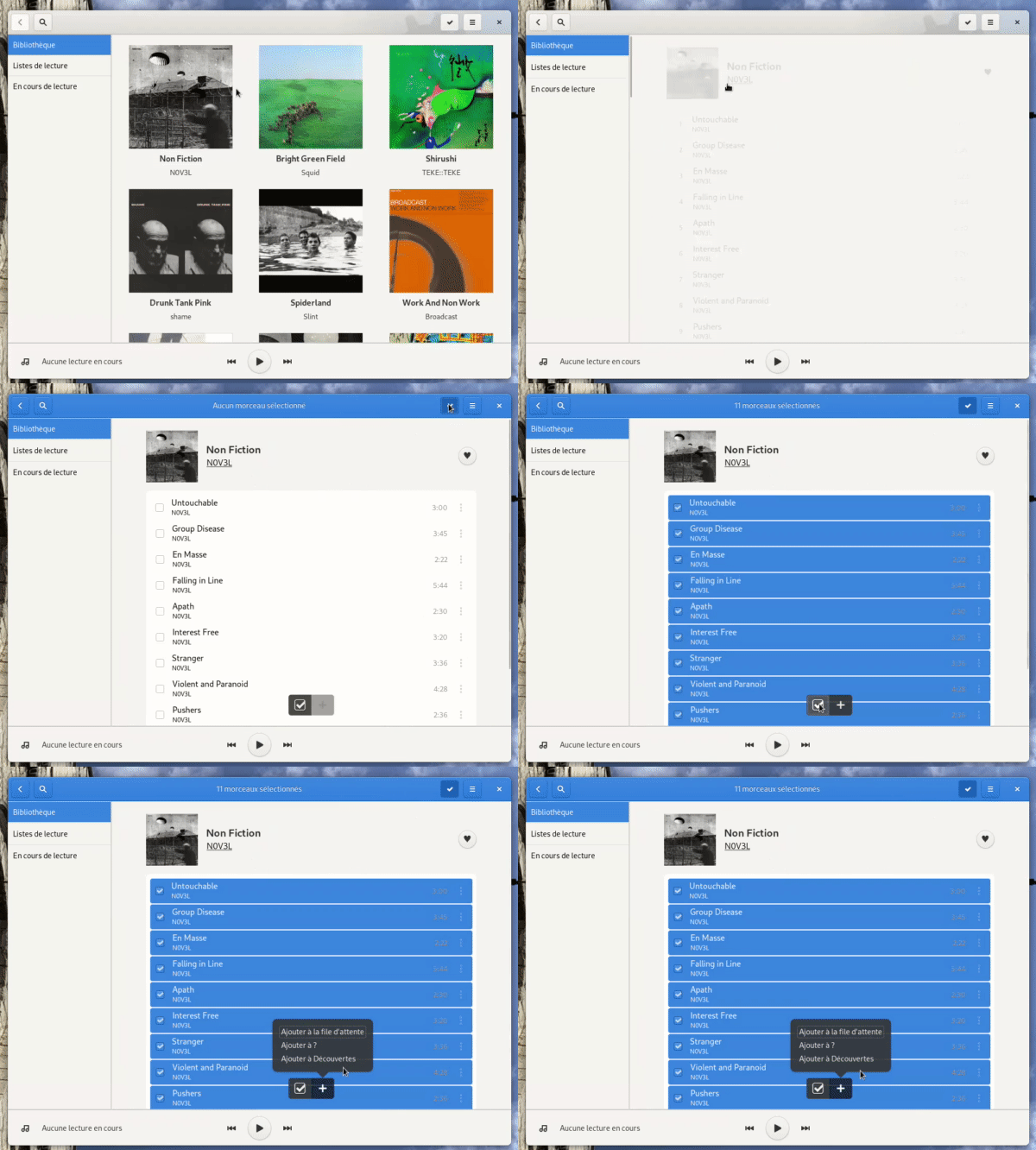
Thanks for the response. I did indeed miss that - I did quickly discover the selection mode in my playlist, but I didn't expect it to work there, because I thought the button was just always present - for example, if you are searching for an album, it's also visible, but doesn't appear to have any effect:
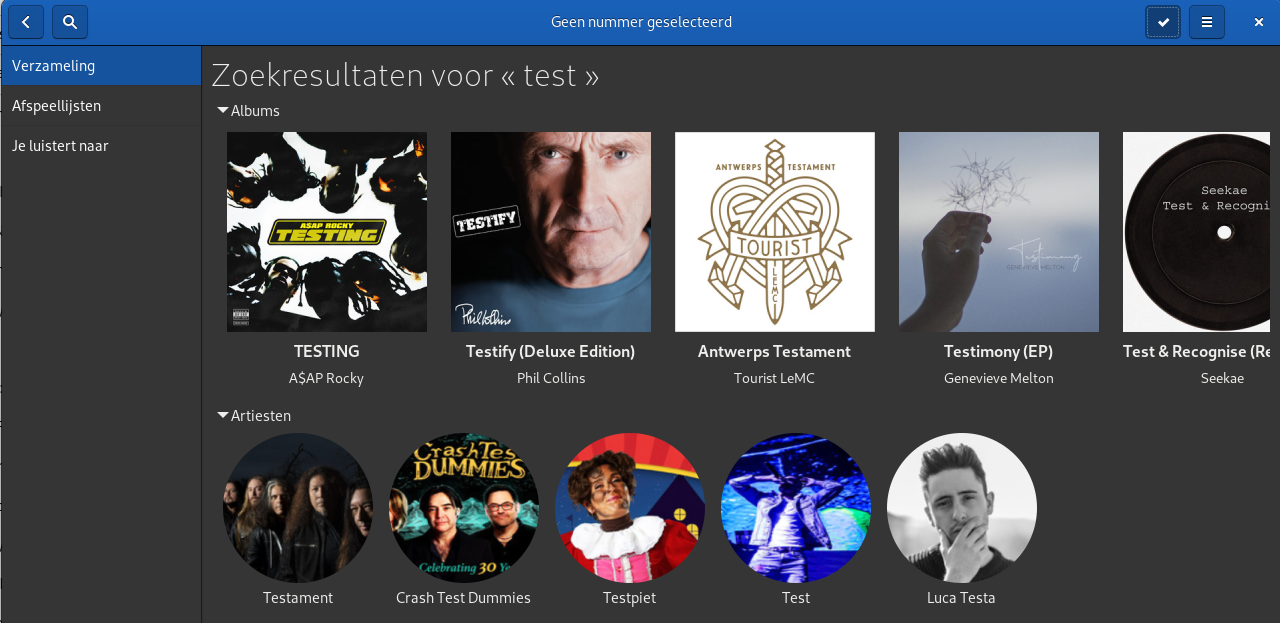
I guess I was looking for the "Add all to playlist" button Spotify has, which would be next to the "Favorite" button, but this is certainly fine, too.
Strangely enough, though, I only see an option to add the items to my queue, but you also seem to have an option to add the songs to a specific playlist? I only have one playlist, but it's not being shown for me:
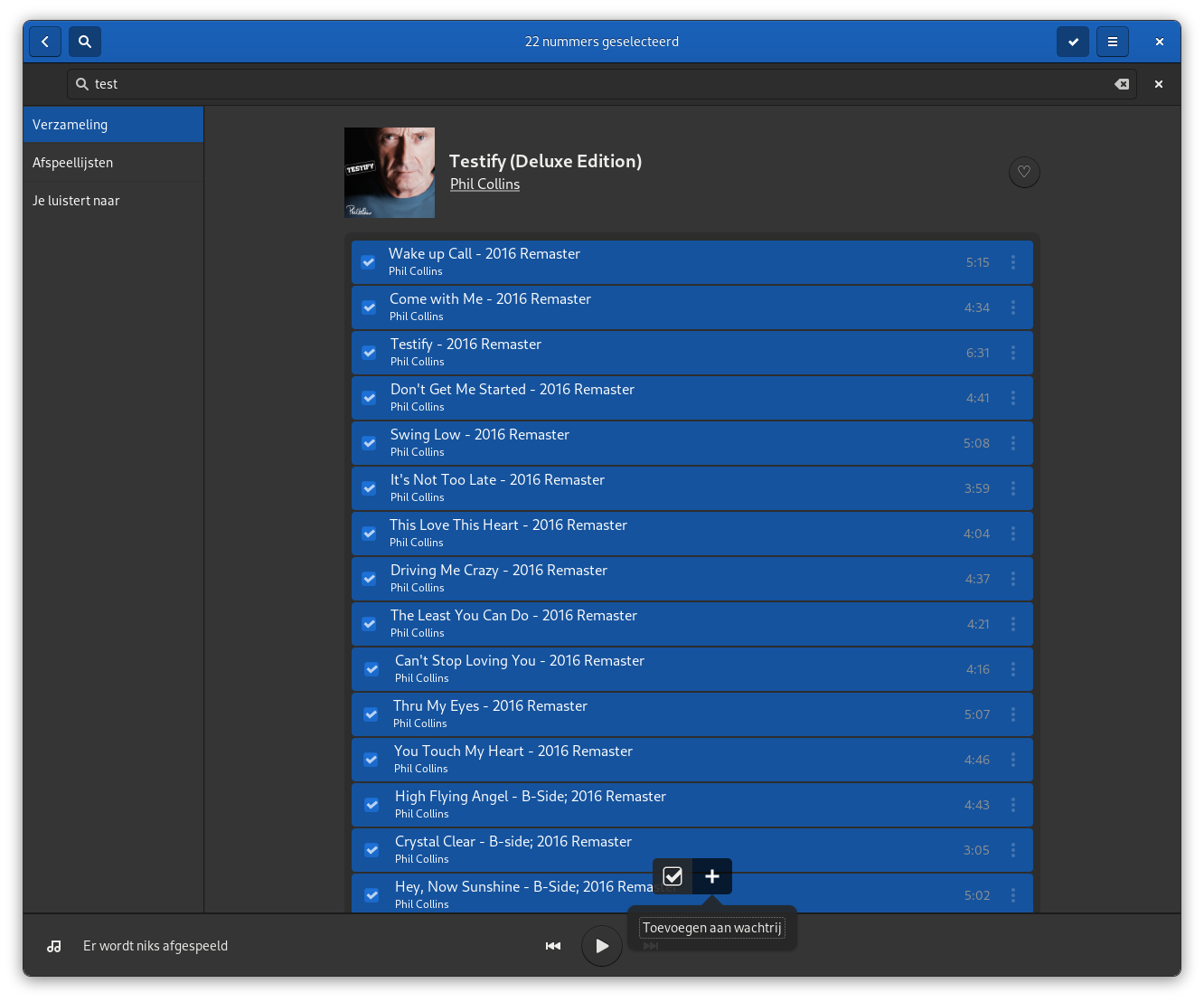
But maybe I'm doing something wrong?
You have to have playlists you own in your account -- it's not possible yet to create one from Spot but...
Strange, I actually do have one in my own account already that I created through the Spotify web client two months ago called "To do", before I started using Spot, and Spot correctly finds it under the "Playlists" tab, but it's not shown in the list to add something to.
I tried creating a new playlist through the web client, which correctly shows up in Spot, but I still can't add anything to it in Spot, strangely enough.
Please check that you are running the latest version of Spot. Works fine for me in 0.1.14.

I'm also running 0.1.14, installed through Flathub - I only just started using it :slightly_smiling_face: .
Let me know if there is a way I can help debug this. Maybe it's me doing something wrong.
Could very well be a bug with spot! :s sorry about that!
Could you check ~/.var/app/dev.alextren.Spot/cache/spot/net/me_playlists_0_30.json and see if the display_name for your playlists matches with your usual username?
The current implementation is... not great, and compares the display_name returned by the API with the username used to log in. It should match... but maybe not? https://github.com/xou816/spot/blob/master/src/app/components/user_menu/user_menu_model.rs#L44
A proper implementation should first retrieve something better than the username -- an id or a uri.
I checked the list, and it does match my usual username. Since I log in with my email address, I take it that Spot reads the username after logging in and then compares it with the playlist display_name, so this all seems fine.
The weird thing is that Spot does show my playlist under "Playlists", where I can also play songs from it. It's just filtered out in that specific context menu when trying to add songs.
Off-topic: Also, thanks for your quick response and don't worry, every project has its problems :smile:. I personally prefer a perhaps somewhat buggy or incomplete, but nice and speedy, FOSS GTK interface over a heavy-weight Electron client any day :smile:. I'm just trying to contribute by reporting issues, but none of them are blocking to me.
Ah that's it, I have the same issue if I log in using my email! I'll fix the issue asap, it's pretty much a one-liner. Thank you for your help!!
Thanks for taking the time to investigate the issue! I just tried 0.1.15, but unfortunately still can't add items to my playlists. I also can't remove items from the playlists (which is a new feature); the issue is still the same where I can only add to "You're listening to".
Shall I create a new ticket for this to follow up? And is there anything I can do to help debug this (I'm not familiar with Rust, though :smile:).
FWIW, I also tried logging in with my username, and it also doesn't work there, so it seems to be a separate issue from the fixed one.
Ah :( thanks for trying this! I should have asked you before releasing if it fixed it, but since I was able to reproduce it with my own email, I thought I had properly identified the problem :/ we can reopen the dedicated issue! https://github.com/xou816/spot/issues/234
Is there something specific about your username or the way you created your account? I'll try to think of more things we can look into.
No problem, I also thought it must have been that issue, and should have tested logging in with my username first. I'll reply in #234 :slightly_smiling_face:.