
xnote
 xnote copied to clipboard
 xnotepp
still getting parse error
Still having the parse error instead of see/modify the note.
TB 91.0.3 32bit. It didnt work without clean start (creating a new profile) and after that, it worked for a day and now it works only sometimes but most of time i am getting this parse error:
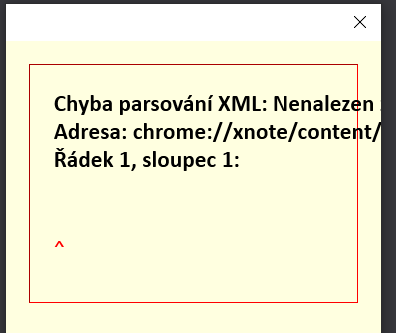

Same here, too, with: TB: 91.1.1 (64-Bit) (german language) XBNote++: v3.2.1 https://github.com/xnotepp/xnote/releases/tag/v3.2.1.
Nevertheless, thank you this great addon and your time spendin gon it.
Regards, Roger

Same here. TB 91.2. 64 bit. Win 10. Yesterday I disabled it and re-enabled, and it worked, but today does not. It shows the message above the e-mail, but I cannot create new note.

Hi, the same error on TB 91.3.0 x64, XNote 3.2.8 freshly installed (removed the old version and reinstalled 3.2.8):
XML-Verarbeitungsfehler: Kein Wurzel-Element gefunden Adresse: chrome://xnote/content/xnote-window.xhtml Zeile Nr. 1, Spalte 1:
This appears in the XNote window for every existing XNote I click, and also when I want to add a new XNote. BUT: in the mail preview, I see the corrrect XNote text (in the header section of the message window).
Regards, Bernhard

If I disable and re-enable the addon, it works again until I restart TB. (91.3.0), Xnote 3.2.8.
By the way, XNote 3.2.8 reports Version "3.2." Sorry, this is really not a critical issue, but it creates some uncertainty in the error analysis.
Hi, are there any news on this? For us, XNote is still unuseable. Regards, Bernhard
I'm getting the same issue with TB v91.4.0, XNote++ v3.2.4 when I view existing notes. But the note appears correctly at the top of the email. But I've just looked back at the message that the XNote was attached to, and the XNote has disappeared.


Hi,
thank you, I just did the update to 3.2.9: at first, the problem seemed to persist:
XML-Verarbeitungsfehler: Kein Wurzel-Element gefunden Adresse: chrome://xnote/content/xnote-window.xhtml Zeile Nr. 1, Spalte 1:
…and also after updating Thunderbird to 91.4.0.
After unchecking the option to "show the XNote++ window after selecting an e-mail", the error still showed up when clicking the XNote++ button; but since restarting TB for the second time, the error does not show up anymore! This has now also survived a few more restarts.
Slightly miraculous – I will test that a little later on the other computers and give you more feedback.
Best regards,
Bernhard
On 09.12.2021, at 06:25, opto @.***> wrote:
please try https://github.com/xnotepp/xnote/releases/tag/v3.2.9
— You are receiving this because you commented. Reply to this email directly, view it on GitHub, or unsubscribe. Triage notifications on the go with GitHub Mobile for iOS or Android.
Hi,
sorry for some bad news: at least on one machine, it still works only erratically: sometimes opening the XNote-Subwindow works (though only if the option to "show the XNote++ window after selecting an e-mail" is unchecked!), sometimes the XML parse error appears. Is there any way I can create some useful debugging info?
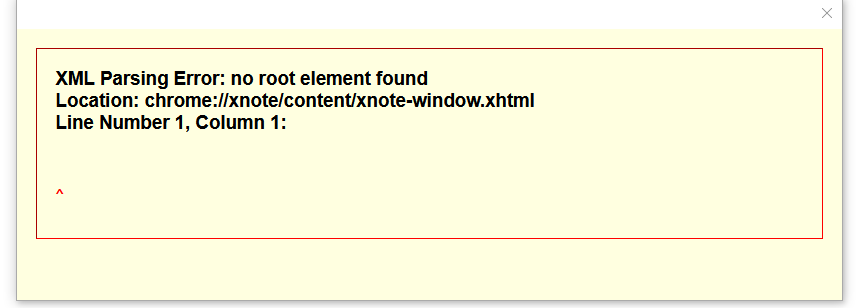

@wbdesigner: did you try v3.2.9 and (!) fully restart TB (all windows, even little notification windows) need to be closed. Does that help?
Hello, I can confirm in 3.2.10 and latest Thunderbird 91.4.1 on a Win11 machine, that the Notes works when I re-enable the Plugin. But on next Thunderbird restart, also the XML error is shown. When you select a Xnote field and close Thunderbird. The Note exists also on a closed Thunderbird for round about 10s. When you start in this time Thunderbird again, it works??? Greets

XML Parsing Error recurring again (Windows), both when attempting to create a new XNote and when I went to view a previously created XNote. Thunderbird was just updated to 91.6.0 prior to the error. Was working OK before this latest update.
I've attempted to fix the problem by: restart Tbird; disable Xnote, restart Tbird, enable Xnote. Neither worked.
eventually, I think we need to transfer the window to the new webextension side, because this cannot be resolved even when discussing with TB people. We may loose the possibility to move the xnote window outsoide of the TB window.
From my side it's fine. The note is for the email, I only need it in my thunderbird window

This issue is reappearing from time to time without a chance to tell what may have triggered it. I currently have 3.2.10 from https://addons.thunderbird.net/en-US/thunderbird/addon/xnotepp/ installed in a Windows 10 TB 91.6.1 (64-bit). Do I get it right that the windows position may be causing the issue? I moved the default position to be within the TB window, restarted, deactivated, activated... still not able to use it.

https://github.com/xnotepp/xnote/issues/70#issuecomment-989597680
but since restarting TB for the second time
That did the trick also for me, a 2nd restart and now it's working - with option "show the XNote++ window after selecting an e-mail" now being unchecked.
It's fascinating, that the window doesn't work.
But the inline note works.
You just need to disable the "open window on email click" option in the settings.
Of course the "edit" and "new" are still broken, but at least you can read your already added notes.

Same problem here with XNote++ v3.2.10 and Thunderbird 91.7.0 (32bit) on Windows 8.1
Restarting the XNote++ extension seems to fix the problem, but only until Thunderbird is closed down. Upon restarting Thunderbird the problem returns.

Unfortunatelly I am using Qnote instead of xnote++ Using the same data.It has not got all xnote++ functions but it always works
The problem seems to be fixed for me at the moment. I'm on Tbird 91.7.0 and XNote++ v3.2.10. I've checked by restarting Tbird, but I'm having no issues, and can view previously created XNotes.
The problem seems to be fixed for me at the moment. I'm on Tbird 91.7.0 and XNote++ v3.2.10. I've checked by restarting Tbird, but I'm having no issues, and can view previously created XNotes.
For me it is not fixed. Today I again experienced it. After re-enabling, it works. TB 91.7.0 (64bit, Win10), XNote++ 3.2.10
@mbiba: Are you still using Qnote? And if so, do you mean Martin Lasdanz's QNote extension for Thunderbird?
Does anyone experience this with XNote++ 4.3.38? This looks related with issue #65.
