

 xeolabs
xeogl + glTF Loader does not support glTF 2.0
Description of the problem
I tried the glTF 1.1 sample with some glTF Loader. https://github.com/cx20/gltf-test#gltf-11-tutorial-models https://cx20.github.io/gltf-test/
However, xeogl + glTF Loader does not compatible with glTF 1.1.
I would like each library to be all green.

...
xeogl version
- [x] Master
Browser
- [x] All of them
- [ ] Chrome
- [ ] Firefox
- [ ] Internet Explorer
OS
- [x] All of them
- [ ] Windows
- [ ] Linux
- [ ] Android
- [ ] IOS
Hardware Requirements

There seems to be a sample of glTF 2.0 below but it does not work. WIP? http://xeogl.org/examples/importing_gltf_2.0.html http://xeogl.org/examples/importing_gltf_2.0_PBR.html

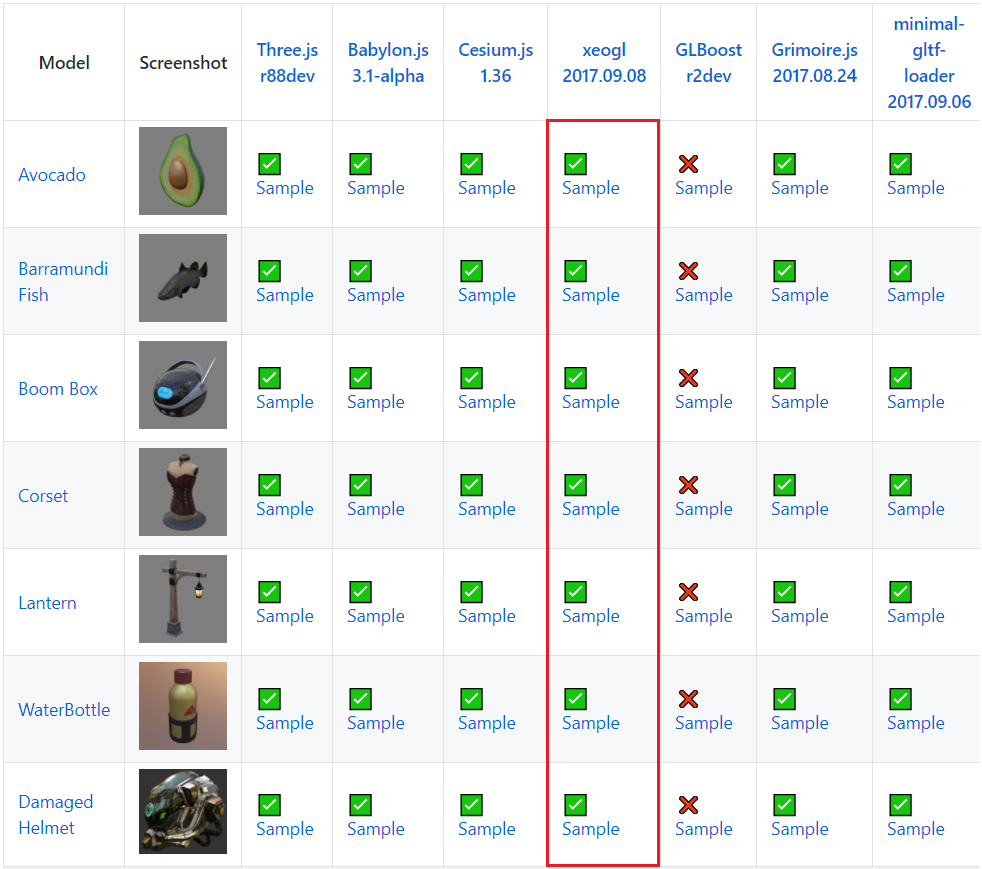
@xeolabs I tried to display the model of glTF 2.0 with the latest version of xeogl. It's a wonderful job. The PBR model is almost perfectly displayed.
https://github.com/cx20/gltf-test#pbr-models
 However, it is mysterious that triangles are not displayed.
https://github.com/cx20/gltf-test#simple-models-for-testing-individual-features
However, it is mysterious that triangles are not displayed.
https://github.com/cx20/gltf-test#simple-models-for-testing-individual-features
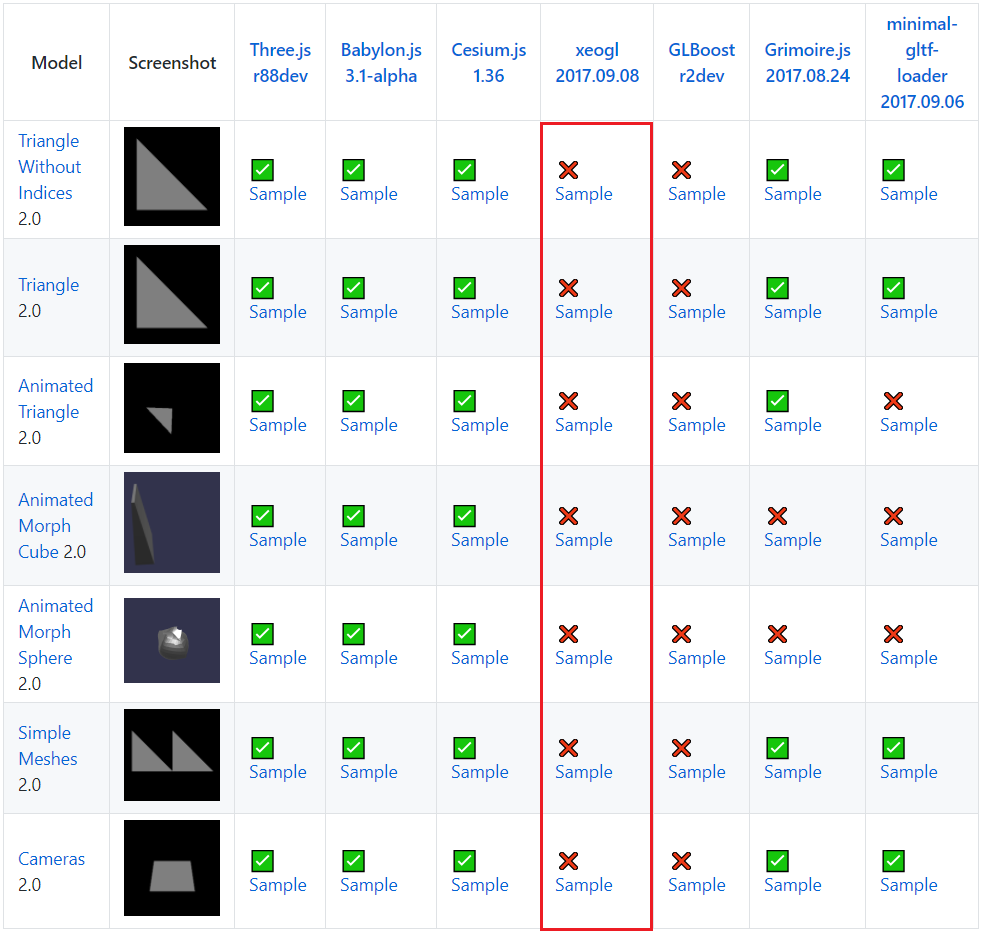 I think it is one of the reasons why it is not displayed that there is no default scene in the model.
Thanks @cx20 - I just fixed loading glTF 2.0 for these three triangle examples:
You were right about the loader not handling the case when there is no default scene, and the other reason was that xeogl was not even drawing triangle meshes without indices.
Note that xeogl doesn't support morphs and animations yet though, but will eventually. For now, loading static models is pretty much the focus of xeogl.
I'll fix these two test failures over the next few days, then glTF 2.0 will be complete for this iteration.