
xemu
 xemu copied to clipboard
 xemu-project
Brothers in Arms Seires Graphical issue
Title
https://xemu.app/titles/5553005a/#Brothers-in-Arms-Earned-in-Blood https://xemu.app/titles/5553003c/#Brothers-in-Arms-Road-to-Hill-30
Bug Description
Once in-game nothing is rendered. The menu Items and hud stack on top of each other. Also, the menu background missing
Xemu:
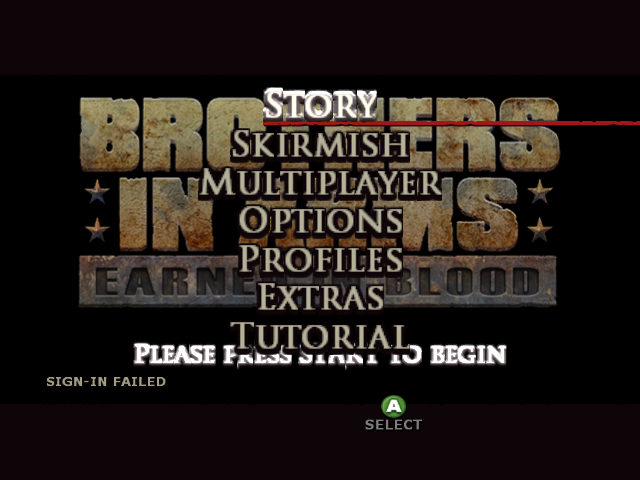
Xemu:
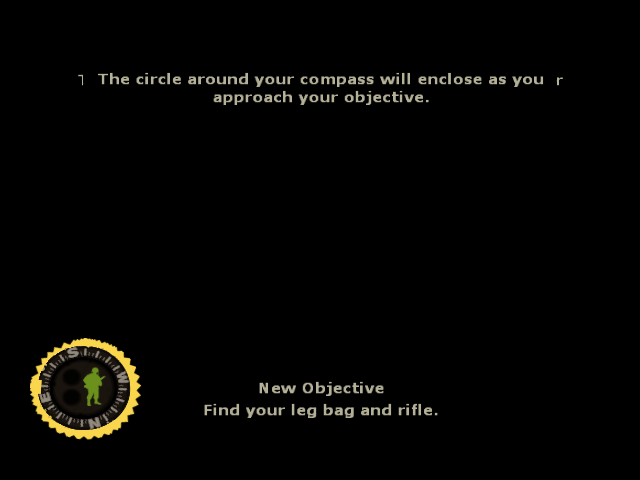
Expected Behavior
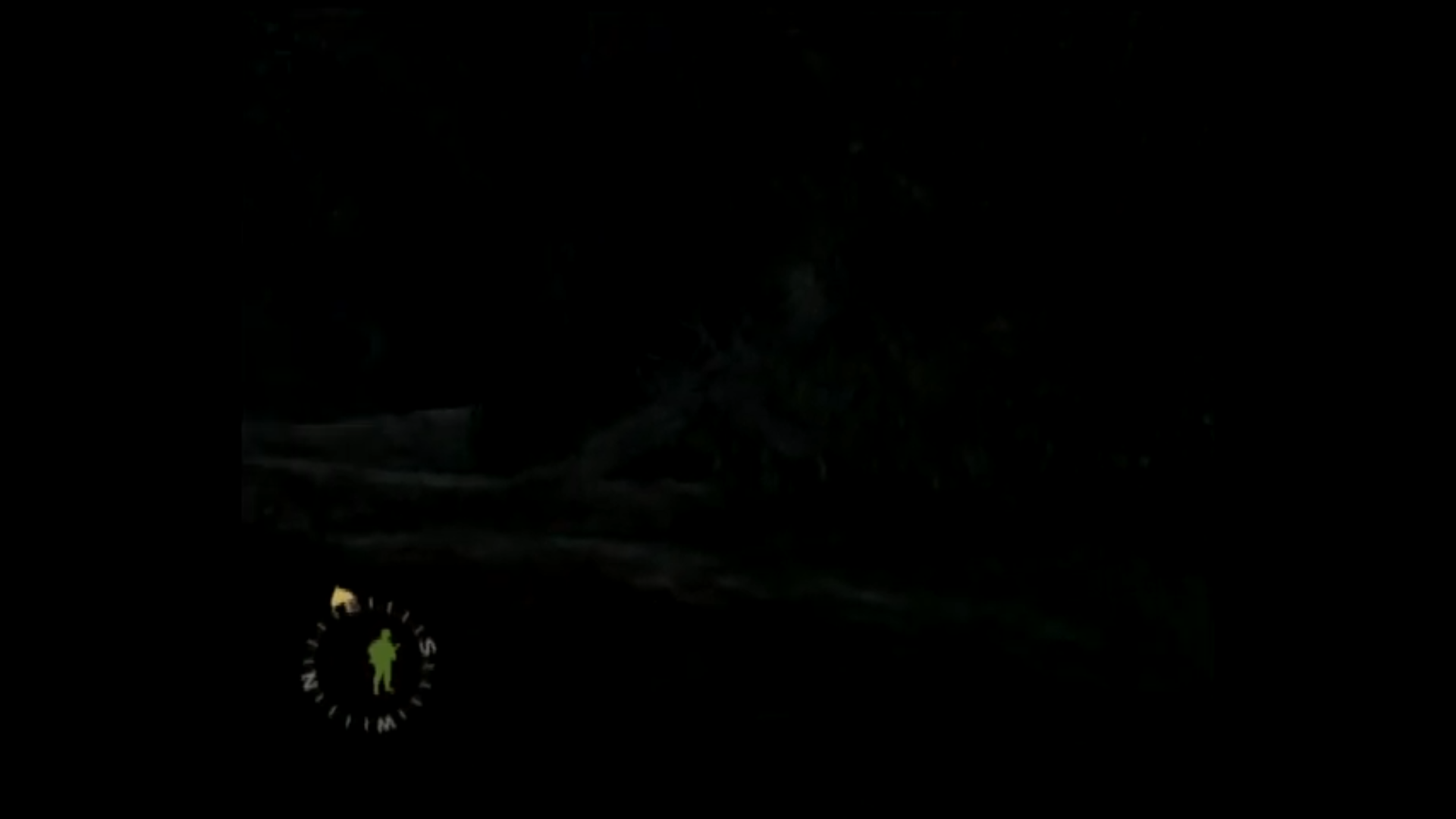
Xbox:

Xbox:
xemu Version
Version: 0.7.49 Branch: master Commit: https://github.com/mborgerson/xemu/commit/b3abb982e82edbbb142a2c275b893e7f62b10661 Date: Sat Jun 25 06:50:26 UTC 2022
System Information
| Field | Value |
|---|---|
| OS | Windows 10 |
| CPU | AMD Ryzen 5 2600 Six-Core Processo |
| Graphics Device | NVIDIA GeForce RTX 3060 Ti/PCIe/SSE2 |
| Graphics Driver | 4.0.0 NVIDIA 512.95 |
Additional Context
No response

@abaire When you go time, now that the crashing before ingame seems to be fixed you could look at this game again to see what causing the black screens. If you still can't get ingame I can give you a empty HDD-image with a savevm for you to debug if there are compatible with different host machines
Looks like it still crashes for me.
I re-redumped my copy of Road to Hill 30, verified that the checksum matches redump.org's and ran w/ 0.8.52, a retail bios, fresh xbox_hdd.qcow2 HDD image, and no eeprom and it dies with MMU fault: ExceptionIndex: EXCPFFFFFFFF ErrorCode: 0 ReturnAddr: 34516A240 EIP: 31D96C on Darwin/M3.
Will try on an x86 machine when I have a chance to see if it works there.
Fails on my Linux/GTX1070/GL build as well. Sometimes I get an MMU fault, sometimes it just freezes on the loading screen. We should probably reopen #583

@abaire Found out how I managed to get ingame. seems I was using debug bios by mistake using it allows you to make it ingame on Brothers in Arms Earned in Blood here simiar issue with https://xemu.app/titles/4d490004/#Knight-s-Apprentice-Memorick-s-Adventures causing the game to give you a dirty disk error when trying to get ingame.
Here a renderdoc for Brothers in Arms Earned in Blood https://drive.google.com/file/d/1fD2ivDZJmTDr3fQ1NJiloe0FlD6UlSFz/view?usp=sharing
Brothers in Arms Earned in Blood.zip
At a glance, it looks like the rendering is generally working (I'm not exactly sure what the screen you captured is meant to look like), but the colors in the output texture are compressed such that everything ends up looking black. In RenderDoc you can adjust the color range and see that the framebuffer looks correct when it's set to 0 .. 0.5 or so. The source textures that I glanced through all looked reasonable and the color combiner is actually doing a left shift 1 operation on the product of the texel and vertex diffuse color.
Looking at some vertex diffuse values, they're quite low, generally < 0.25, which explains why things are dark. If they're not meant to be so dark there may be an issue in the vertex shader.
The last draw looks like it rendered a plausible looking HUD along with explanatory text, so I'm not sure if there's a problem there or not.
@Triticum0 do you have a HW screenshot from roughly the same point in the game to compare to?
In general I still don't entirely trust any of the behavior in this game given the memory issues preventing normal loading
Yeah wouldn't even know where to start to get a hw screenshot. here a long play on xbox to see what it should look like https://youtu.be/iYNzCV-6_cs?t=379 6:30. It looks it what posted previously above where it just black screen an ui element don't ever clear so duplicate on screen compass.. it just first area after first cutscence after you gain controller of your character as screen just black before then so didn't think there would be anything rendered in the renderdoc.
Cool, so I from the video and screenshot I understand that the problem is that the rendering of the geometry is too dark.
Some possible causes to investigate:
- an issue with the vertex shader causing the diffuse multiplier to be too low
- a problem with processing
NV097_SET_TEXTURE_FORMAT_COLOR_L_DXT1_A1R5G5B5compressed textures (the textures themselves are also a bit on the dim side) - Some kind of mishandling of the combiner shift modifier, though I don't think there's a ton of room for error there and xemu's current handling appears to match HW apart from the shift left bias modifier.
I think maybe I misunderstood the problem. I looked again at the last draw in that renderdoc and I see that it seems to be the host side render and is completely black w/ just the text. Looking at your examples above, I guess that's the actual problematic behavior and it's not just the dark-but-visible geometry in the guest-side draws. It looks like the host side calls are rendering using the guest side surface at 0x3EB4000, but none of the pgraph messages reference that surface (probably because it was the last frame).
I think we will need a multi-frame capture with associated pgraph capture. I added the ability to do this in recent xemu builds; you need to hold both shift and control keys when doing an F10 capture https://github.com/xemu-project/xemu/blob/344f7da1323ef22d9d131181b21762b149e345d3/ui/xui/menubar.cc#L77 . This will grab 5 frames; be aware that it'll still only create one large entry in RenderDoc, which can be confusing.
hope this helps https://drive.google.com/file/d/14qrMN2H6Ptc3AZK505ApDePh_2HXmW9b/view?usp=sharing