

 xceedsoftware
Empty Table of content (TOC)
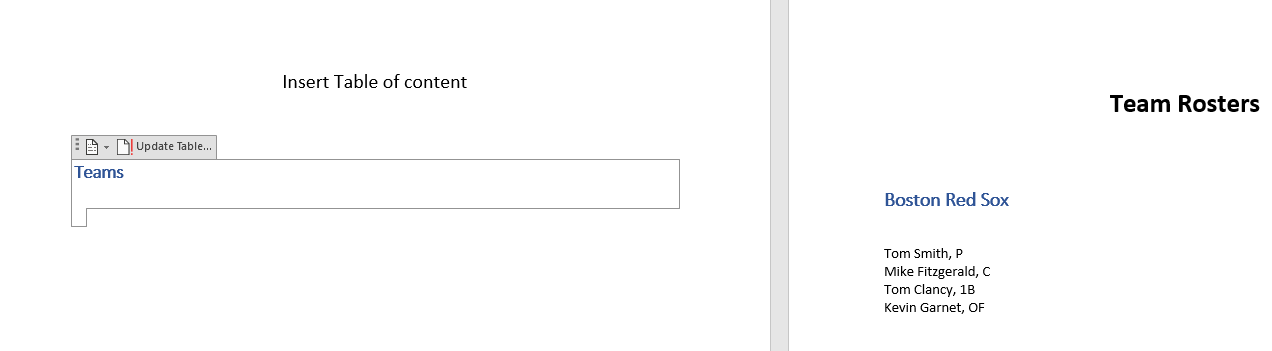
Hello, I'm trying to generate a table of content, but the resulting document doesn't display any items in the TOC. I'm using your example code (DocX/Examples/Samples/TableOfContent/TableOfContentSample.cs) for the TOC without any modifications.

Hi,
When you open the resulting document with MS Word, you should see a popup asking if you want to update the document fields. Saying yes will update the TOC.

@Pelu2k12 You may need to look at the fix I did in ticket 300 for the TOC to be indented.

@XceedBoucherS is this the only way to generate a TOC? In a web app scenario the popupp is undesirable and the message that word presents say's nothing aboout updating the TOC. It only scares the users into clicking NO.

@wis3guy yes, for now this is the way to create a TOC. What this "DocX" does is update the ooxml from the docx document. When MS Word opens this modified docx, he will ask to update the TOC. Saying yes will force MS Word to update its fields (which the TOC is) and display the TOC adequately.