

 xbmc
xbmc
Kodi 19.4 crashes on startup when the Sound Preference is set to SpeakerAmp on MacOS
Bug report
Describe the bug
Here is a clear and concise description of what the problem is:
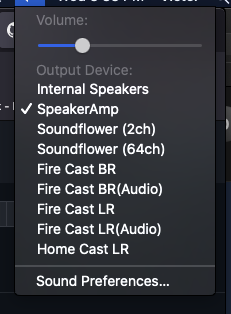
MacOS can be configured to route sound output to an internal speaker, external bluetooth device, ChromeCast or an internal application like an equalizer. When the default sound output selection is set to the "SpeakerAmp" application then Kodi 19.4 crashes during startup.
This problem is easily confirmed by running Kodi manually from a terminal window and entering /Applications/Kodi.app/Contents/MacOS/Kodi.
Expected Behavior
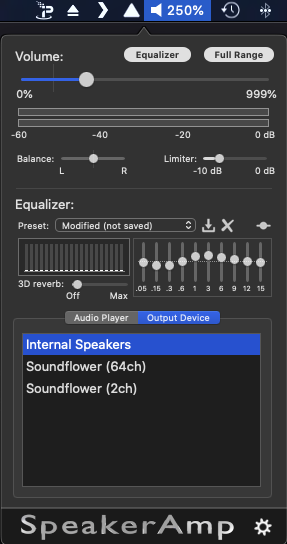
Here is a clear and concise description of what was expected to happen: Ideally, Kodi should support whatever sound device has been configured as the system default. Apps like SpeakerAmp allow users to increase frequencies that are harder to hear, or increase volume in noisy environments, across all apps.
Actual Behavior
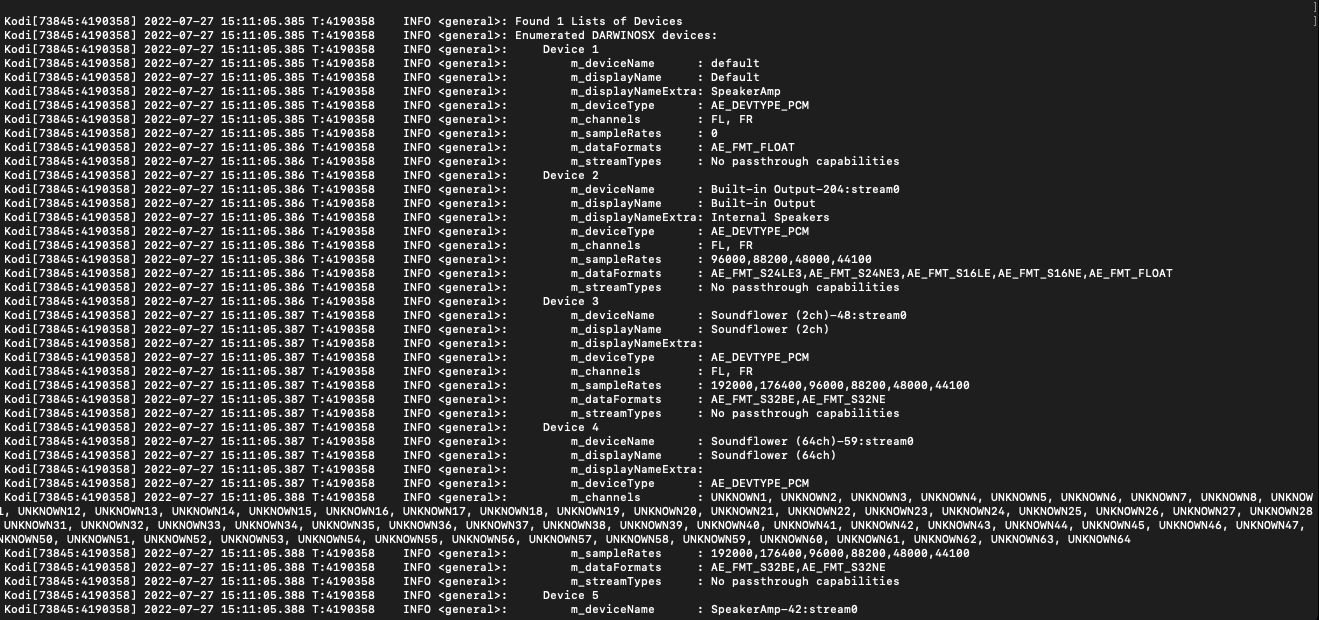
Kodi begins initialization and eventually gets to enumerating the sound devices then quits and dies.
Possible Fix
To Reproduce
Steps to reproduce the behavior:
- On a Mac desktop or laptop install MacOs Catalina and Kodi. (Problem occurs on multiple versions of MacOS)
- Install the free SpeakerAmp GUI from the Mac App store.
- Page through the SpeakerAmp Wizard til it shows the SpeakerAmp (OS Specific) driver is not installed
- Install the SpeakerAmp Driver
- Set the MacOS sound preferences to "Internal Speaker"
- Confirm Kodi starts correctly set to "internal Speaker" sound output
- Set the MacOS sound preferences to "Speaker Amp"
- Start Kodi from the Application icon (app should fail to appear or only appear briefly then quit)
- Open a terminal window and enter: /Applications/Kodi.app/Contents/MacOS/Kodi
- Observe the startup messages from Kodi.
- Kodi should quit after it tries to initialize the SpeakerAmp output device
Debuglog
The debuglog can be found here:
Enumerated DARWINOSX devices: ... m_deviceName : SpeakerAmp-42:stream0 CActiveAEResampleFFMPEG::Init - init resampler failed CActiveAEResampleFFMPEG::Resample - resample failed ActiveAE::Configure - sink returned large buffer of -2147483648 ms, reducing to 100 ms Floating point exception: 8
Screenshots
Here are some links or screenshots to help explain the problem:
Additional context or screenshots (if appropriate)
Here is some additional context or explanation that might help:
Your Environment
Used Operating system:
-
[ ] Android
-
[ ] iOS
-
[ ] tvOS
-
[ ] Linux
-
[ ] OSX
-
[ ] Windows
-
[ ] Windows UWP
-
[ X] MacOS
-
Operating system version/name:
-
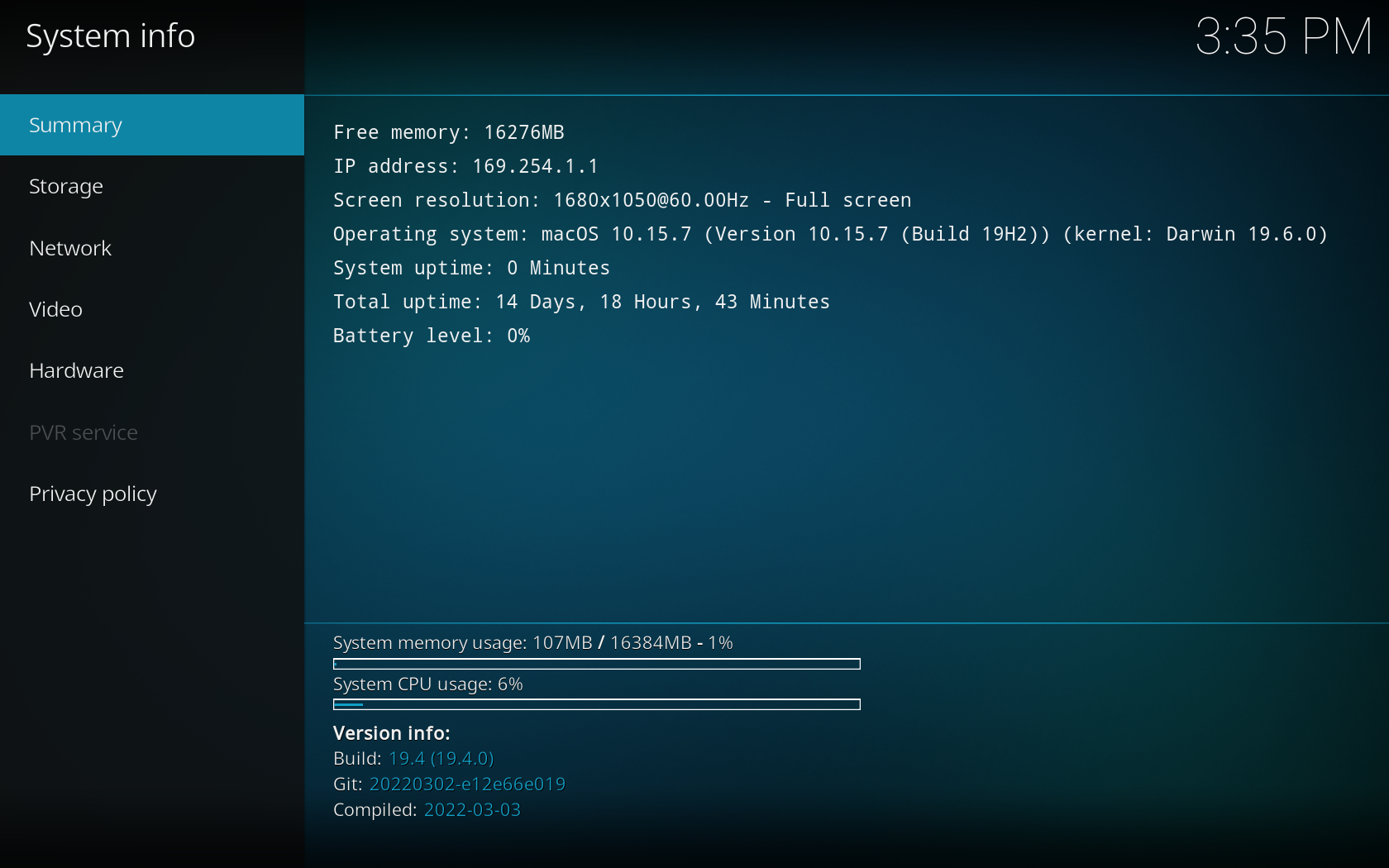
Kodi version:
note: Once the issue is made we require you to update it with new information or Kodi versions should that be required. Team Kodi will consider your problem report however, we will not make any promises the problem will be solved.
