
vim-swagger-preview
 vim-swagger-preview copied to clipboard
 xavierchow
A Vim plugin for previewing swagger/openAPI spec in Chrome with swagger-ui.
Vim Swagger Preview
- Intro
- Installation
- Usage
- License
Intro
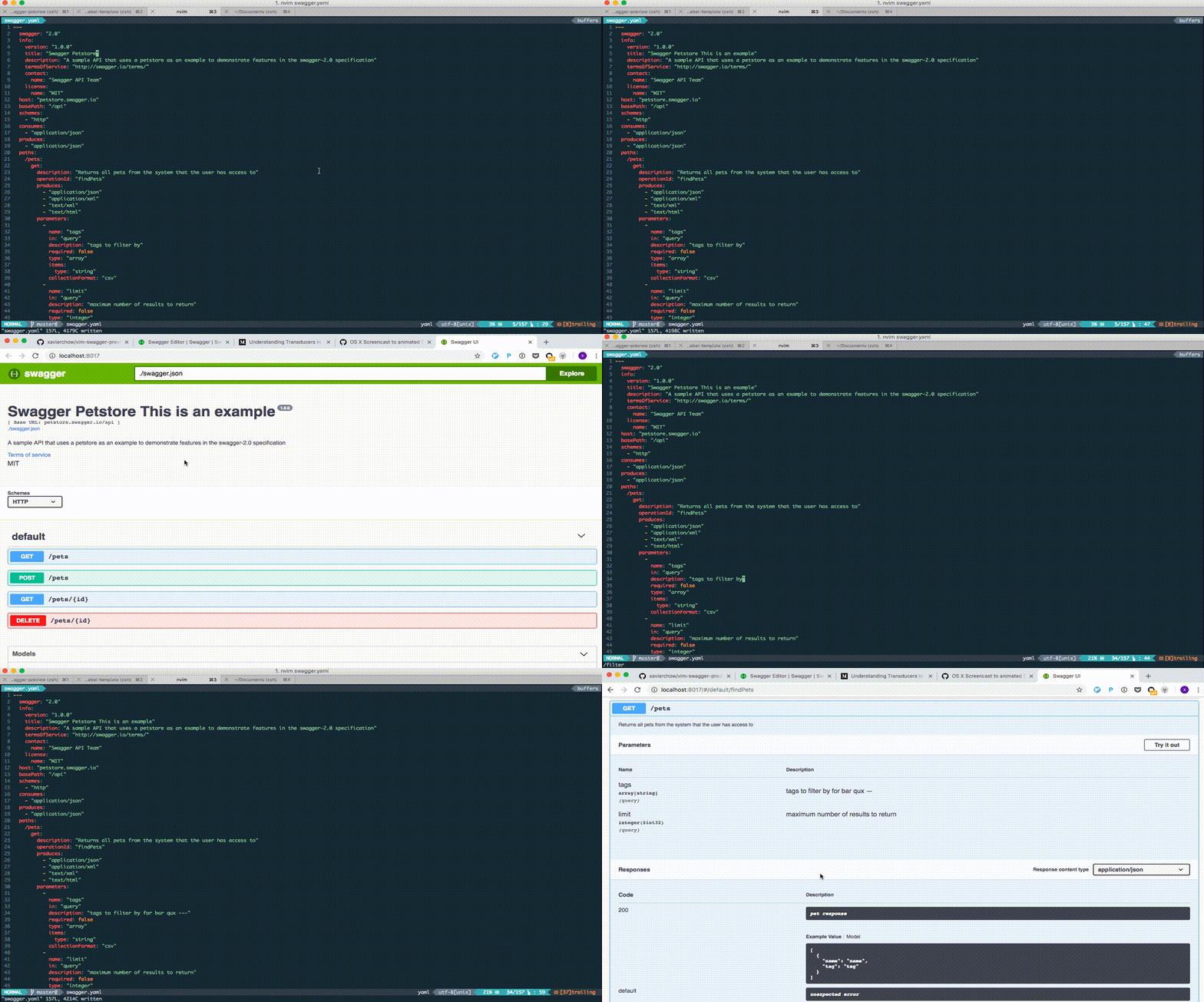
Swagger Editor is fancy, but my favorite editor is vim, and all my code is in vim, I don't like to copy & paste the yaml between the swagger-editor and vim. That's why I built this plugin; you can edit your yaml OpenAPI spec in vim and preview the result in Chrome.
Installation
Prerequisite
- web browser
- docker
- make sure port
8017is availabe to listen on, of course you can change it here.
Plugin
- With Pathogen: Place
vim-swagger-preview/in.vim/bundle/. - With Vundle:
- Add
Plugin 'xavierchow/vim-swagger-preview'to your.vimrc. - Launch
vimand run:PluginInstall
- Add
- With vim-plug:
- Setup with vim-plug guide
- Add
Plug 'xavierchow/vim-swagger-preview'to your.vimrc.
Usage
File extension
This plugin only applies to yaml file with the OpenAPI spec.
Keymap for preview
The default keymap is <leader>e, it brings up a browser window and shows the swagger-ui.
You can also define your keymap in vimrc.
nmap <unique> <leader>e <Plug>GenerateDiagram
Notes: Why I named it as GenerateDiagram is that I'd like to reuse the same mapping as vim-sequence-diagram.
License
MIT
Metadata
28
Stars
5
Forks
Watchers
Owner
 xavierchow
Metadata
A Vim plugin for previewing swagger/openAPI spec in Chrome with swagger-ui.