

 xarial
Keep visible Toolbars visible after SW/PC restart
All visible CAD+ Toolbars are often hidden again the next day you open SW. It would be nice if all visible Toolbars stay visible until you hide them yourself.
It might be a SW issue when you do customizations like this? I also experience shortcuts to the macros changing so they run a different macro!

Thank you for the ticket. Could you please confirm what version of CAD+ do you use? This issue was evident in older versions of CAD+ and was fixed several months ago.

Hi Artem, I am using vers 0.5.1568.19 which I think is the latest. /Peter
Artem, As mentioned it could be a SW issue. I also experience that customizations to the CommandManager could change automatically (Tabs with macro buttons dissappear / icons changing (re-start normally fixes that) / macro buttons dublicates and when removing one of them both are gone). Standard SW toolbars/tabs are not dissappearing so maybe SW have errors when doing these kind of customizations? Are they stored in the registry?
Have a nice weekend. /Peter
Hi Artem,
I'm testing with version 0.6.2606.7 and can confirm that when you open Solidworks 2021 again the toolbars remain in the right spot.
I've set it up to lock command manager and toolbars (RMB on commandmanager button)
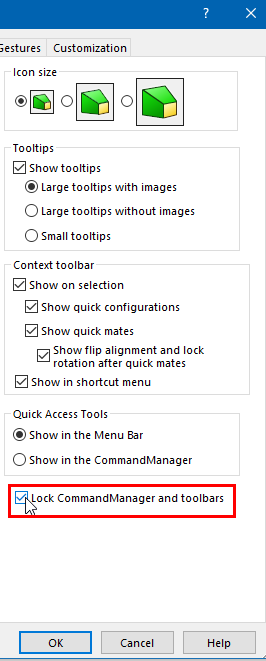
But this is not the case if you just made changes in toolbar+ fi. by adding a new button. In that case the toolbar+ shows up in the default location:
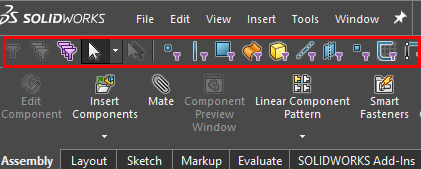 In the picture above I used RMB on a button in Commandmanger > toolbars and selected "selection filter" toolbar (which I never used in this version of Solidworks)
Hope this helps,
Eddy
