
twinkle-tray
 twinkle-tray copied to clipboard
 xanderfrangos
Cannot detect compatible monitors on computer startup
I booted up my PC, and Twinkle Tray showed an error message:

My monitor is DDC/CI compatible. I closed and reopened Twinkle Tray, and the error message is gone.
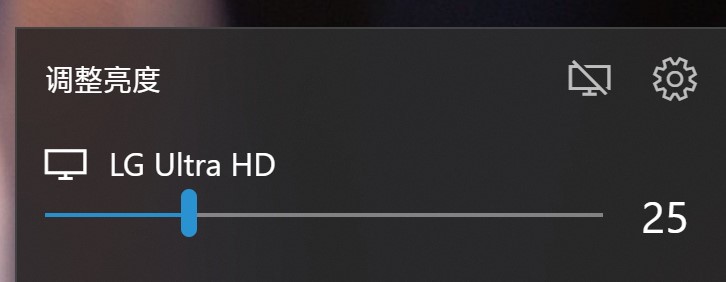
Version: 1.13.4 (Microsoft Store) Earlier version doesn't have this bug.

Hello! This project is awesome, but I am having the same issue and it is quite annoying :(


Could you all try using v1.12.3 and let me know if the issue occurs there as well?
https://github.com/xanderfrangos/twinkle-tray/releases/tag/v1.12.3

Could you all try using v1.12.3 and let me know if the issue occurs there as well?
https://github.com/xanderfrangos/twinkle-tray/releases/tag/v1.12.3
v1.12.3 doesn't have this bug. I tried twice.
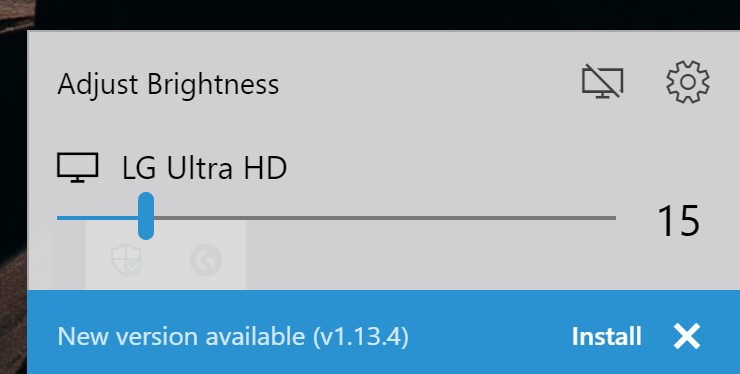

Okay, thanks for confirming. Could you all try this modified version of 1.13.4 and see if it helps?
https://1drv.ms/u/s!AiWKFpjcSKRQhsdVgdhpdyDA4HvE8g?e=l8Gd4X
Okay, thanks for confirming. Could you all try this modified version of 1.13.4 and see if it helps?
https://1drv.ms/u/s!AiWKFpjcSKRQhsdVgdhpdyDA4HvE8g?e=l8Gd4X
Yes, this modified version doesn't have this bug. (I tried twice)
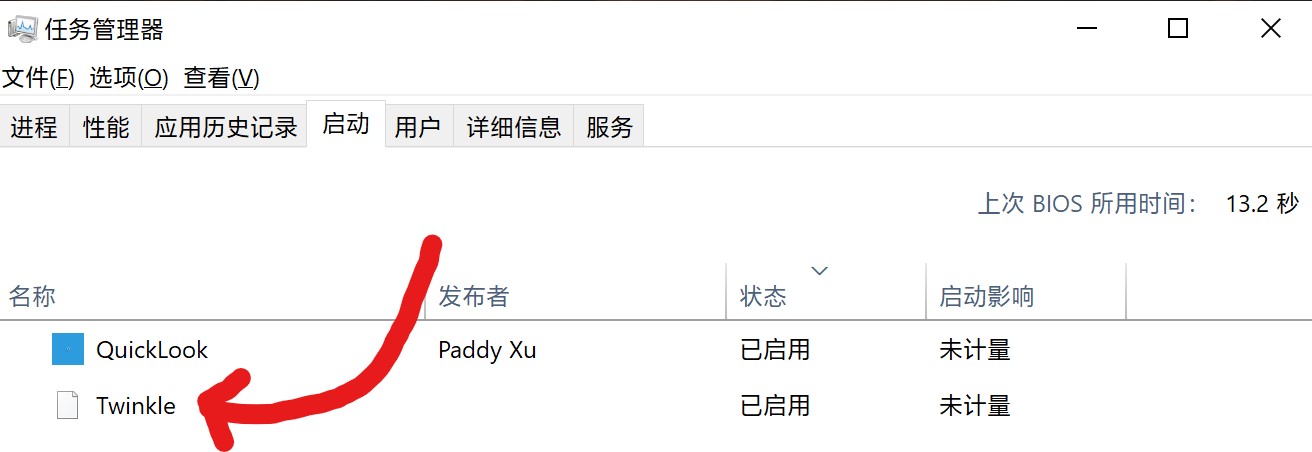
BTW, after I uninstalled the non-store version, "Twinkle Tray" is still in task manager's "startup" tab. I have to delete it from registry.
v1.13.5 is out on both GitHub and the Windows Store. Let me know if everything is working fine now.
@JasonWei512 I'll look into the startup entry. Thanks! 👍
I'm still experiencing this same issue even on the latest version. Do I have to reinstall or reset the settings?

@TheShark27 A number of users seem to have the same issue still.
Would you mind testing this version of Twinkle Tray and letting me know if it fixes the issue?
https://1drv.ms/u/s!AiWKFpjcSKRQhsdZbJ7d1xY4Z7PtbA?e=iF2GuF
Here's an additional test version for anyone with this issue. Please let me know if this helps.
https://1drv.ms/u/s!AiWKFpjcSKRQhsdb1mLs33hXO-aO3Q?e=srKoVU
Sorry, I didn't receive any notification. I'll install this now and let you know.
Ok, the issue is still there. I rebooted the PC three times, in three different instances, and in two of them the program didn't recognize the monitor. Very odd because this issue was not there a couple of months ago, and I've been using this since October.
@TheShark27 Yeah, something as of 1.13.0 broke things for some users. I'm not sure what, since the issue doesn't happen to me.
Does this version help? https://1drv.ms/u/s!AiWKFpjcSKRQhsdeTysDWLhkJRKSDA?e=d1lfj6
@xanderfrangos Oh hey this one worked! I rebooted the pc twice and it worked normally so far. I'll let you know in a couple days if it still works. The other one never worked at startup, so this is really promising.
Also, at one reboot I noticed that the mouse wheel scrolling feature worked, but now it doesn't anymore. How does that feature work?
@TheShark27
Thanks for the update! There's no reason the mouse wheel scrolling should have stopped working. The only reason it would be off is if you turned it off in the General settings.
It way it works is that I register a callback for every mouse scroll event in Windows, and then I compare it with where the tray icon is. If it's in the tray icon's bounding box, it adjusts the brightness.
Does it start working again if you restart the app (not your PC)? Or is it broken 100% of the time now?
@xanderfrangos Not sure about the mouse scroll feature. It never worked even though it was active, but that was ever since I installed the app. I tried restarting your test version now and it works. I'm going to have to test this further to know when it does work and when it doesn't.
Ok, I tested it a bit and I can confirm that here the app requires a restart for the mouse scroll wheel feature to work. That's the case with both the app store and the test version.
@TheShark27 Interesting. Does the mouse scroll feature work at startup on v1.12.3? I'm starting to think that an update to Electron is the source of these issues.
@xanderfrangos I tried that version and it has exactly the same issue: the scroll feature doesn't work at startup, and requires the app to be restarted once. This happens consistently: in fact, I've been using the app since October, and I never thought the feature was actually working because of this issue.
If anything, the scrolling feature of your new test version seems smoother and more responsive when it works, so that's good.
I'm going to test your new version further with reboots though, because I'm not sure if the problem happens exactly the same way.
@xanderfrangos Ok I found something interesting with your test version.
I tried scrolling on the icon right after startup, and surprisingly enough it worked. I kept scrolling for about five seconds, then it stopped working permanently (unless the app is restarted of course). So it would look like the startup sequence works fine, but then something automatically goes wrong after that.
I would provide screen recordings, but it wouldn't be obvious, since the only thing that shows if it's working is screen brightness of course.
I've released v1.13.6 on GitHub. It should address multiple problems covered in this Issue. Let me know if it helps. If there aren't any new bugs reported in the next few days, I'll roll it out to the Windows Store as well.
Hello. I'm having this issue on Windows 11. Should I downgrade? v1.13.10 downloaded from the store.
