

 xBimTeam
Can't retrieve geometry from ifc-file
Good time of the day! I try to retrieve geometry from ifc-file, using this code:
using (m_model = IfcStore.Open(m_IFCFile))  {
                m_3DMdlContext = new Xbim3DModelContext(m_model);
                m_3DMdlContext.MaxThreads = 1;
                m_3DMdlContext.CreateContext();
                m_ShapeInsts = m_3DMdlContext.ShapeInstances().ToList();
}
But m_ShapeInsts is empty. xBimExplorer shows elements in file. Where is my mistake? I share the file. ТестИФЦ-коробка.zip
Thanks for the answer,

Geometry definitions in this file are invalid:
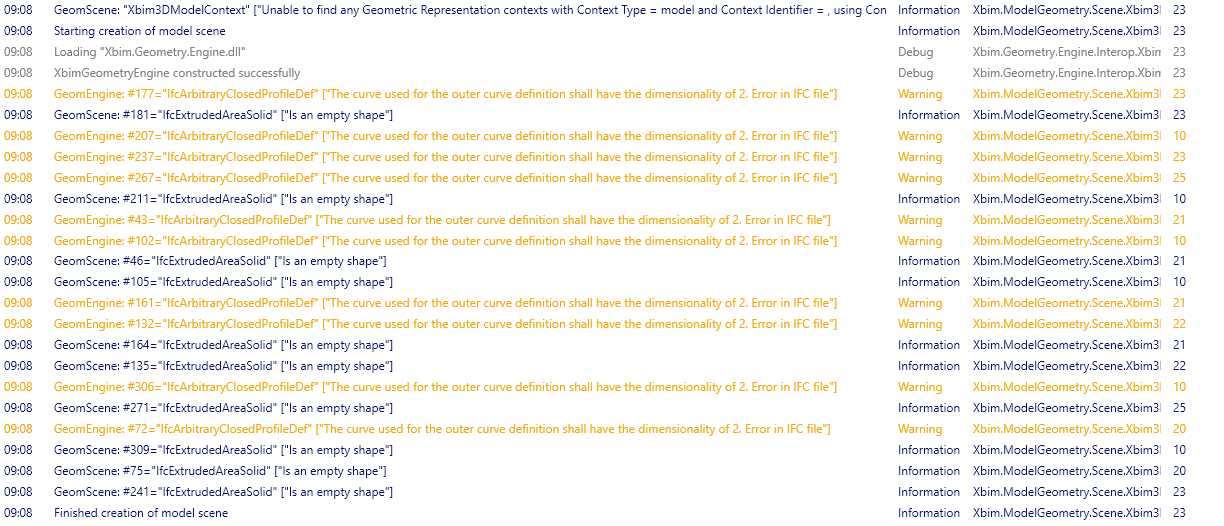
All these profiles should only have 2D points defining their profiles, but they are 3D points in your file. The model is from SAPFIR software. If you can, you should report this to their development team so they can fix their exporter.

You can try fix like this, but it is specific to this file:
using (var txn = model.BeginTransaction())
{
    foreach (var item in model.Instances.OfType<IIfcArbitraryClosedProfileDef>())
    {
        if (!(item.OuterCurve is IIfcPolyline poly))
            continue;
        var toFix = poly.Points.Where(p => p.Dim > 2);
        foreach (var point in toFix)
            point.Coordinates.RemoveAt(2);
    }
    txn.Commit();
}
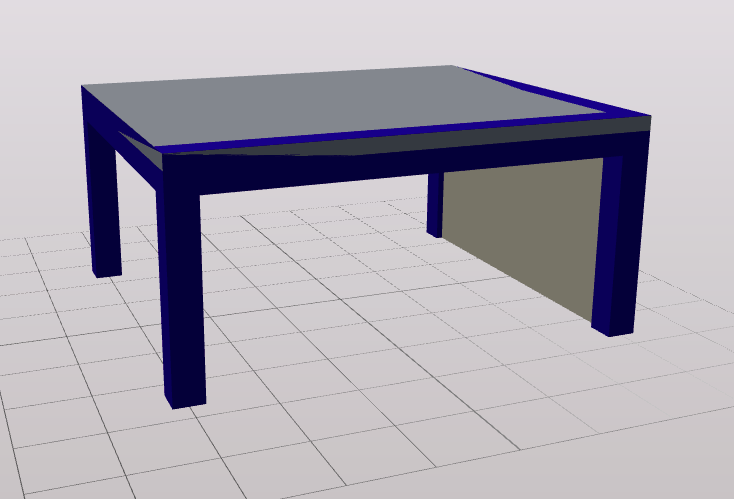
When the profiles are fixed, it is OK:
Thank you. But xBimExplorer opens this file as it is. How does it solves this problem?