

 xBimTeam
IfcSIUnit keeps a static reference to an MemoryModel, leaking 16 - 35 MB
I've memory profiled my application and noticed that even after closing all IFC files, XBim still keeps 35 MB RAM:
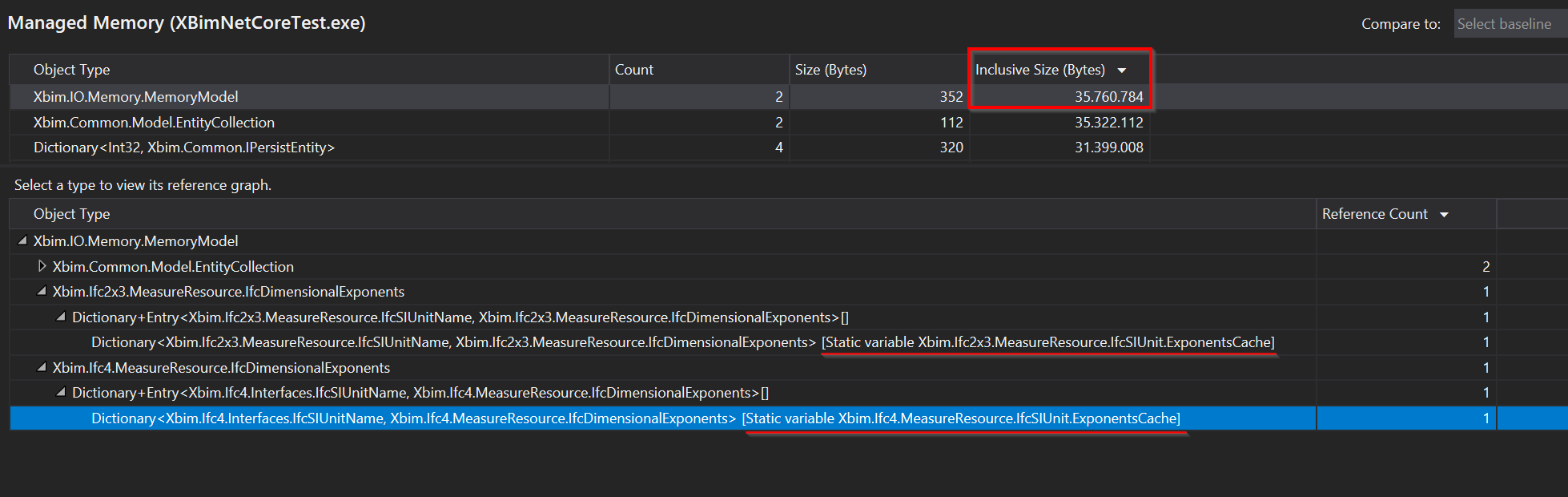
Here are the static roots:
https://github.com/xBimTeam/XbimEssentials/blob/8555eb3be90f9fb06711e6347c546a67ce9a36a7/Xbim.Ifc2x3/MeasureResource/IfcSIUnitPartial.cs#L12
https://github.com/xBimTeam/XbimEssentials/blob/8555eb3be90f9fb06711e6347c546a67ce9a36a7/Xbim.Ifc4/MeasureResource/IfcSIUnitPartial.cs#L20
And the issue is that the IfcDimensionalExponents keeps a reference to the IModel alive, keeping it from being garbage collected:
https://github.com/xBimTeam/XbimEssentials/blob/8555eb3be90f9fb06711e6347c546a67ce9a36a7/Xbim.Ifc4/MeasureResource/IfcDimensionalExponents.cs#L87

Hi @0x53A , thanks for spotting this out. This code is in place for a very long time. I assume that your file contains huge amount of unit definitions? There are normally very few of these, that is why we didn't spot this I guess. It is only a speed optimization, so it should be fine to change it to be local instead of static. I'll have a look at it.

Thank you for the quick response!
I assume that your file contains huge amount of unit definitions?
As far as I understand it, the issue isn't the unit definitions themselves, but rather that they keep the whole MemoryModel from being garbage collected.
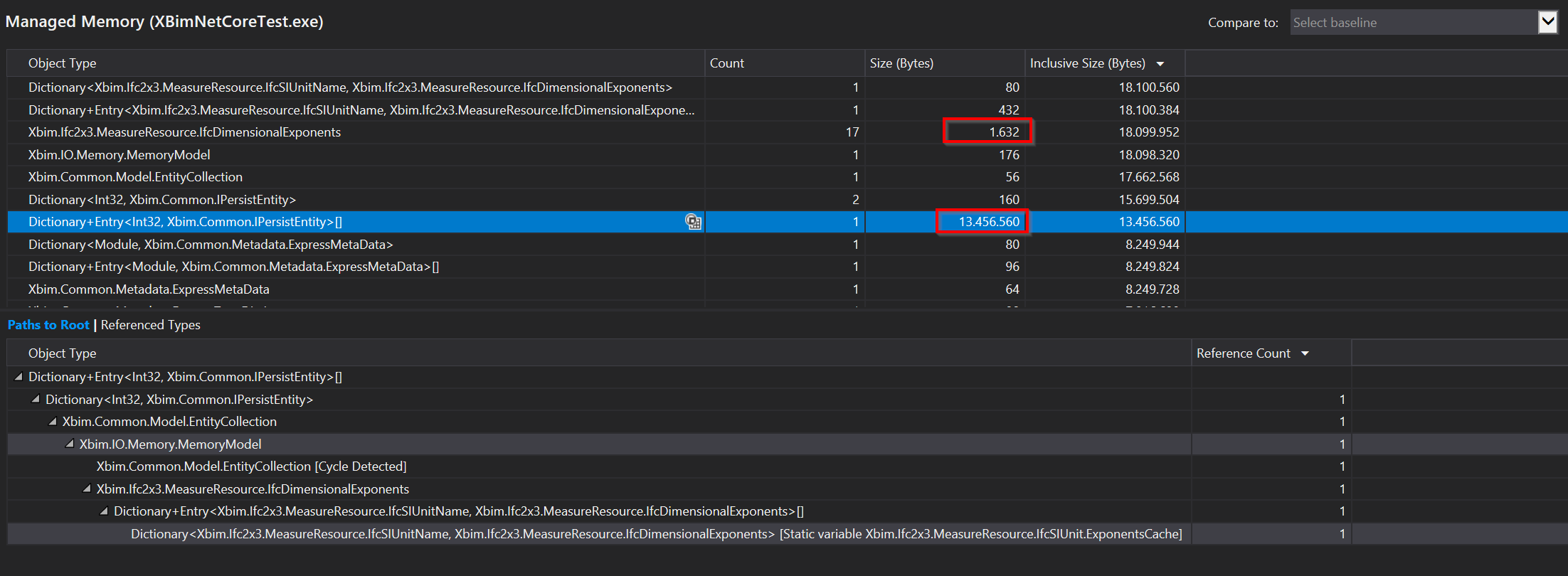
Here the unit definitions themselves are only 1.6 kB, but they keep the MemoryModel and the IPersistEntity Dictionary alive.
This is the Visual Studio memory profiler, please note the difference between size and inclusive size.
I did a second test, where I just open an IFC file and immediatly close it:
    class Program
    {
        private static void Test()
        {
            using (IfcStore model = IfcStore.Open(@"file.ifc"))
            {
            }
        }

        public static void Main(string[] args)
        {
            Test();
            GC.Collect(GC.MaxGeneration, GCCollectionMode.Forced, true, true);
            GC.Collect(GC.MaxGeneration, GCCollectionMode.Forced, true, true);
            GC.Collect(GC.MaxGeneration, GCCollectionMode.Forced, true, true);
        }
    }
Two memory snapshots, one before Test, one after the GC.Collects.
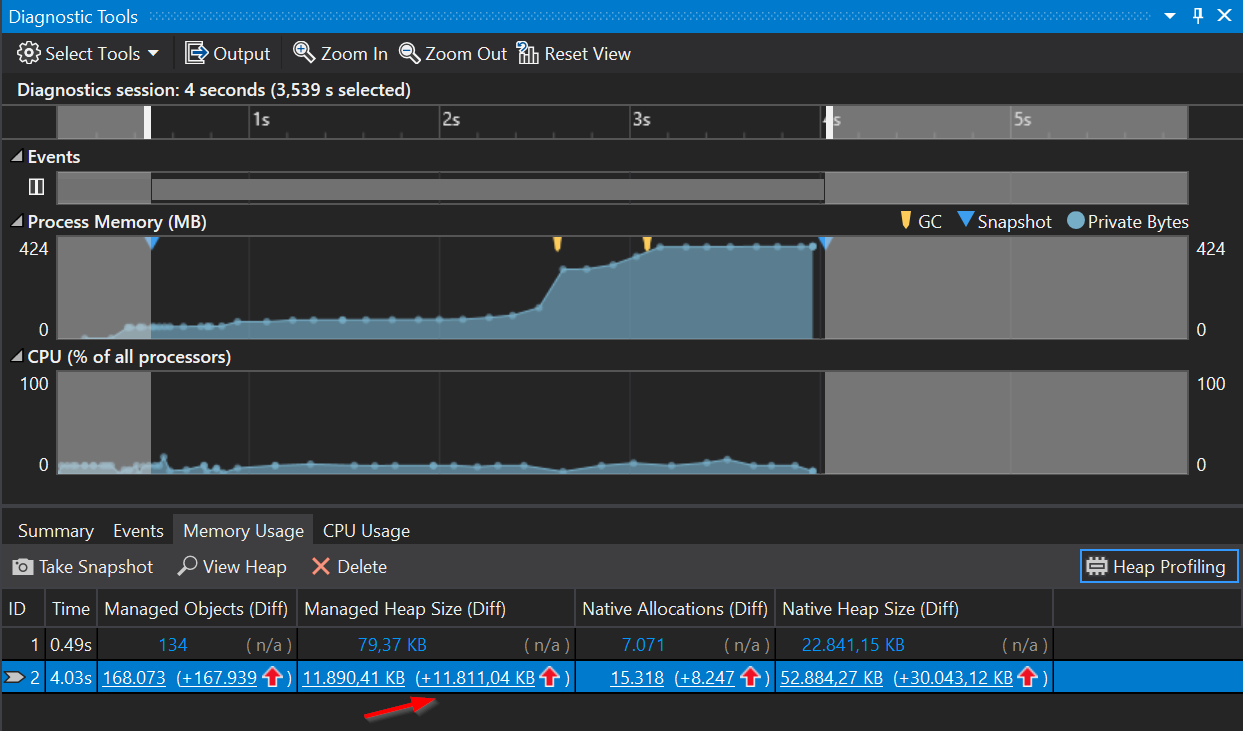
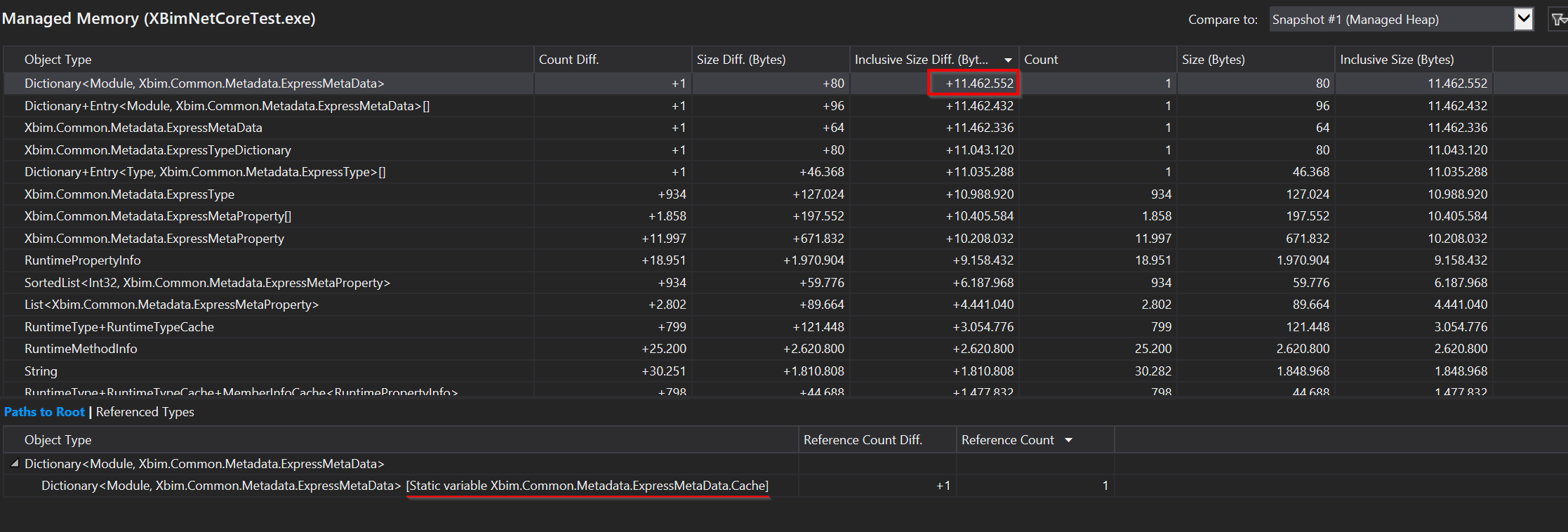
In this case, the IfcSIUnit.ExponentsCache has not (yet) been populated, I assume it is lazy-initialized when actually accessing the entities in the store. But there's a second cache with 11 MB.
Now, I don't think these 11 MB "Leaks" (they are not really leaks, as they don't increase if you open multiple ifc files, they are "constant") will be noticed by many users, with typical RAM of > 8 GB.
I just noticed this while profiling my application and wanted to let you know.
ExpressMetadata is not a leak. It is only created once for every schema (IFC2x3, IFC4, IFC4x3) when needed. And it is always reused for all metadata related operations. This is static intentionally and will not grow over time as you open/close as many models as you want.
Your initial case is different and would have an impact if you were opening and closing thousands of models (and accessing these dimensional exponents because these are lazy evaluated as you have noticed).