wxWidgets
Wx plot broken on Python 3.10
Operating system: Arch Linux wxPython version & source: PyPi Python version & source: distro (v3.10)
Description of the problem:
On Python 3.10, but not 3.9, the example program below (taken from the wiki: https://wiki.wxpython.org/How%20to%20use%20Plot%20-%20Part%201%20%28Phoenix%29#How_to_use_Plot_-Part_1.28Phoenix.29) fails with the following error:
Traceback (most recent call last):
  File "/home/alex/code/iPANACEA/plot_test.py", line 107, in OnInit
    frame = MyPlotExample()
  File "/home/alex/code/iPANACEA/plot_test.py", line 53, in __init__
    panel = wxplot.PlotCanvas(self)
  File "/home/alex/code/iPANACEA/.venv/lib/python3.10/site-packages/wx/lib/plot/plotcanvas.py", line 176, in __init__
    self._gridPen = wx.Pen(wx.Colour(180, 180, 180, 255),
TypeError: Pen(): arguments did not match any overloaded call:
  overload 1: too many arguments
  overload 2: argument 1 has unexpected type 'Colour'
  overload 3: argument 2 has unexpected type 'float'
  overload 4: argument 1 has unexpected type 'Colour'
OnInit returned false, exiting...
Code Example (click to expand)
# sample_one.py

"""

A simple example showing how to use lib.plot from wxPython.
It is intended to be run as a standalone script via::
user@host:.../site-packages/wx/lib/plot$ python examples/simple_example.py

"""

import os
import sys
import wx
from wx.lib import plot as wxplot

# class MyPlotExample
# class MyApp

#---------------------------------------------------------------------------

class MyPlotExample(wx.Frame):
    def __init__(self):
        wx.Frame.__init__(self, None,
                          title="Example of wx.lib.plot",
                          size=(400, 300))

        #------------

        # Return icons folder.
        self.icons_dir = wx.GetApp().GetIconsDir()

        #------------

        # Generate some Data.
        x_data = [1, 2, 3, 4, 5, 6, 7, 8, 9]
        y_data = [2, 4, 6, 4, 2, 5, 6, 7, 1]

        # Most items require data as a list of (x, y) pairs:
        #    [[1x, y1], [x2, y2], [x3, y3], ..., [xn, yn]]
        xy_data = list(zip(x_data, y_data))

        # Create your Poly object(s).
        # Use keyword args to set display properties.
        line = wxplot.PolySpline(
            xy_data,
            colour=wx.Colour(128, 128, 0),   # Color: olive
            width=3,
        )

        # Create your graphics object.
        graphics = wxplot.PlotGraphics([line])

        # Create your canvas.
        panel = wxplot.PlotCanvas(self)

        # Edit panel-wide settings.
        axes_pen = wx.Pen(wx.BLUE, 1, wx.PENSTYLE_LONG_DASH)
        panel.axesPen = axes_pen

        # Draw the graphics object on the canvas.
        panel.Draw(graphics)

        #------------

        # Create some sizers.
        mainSizer = wx.BoxSizer(wx.VERTICAL)
        checkSizer = wx.BoxSizer(wx.HORIZONTAL)

        # Layout the widgets.
        mainSizer.Add(panel, 1, wx.EXPAND | wx.ALL, 10)
        self.SetSizer(mainSizer)

        #------------

        # Simplified init method.
        self.SetProperties()

    #-----------------------------------------------------------------------

    def SetProperties(self):
        """
        ...
        """

        self.SetMinSize((400, 300))
        self.SetBackgroundColour(wx.WHITE)

        #------------

        frameIcon = wx.Icon(os.path.join(self.icons_dir,
                                         "wxwin.ico"),
                            type=wx.BITMAP_TYPE_ICO)
        self.SetIcon(frameIcon)

#---------------------------------------------------------------------------

class MyApp(wx.App):
    def OnInit(self):

        #------------

        self.installDir = os.path.split(os.path.abspath(sys.argv[0]))[0]

        #------------

        frame = MyPlotExample()
        self.SetTopWindow(frame)
        frame.Show(True)

        return True

    #-----------------------------------------------------------------------

    def GetInstallDir(self):
        """
        Return the installation directory for my application.
        """

        return self.installDir


    def GetIconsDir(self):
        """
        Return the icons directory for my application.
        """

        icons_dir = os.path.join(self.installDir, "icons")
        return icons_dir

#---------------------------------------------------------------------------

def main():
    app = MyApp(False)
    app.MainLoop()

#---------------------------------------------------------------------------

if __name__ == "__main__" :
    main()```
</details>


your example is somewhat queer: although on Windows an instance of Pen, I suppose, would not be much different
Microsoft Windows [Version 10.0.19043.1889] (c) Microsoft Corporation. All rights reserved.
C:\Users\Me>python Python 3.10.6 (tags/v3.10.6:9c7b4bd, Aug 1 2022, 21:53:49) [MSC v.1932 64 bit (AMD64)] on win32 Type "help", "copyright", "credits" or "license" for more information.
import wx a = wx.App() p = wx.Pen(wx.Colour(180, 180, 180, 255)) print(p) <wx._core.Pen object at 0x00000218554F3520>

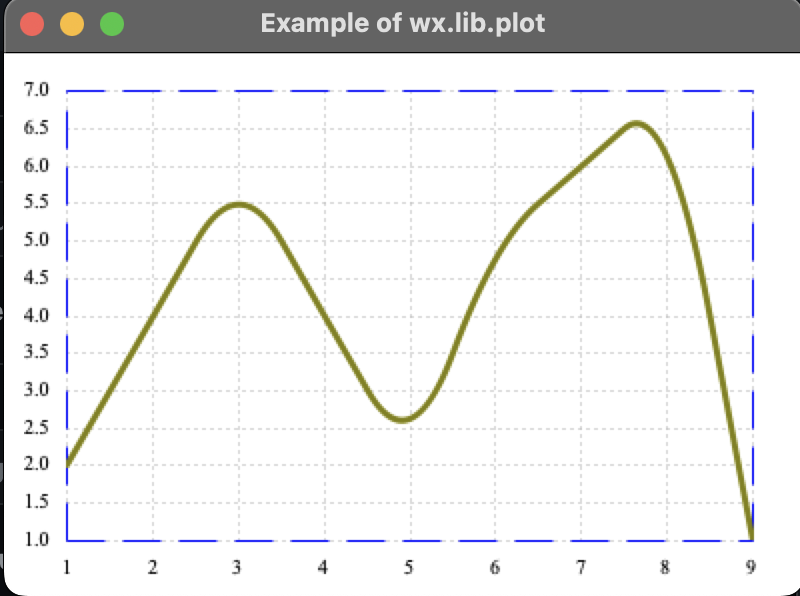
sample_one.py seems to be fine on MacOS (Venture 13.0); Python 3.10.0; wxPython 4.2.0:
The error message you pasted doesn't seem to be from the same code as the # sample_one.py?
Just in case, I've tested the code example with:
axes_pen = wx.Pen(wx.Colour(180, 180, 180, 255), 1, wx.PENSTYLE_LONG_DASH)
Works fine as well.
Can you clarify?

I am getting this as well. macOS 13.0.1, Python 3.10.8, wxPython version 4.1.1 osx-cocoa (phoenix) wxWidgets 3.1.5.
The sample from above results in:
python3 test.py
Traceback (most recent call last):
  File "/Users/emw/test.py", line 106, in OnInit
    frame = MyPlotExample()
  File "/Users/emw/test.py", line 54, in __init__
    panel = wxplot.PlotCanvas(self)
  File "/opt/local/Library/Frameworks/Python.framework/Versions/3.10/lib/python3.10/site-packages/wx/lib/plot/plotcanvas.py", line 176, in __init__
    self._gridPen = wx.Pen(wx.Colour(180, 180, 180, 255),
TypeError: Pen(): arguments did not match any overloaded call:
  overload 1: too many arguments
  overload 2: argument 1 has unexpected type 'Colour'
  overload 3: argument 2 has unexpected type 'float'
  overload 4: argument 1 has unexpected type 'Colour'
OnInit returned false, exiting...
The same error is hit when running demo.py or simple_example.py from the wxPlot examples directory. And it's really weird because the invocation of wx.Pen(...) looks completely correct. Is there anything I can send you to debug this?
Is it possible that the overloading issue is that width is somehow float when an int is expected according to docs? In plotcanvas.py l. 176, the argument is from self._pointSize[0], which is initialized in line 165 as self._pointSize = (1.0, 1.0), so using float values.

EDIT Ok, I just saw that this has already been fixed using int(...) conversions in the current version. I guess the pixelated font is expected as well from the above working screenshot. So, feel free to close from my side.
~~Ok, yeah, I kinda got it to run by inserting a lot of int(...) intoplotcanvas.py every time I saw an error.
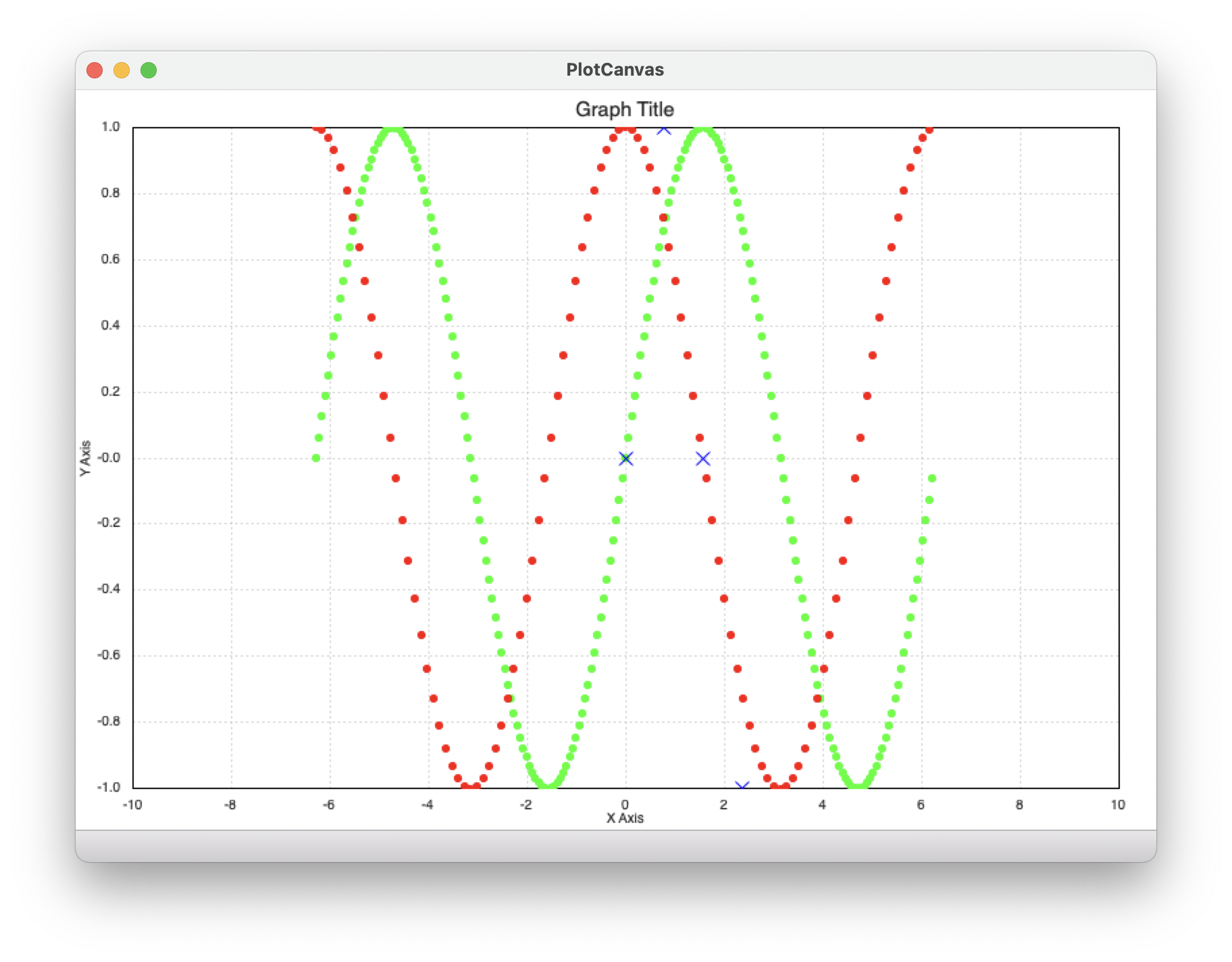
I say kinda, because it does not look great with text rather pixelated, see attachment.~~
~~My version and a diff attached. Obviously this is not the solution, just showing what the cause is.~~