wxMEdit
 wxMEdit copied to clipboard
 wxMEdit
[New features suggestion] Add the function of showing/hiding space characters; column editing supports moving the cursor
It is hoped that two functions can be added: 希望可以增加两个功能:
-
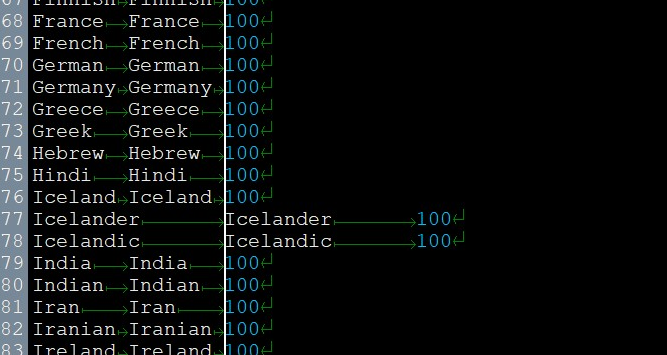
Show/hide space characters. Currently, the UI uses triangles, arrows, and turn arrows to represent spaces, tabs, and newlines, and there is a separate switch to show/hide these space characters. I hope to add a switch to quickly display/hide all empty characters on the panel with one click. In addition, as we all know, there are two characters \r\n for newline, and they have different display methods in different systems. Hope that shows the difference. 显示/隐藏空字符。目前UI是使用三角形、箭头、转向箭头来表示.空格、制表符、换行的,并且有单独的开关显示/隐藏这些空字符。希望增加一个开关,可以在面板上快速一键显示/隐藏全部空字符。另外众所周知,换行有\r\n两种字符,在不同系统中又有不同的显示方式。希望可以显示出区别来
-
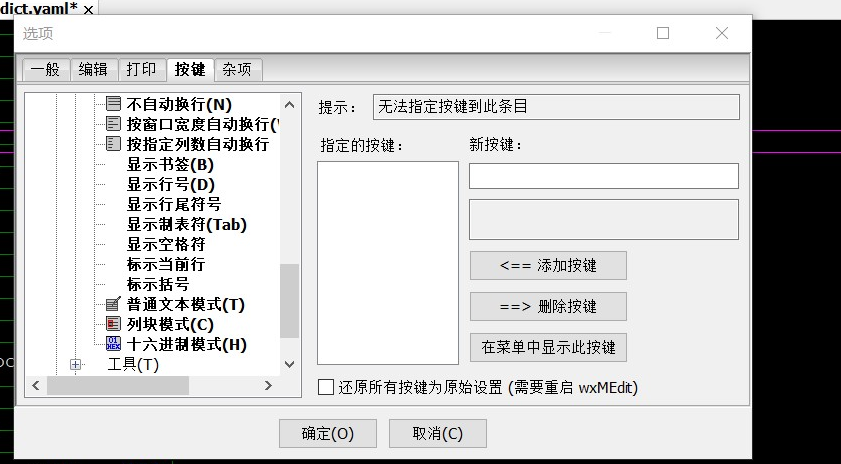
In the current column editing mode, after the cursor selects several rows, if the cursor is moved, it will automatically exit the state of multi-row selection. It is hoped that this state will not be exited when the cursor is moved. In addition, when the cursor position of selecting multiple lines exceeds the last character at the end of the line, if a character is entered, a space is automatically inserted before the cursor, and a character is inserted after the original cursor position. I hope to automatically locate the position at the end of the line and insert characters. 目前列编辑模式下,光标选择几行的位置后,如果移动光标,就会自动退出多行选择的状态。希望移动光标时不退出这个状态 。另外当选择多行的光标位置超出行末位最后一个字符时,如果输入字符,在光标之前自动插入空格,原光标的位置后方插入字符。希望可以自动定位到行末位的位置并插入字符