
wp-rocket
 wp-rocket copied to clipboard
 wp-media
Add "Clear Used CSS of this URL" option on Edit screen
Clear Used CSS of this URL top menu option is currently not available if you are on the Edit screen.
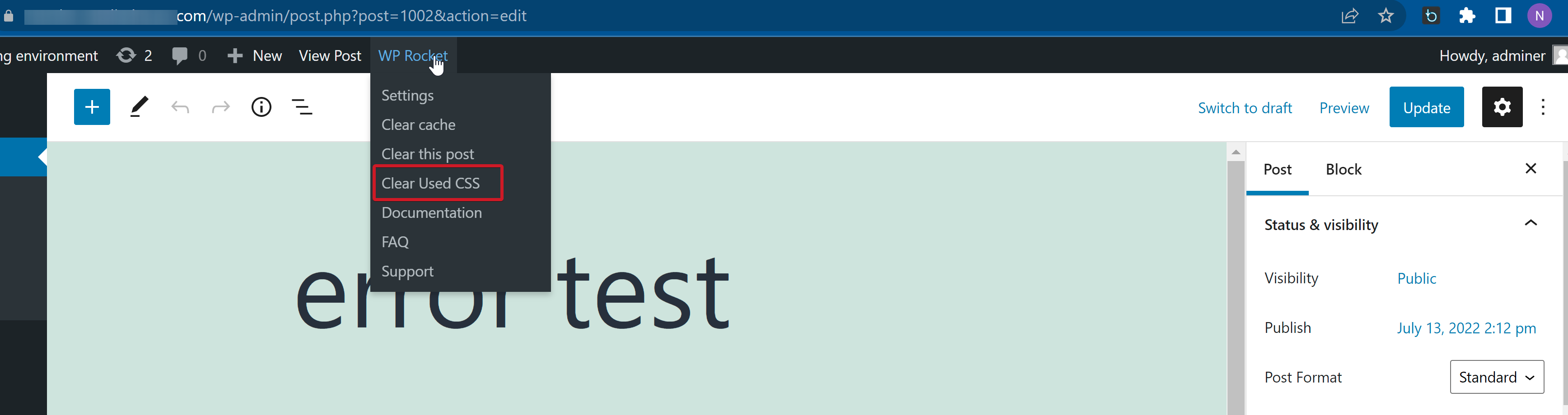 Full-screen image: https://i.imgur.com/GTKnKU0.png
The option is only available when you are logged-in and viewing URL:
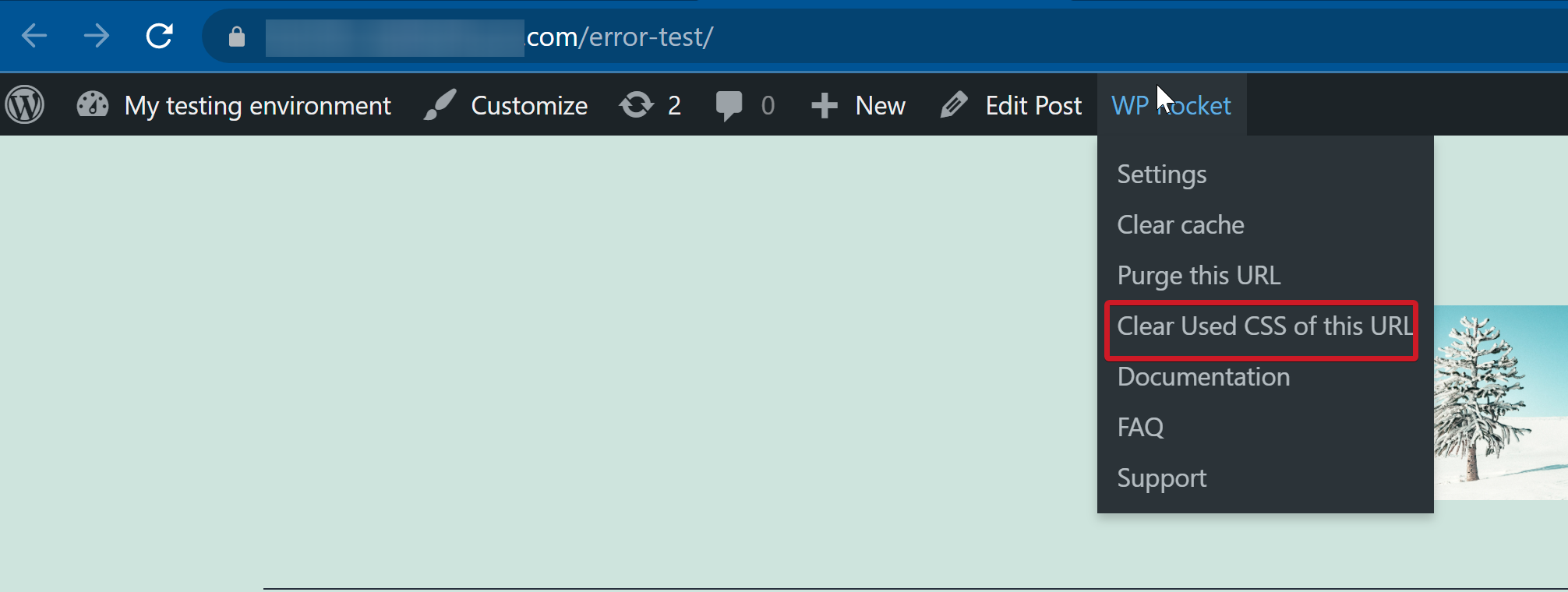 Full-screen image: https://i.imgur.com/eXvMizW.png
This can be confusing for some users as they don't see an option to clear Used CSS for a specific URL.
Describe the solution you'd like
Add Clear Used CSS of this URL option to the top menu on Edit screen.
Related ticket: https://secure.helpscout.net/conversation/1943904513/354757?folderId=3864740

Reproduce the issue ✅
Reproduced
Identify the root cause ✅
It's happening because the method adding this admin bar item has a check for is_admin() and bails-out if true.
Scope a solution ✅
Remove the check for is_admin() in RUCSS\Controller\UsedCSS::add_clear_usedcss_bar_item()
Estimate the effort ✅
Effort [XS]

Correct me if I'm wrong, but we must delete the Used CSS when we update the page, right?
If so, we don't need this link.
For which we would like/need to clear the Used CSS on one page if it has not been updated?

@GeekPress Yes, you're right here. That's the same behaviour with Clear this Post in the backend editor 🤔 maybe we should consider removing that one, since updating the post is obviously, clearing the cache

maybe we should consider removing that one, since updating the post is obviously, clearing the cache
Yes we could