

 wp-graphql
Got the Acf results in wordpress but not on front end
Hi there! I am wondering is there any user role restrictions to retrieve acf fields to the front end via graphql query? It appears that i am able to get the data from wordpress graphiQL as an admin but not for outsiders.
As i tried on wordpress graphiQL, it works.

And i tried it on altair graphql or my front end without admin role, it gets null.
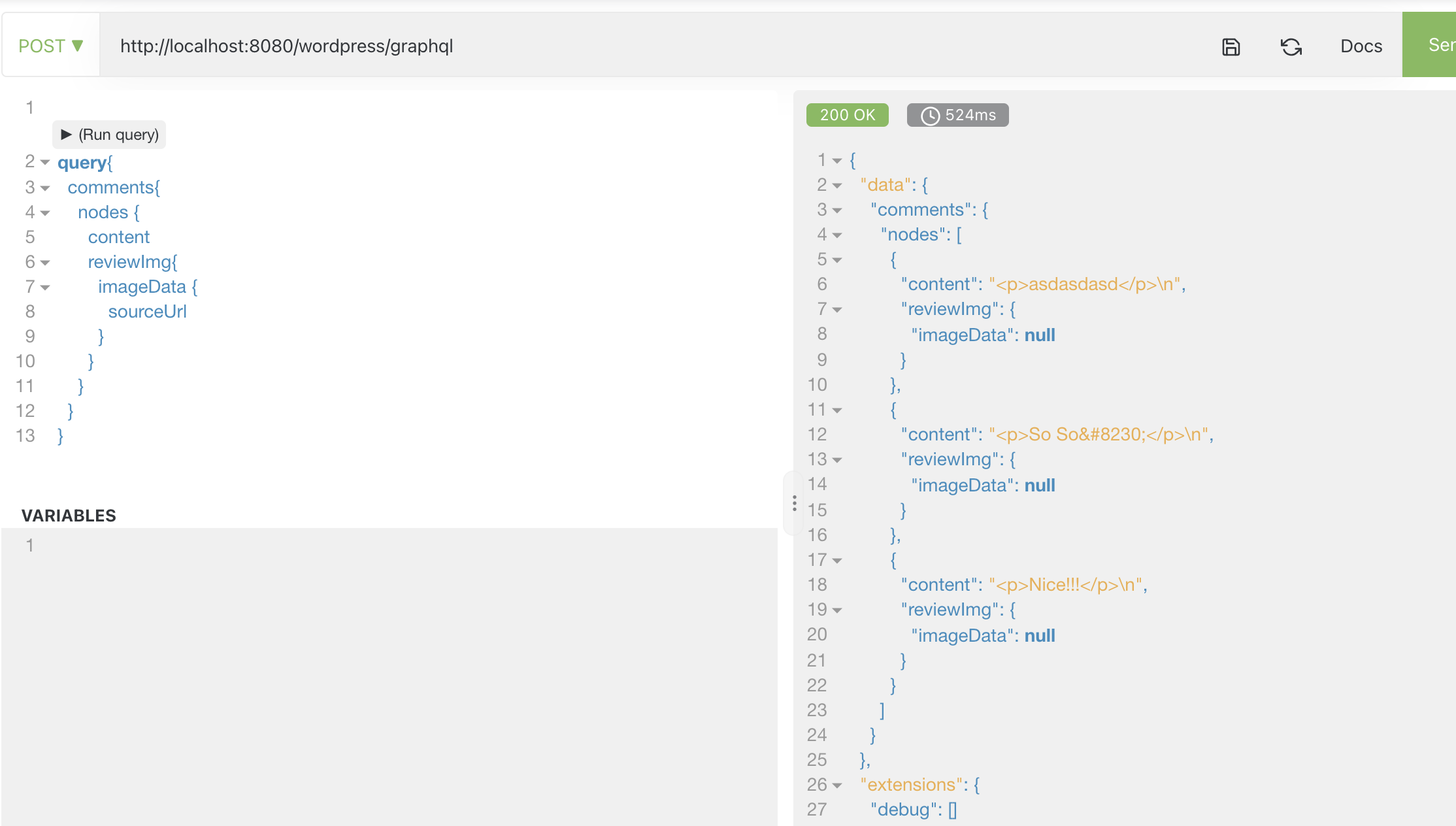
I am wondering if there's anything i could do to get it working?

Hi @monaebeauty did you ever find a solution for this? Have run into the same problem this morning and not sure what to do!

Hi @monaebeauty did you ever find a solution for this? Have run into the same problem this morning and not sure what to do!
Hi @samhastings, unfortunately, I could not find a way to get it accessed publicly yet. I hope there's any help somewhere outside. Tried a lot of googling but got nothing from there.
I also have the same problem. Using next js and apollo. When I add any custom field to the query in the frontend it returns: TypeError: Cannot read property 'user' of undefined or just undefined.

@monaebeauty can you provide more information about your ACF Field Group config, what field types you're using and the underlying data that's stored?
A field group config from ACF would help, and screenshots of the data stored in the Post in the admin would help as well.
The more info to allow me to replicate the same situation, the better.

I have the same problem.
I created a Subscription ACF via code and I am not be able to query the field on Graphql Playground (it works on the internal Graphql IDE)
This is my config:
<?php

function create_custom_field_configuration_field($name, $label, $type)
{
    return array('key' => "field_{$name}", 'name' => $name, 'label' => $label, 'type' => $type);
}

# Check if advanced custom fields PRO is installed to execute
# this function
if (function_exists('acf_add_local_field_group')) {
    # Subscription group field configuration
    acf_add_local_field_group(array(
        'key' => 'subscriptions',
        'title' => 'Subscriptions',
        'graphql_field_name' => 'subscriptions',
        'show_in_graphql' => 1,
        'fields' => array(
            create_custom_field_configuration_field('field_1', 'Field 1', 'date_picker'),
        ),
        'location' => array(
            # Show on users form to administrator's user role
            array(
                array(
                    'param' => 'user_form',
                    'operator' => '==',
                    'value' => 'edit',
                ),
                array(
                    'param' => 'current_user_role',
                    'operator' => '==',
                    'value' => 'administrator',
                ),
            ),
            # Show on users form to user manager's user role
            array(
                array(
                    'param' => 'user_form',
                    'operator' => '==',
                    'value' => 'edit',
                ),
                array(
                    'param' => 'current_user_role',
                    'operator' => '==',
                    'value' => 'user_manager',
                ),
            ),
        ),
    ));
}
Wordpress 5.7 wp-graphql-acf: 0.4.1

I do have the same problem. WordPress 5.8.2 WPGraphQL 1.6.10 WPGraphQL ACF 0.5.3 WPGraphQL Gutenberg 0.3.11 ACF PRO 5.11.4
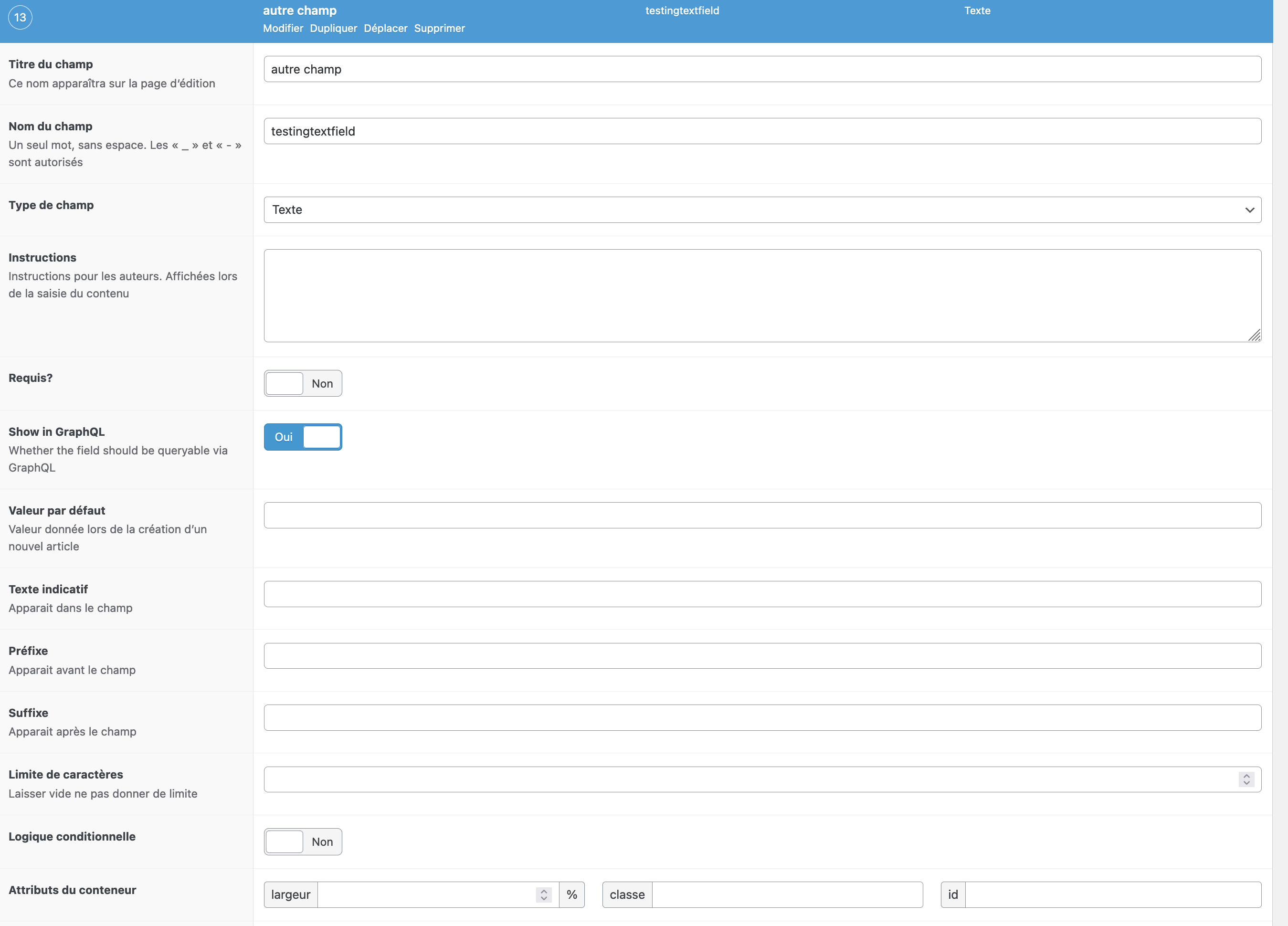
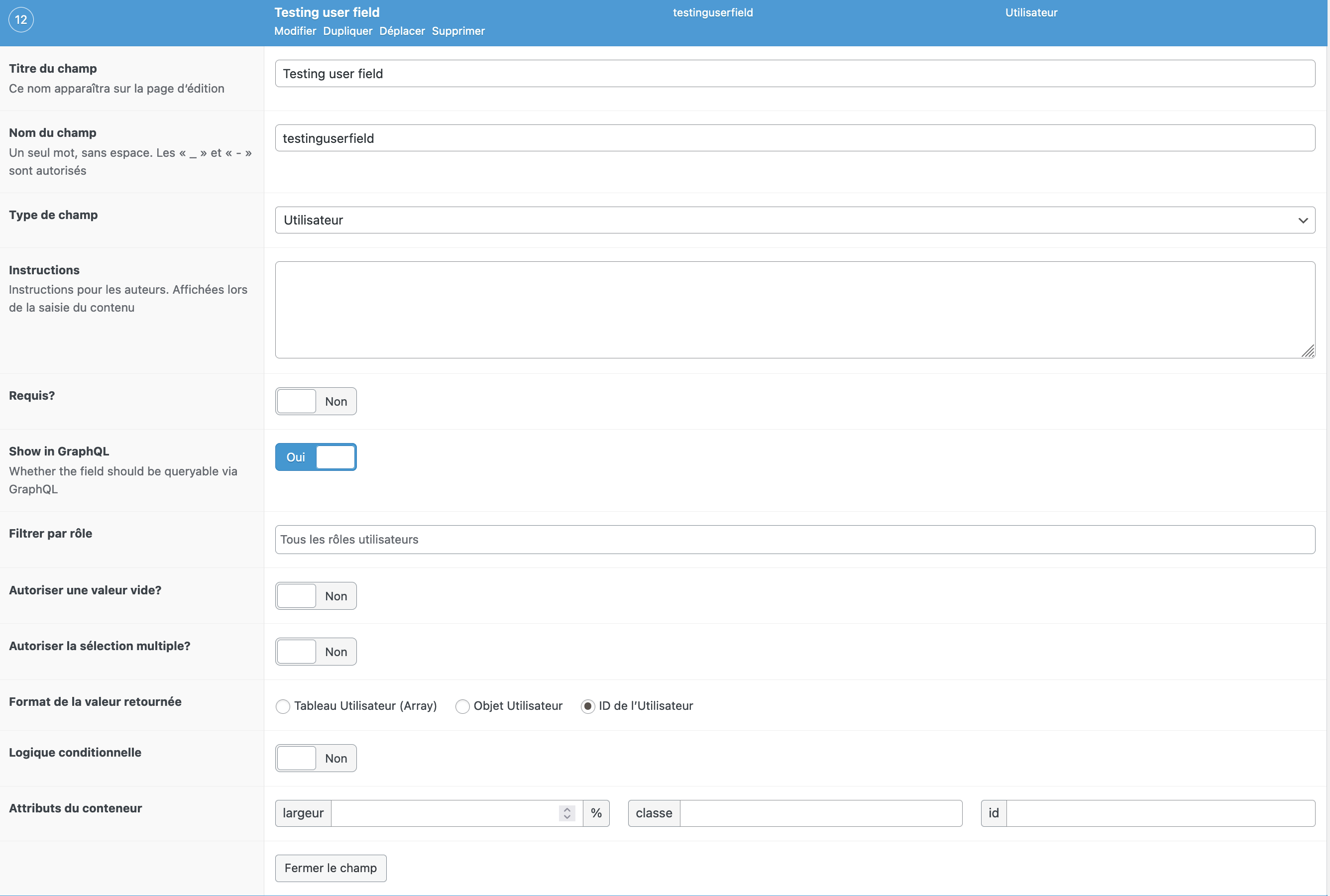
In a option page, I do have 1 text field (textingtextfield) and 1 User field (testinguserfield).
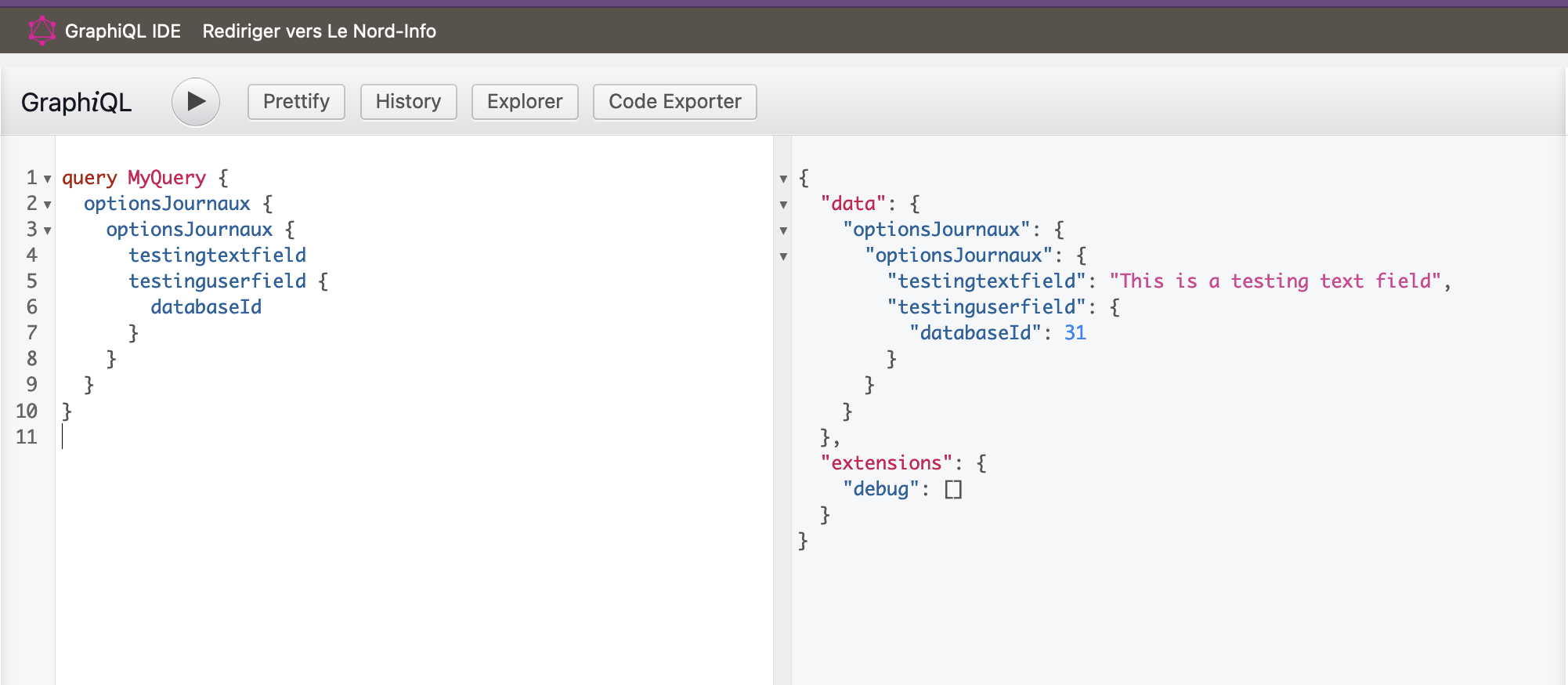
Only the User field returns null outside of WordPress.
Here is the view of my ACF fields :
Here is the GraphiQL in WordPress:
Here is the GraphiQL outside of WordPress:
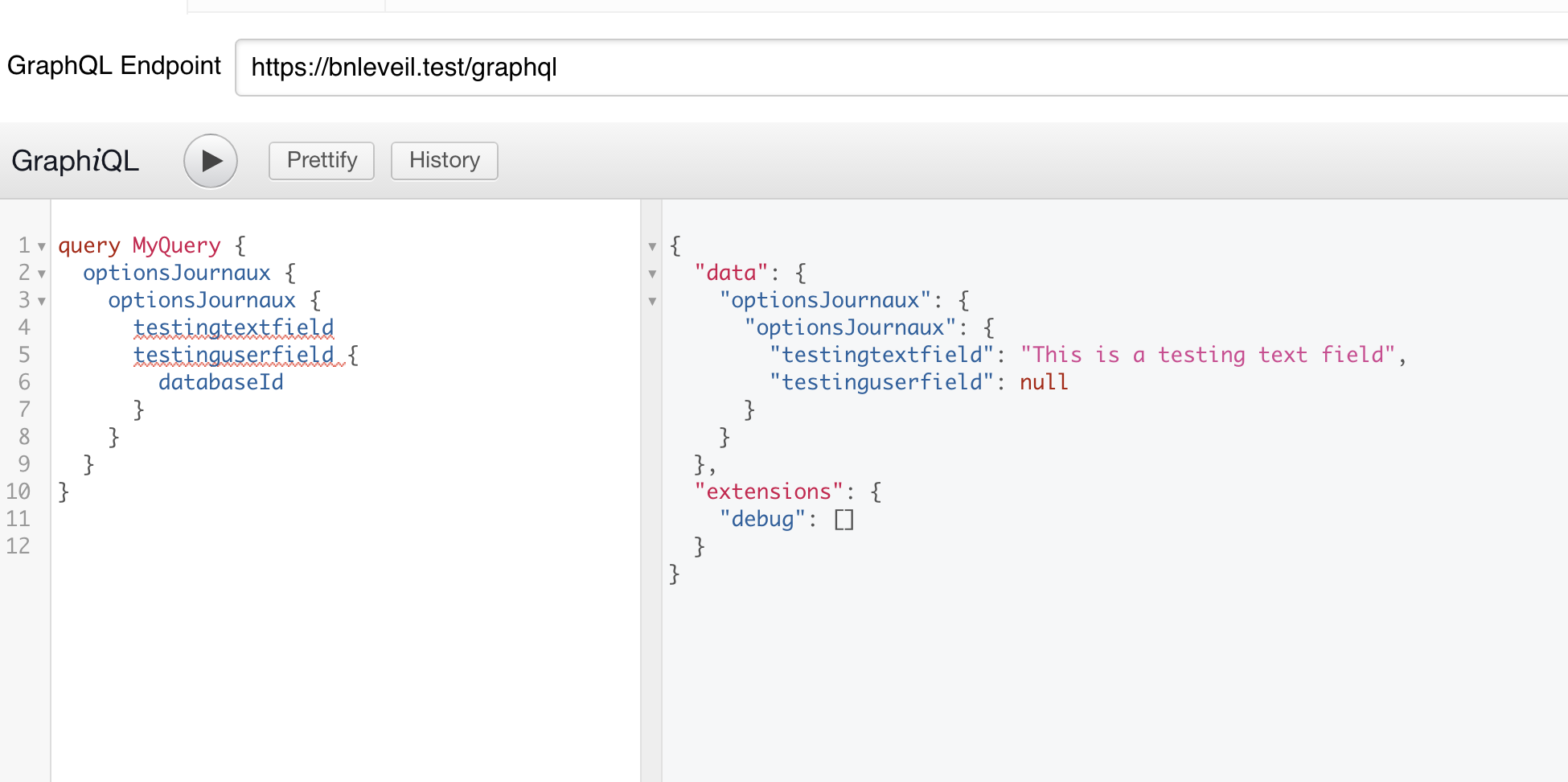
Anyone has a idea why ?

This plugin is being re-architected over here: https://github.com/wp-graphql/wpgraphql-acf
In regards to the original issue, I attempted to reproduce using the new version (WPGraphQL for ACF v2.0.0-beta.5.1.0)
Using the following exported ACF Field Group I was able to assign an ACF Field Group with an Image Field to the "Comment" type.
Then I was able to query the comments and the uploaded image and see the expected results.
acf-export-2023-11-07 (1).json.zip
I'm considering this issue resolved in the new version, which is what we'll be supporting going forward, and we encourage you to update when you can.
@Ebeldev I believe you're experiencing something related to Model Layer rules about users. Users are not considered "public" in WordPress unless they've published content of a public post type.
So if you're using a "User" field, the "User" node might not be publicly visible if the user isn't a publicly visible user.
Here's some more info on this topic:
- https://www.wpgraphql.com/2020/12/11/allowing-wpgraphql-to-show-unpublished-authors-in-user-queries
- https://www.wpgraphql.com/recipes/make-all-users-public