WordPress-iOS

WordPress-iOS copied to clipboard
 wordpress-mobile
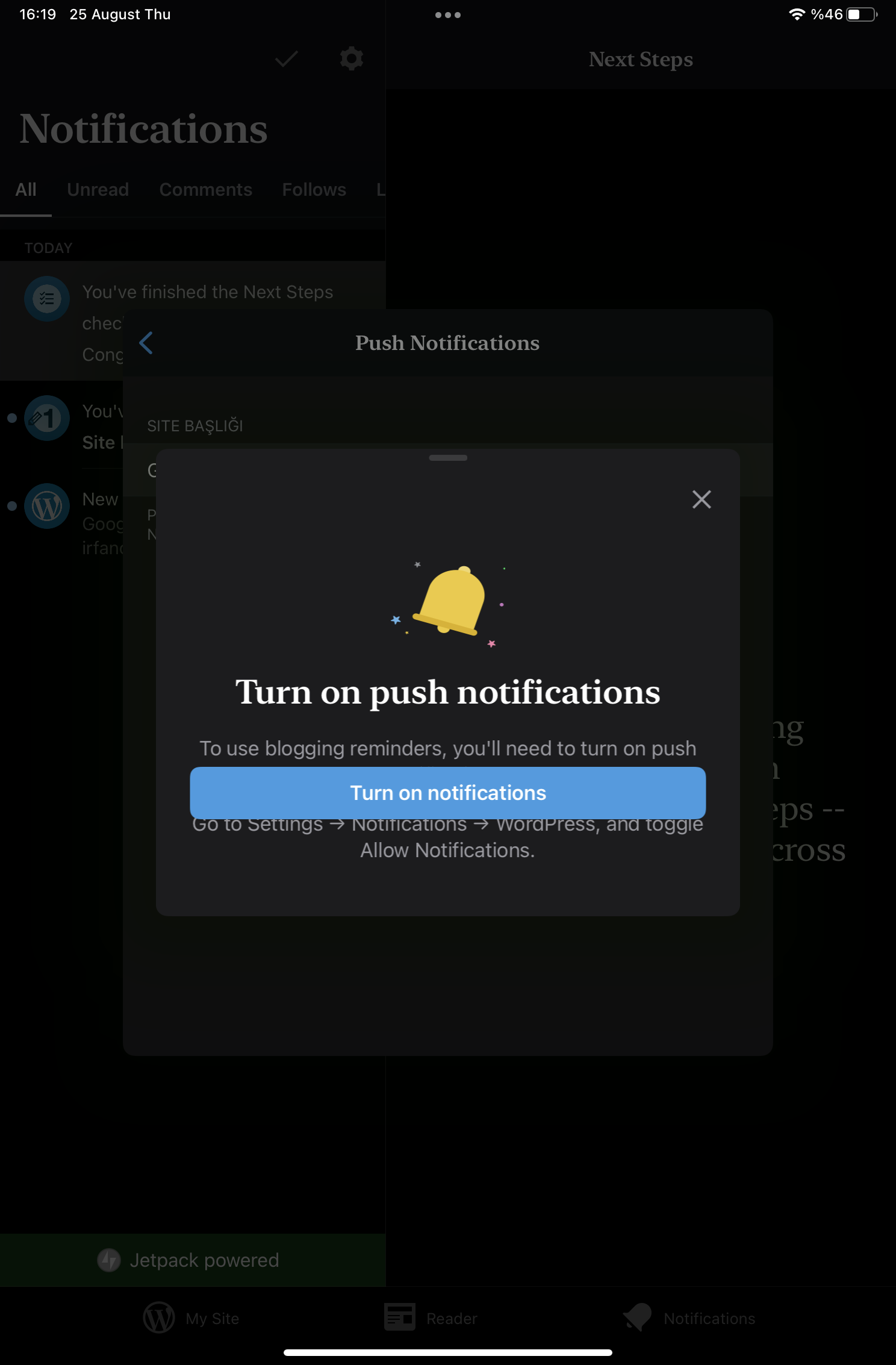
Layout problem on notification permission popup
Expected behavior
The button should be at the bottom of the text on the notification permission popup.
Actual behavior
The button is over the text on the notification permission popup. Only on the tablet
Steps to reproduce the behavior
- Open device settings.
- Scroll the settings list and open WordPress.
- Tap Notifications.
- Turn off "Allow Notifications" if it's on.
- Launch the app.
- Navigate My Site → Site Settings. Tap Blogging Reminders.
- Try to set a reminder. The notification permission popup will appear.
- Notice the button is over the text.