

 wordpress-mobile
Stats Widget: Users without a site are incorrectly asked to login by the widget
Issue
Closes #15857
Description
Users without a site are asked to login by the Stats Widget
Rootcause
This case is not explicitly handled in the Stats Widget.
Solution
- Update
SiteListProvidergetTimelinesmethod to reflect the logic:
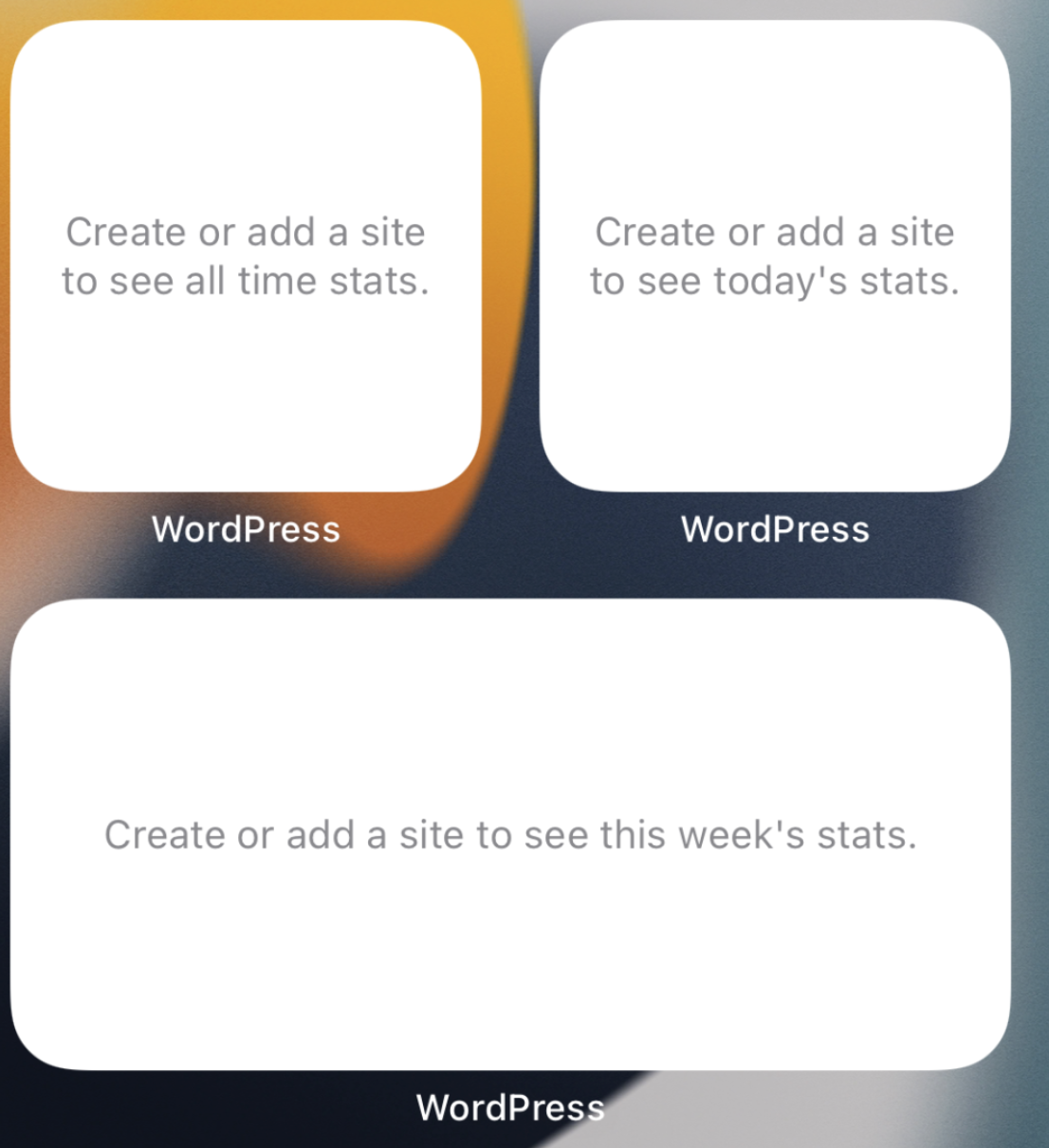
- If user doesn't have default site and is logged in -> "Create or add a site to see today's/this week's/all time stats."
- If user doesn't have default site and is not logged in -> "Log in to WordPress to see today's stats"
-
Set
WPStatsHomeWidgetsUserDefaultsSiteIdKeytodefaultSiteIdandnilinStatsWidgetStore. Since this key is only designed to be used byStatsWidgetit makes sense to set it inStatsWidgetStoreso full solution would be contained within this class and parts not scattered inAccountService. -
Add
WPSiteDeletedandWPSiteCreatednotifications that are posted from services and listened inStatsWidgetStore. It is done for 2 main reasons:
- Avoid
Servicesbeing aware and depend onStatsWidgetStore. They are lower level abstractions and should not care about theWidgets - Increase understanding of
StatsWidgetStorefunctionality. We can clearly see on which state changes theStatsWidgetdepends on and how we react.
Another issue
While working on this issue found another issue with no sites case and widgets: Stats Widget does not load when a new site appears after refreshing "My Site" tab . It's more of a corner case and could potentially cause multiple changes in the codebase so decided not to tackle it in this PR.
Testing instructions
1st scenario - Add Widget -> Log in to an account without any site
- Create WordPress account without any site
- Make sure you are logged out of the app
- Add WordPress "Stats Widget" (All Time / This Week / Today) on the home screen
- Confirm that "Log in to WordPress..." message is shown on the widget
- Log in into the app
- Go back to the home screen
- Confirm that "Create or add a site to see today's/this week's/all time stats."" message is shown on the widget
2nd scenario - Log in to an account without any site -> Add Widget
- Make sure you are logged in into account without any site
- Add WordPress "Stats Widget" (All Time / This Week / Today) on the home screen
- Confirm that "Create or add a site to see today's/this week's/all time stats." message is shown on the widget
3rd scenario - Log in to an account without any site -> Add Widget -> Create a new site
As an external contributor I wasn't able to test this scenario due to Public-API limitations
- Make sure you are logged in into account without any site
- Add WordPress "Stats Widget" (All Time / This Week / Today) on the home screen
- Create a new site on the app
- Go back to the home screen
- Confirm that Stats are shown on the widget
4th scenario - Log in to an account without any site -> Add Widget -> Log out:
- Make sure you are logged in into account without any site
- Add WordPress "Stats Widget" (All Time / This Week / Today) on the home screen
- Confirm that "Create or add a site to see today's/this week's/all time stats." message is shown on the widget
- Log out from the app
- Confirm that "Log in to WordPress..." message is shown on the widget6.
5th scenario - Log in into account that has a site -> Remove site
- Log in into an account that does have a site.
- Add Stats widgets.
- Delete the site (via My Site (menu tab selected) > Site Settings > Delete Site).
- Confirm that "Create or add a site to see today's/this week's/all time stats." message is shown on the widget.
Regression Notes
- Potential unintended areas of impact
The other states of the widget
- What I did to test those areas of impact (or what existing automated tests I relied on)
Retested scenarios in https://github.com/wordpress-mobile/WordPress-iOS/pull/18885
- What automated tests I added (or what prevented me from doing so)
It may make sense to test SiteListProviderTests getTimelines as it has a complicated business logic. However, extension unit-testing has limitations and a recommended way would be to have a framework that is used by an extension and test that code instead.
Video & Photos
https://user-images.githubusercontent.com/4062343/176403517-d7c6d7ae-d0a8-4b59-b92d-cc33b6a5402e.mov
PR submission checklist:
- [x] I have completed the Regression Notes.
- [x] I have considered adding unit tests for my changes.
- [x] I have considered adding accessibility improvements for my changes.
- [x] I have considered if this change warrants user-facing release notes and have added them to
RELEASE-NOTES.txtif necessary.

I have considered if this change warrants user-facing release notes and have added them to RELEASE-NOTES.txt if necessary.
After looking at theRELEASE-NOTES.txt I very subjectively decided that this is too small of a change to "warant" user-facing notes.
I also see that we have [internal] flag in the RELEASE-NOTES.txt are these meant not to be seen by the general public? If so, what "warrants" adding them there?
4th scenario - Log in to an account without any site -> Add Widget -> Log out:
1. Make sure you are logged in into account without any site

2. Add WordPress "Stats Widget" (All Time / This Week / Today) on the home screen

3. Confirm that "Log in to WordPress..." message is shown on the widget
At step 3 of the 4th scenario here, should the message be "Create or add a site to see the stats." instead (given the user is logged in without a site)?

4th scenario - Log in to an account without any site -> Add Widget -> Log out:
1. Make sure you are logged in into account without any site

2. Add WordPress "Stats Widget" (All Time / This Week / Today) on the home screen

3. Confirm that "Log in to WordPress..." message is shown on the widget
At step 3 of the 4th scenario here, should the message be "Create or add a site to see the stats." instead (given the user is logged in without a site)?
@guarani yes, you are right. I'll update the testing scenarios.
- Merged with the other Stats widget changes and retested the solution
- Set and removed
WPStatsHomeWidgetsUserDefaultsSiteIdKeyinStatsWidgetStoreinstead ofAccountService. Since this key is only designed to be used byStatsWidgetit makes sense to set and remove it inStatsWidgetStoreso full solution would be contained within this class and parts not scattered inAccountService.
CC: @guarani
- Expanded noSite state to show text based on the widget type
- Expanded noData state to show text based on the widget type (for the sake of consistency)
- Fixed the issue when Stats widget is not configured after creating a new site. The problem was that
defaultSiteIdwasn't set as it didn't exist yet afterlogInnotification.SiteAssemblyServicecalls Stats widget initialization method after creating a site, so from StatsWidgetStore side it's important to make suredefaultSiteIdis set when someone tries to initialize Stats widget. Tested on simulator by rewriting site creation request on Charles to use prod clientId & clientSecret.
https://user-images.githubusercontent.com/4062343/176403517-d7c6d7ae-d0a8-4b59-b92d-cc33b6a5402e.mov
@guarani, thanks for testing the case when the site is deleted. I admit I didn't think about it. It a little bit reminds of https://github.com/wordpress-mobile/WordPress-iOS/issues/18914 . I'll explore at least 2 different ways to see which makes sense more:
- A direct call to refreshWidget when the site is deleted (in the same way it's called when the site is created)
- Listen in the StatsWidgetStore to some sort of notification that notifies when site is added / deleted so all the current cases and unforseen cases would be automatically handled.
Thanks again for the comments. It's really an interesting problem how to better structure StatsWidget code to react to updates of the app state.
The question is which state changes are relevant and which don't. We could also listen to blogUpdated notification. For example, if we change the name of the site and we want it to be immediately reflected on the widget. What I found is that blogUpdated notification might be posted many times throughout the app flow and constant calls to reloadTimelines then causes some meaningful updates of the widget then happen after delay. If we want to handle more cases I suggest addressing it on the different ticket so they could be properly reviewed.
For now:
Added WPSiteDeleted and WPSiteCreated notifications that are posted from services and listened in StatsWidgetStore. It is done for 2 main reasons:
- Avoid
Servicesbeing aware and depend onStatsWidgetStore. They are lower level abstractions and should not care about theWidgets - Increase understanding of
StatsWidgetStorefunctionality. We can clearly see on which state changes theStatsWidgetdepends on and how we react.
https://user-images.githubusercontent.com/4062343/176652439-577a1219-6055-4953-8867-70450a650107.mov
Such changes will possibly affect how https://github.com/wordpress-mobile/WordPress-iOS/issues/18914 is tackled, I updated the description. Also included "Site deletion" case as well to be checked.
I also see that we have
[internal]flag in theRELEASE-NOTES.txtare these meant not to be seen by the general public? If so, what "warrants" adding them there?
Good question! Sorry I didn't notice this earlier.
Using [internal] at the beginning of the description will indicate this should go in calls for beta testing, but not public release notes.
The CI tests failed, but I believe it's due to a flaky test:
Failing tests:
--
		PostServiceWPComTests.testTrashingAPostWillUpdateItsRevisionStatusAfterSyncProperty()
I hit restart now ⏳
5th scenario - Log in into account that has a site -> Remove site
When I log into an account that has a site, and then I add a widget, the widget shows the message saying I don't have any sites:
RPReplay_Final1656614453.mov
I expected it to show a populated widget. Can you reproduce this?
Thanks for finding this issue, @guarani ! Yes, it should definetely show populated widget. I went through this scenario multiple times and I cannot reproduce it. I thought it might somehow be reproducible by logging in to different accounts, when the first account doesn't have a site and the next one does. I again used Charles to be able to log in into different accounts within the same session without killing the app but I wasn't able to reproduce it.
Does the app always behave for you like this or only in some specific scenario or some specific account? Maybe it would give me clues.
By looking at the code:
- If
defaultSiteIDis set butHomeWidgetDatais not loaded, we woud seenoDataview instead ofnoSitesview. - If both
defaultSiteIDandHomeWidgetDataare set but widget is not reloaded after login, then we would seelog inview rather thanno sitesview . - It could be like this if
WPStatsHomeWidgetsUserDefaultsSiteIdKeyis not set after log in. Meaning thatdefaultSiteIDisnilwhenWPSigninDidFinishNotificationis posted. For now, I cannot identify the scenario when this could happen.
@guarani
Do you know the setup you had or more details about the scenario to reproduce it?
When I log into an account that has a site, and then I add a widget, the widget shows the message saying I don't have any sites:
I didn't find a way to reproduce it. Thanks! 🙏
Hi @staskus, when I ran into this, I created a new account + site. I don't recall anything special about the setup. Perhaps the Charles proxy is the key differentiator between my and your setups, but I'm not sure.
The temporary PR I created to trigger CI checks on your commits is over at https://github.com/wordpress-mobile/WordPress-iOS/pull/18942. I think site creation might work on the installable builds there, in case you want to give it a try there.
Pushing this PR to the next milestone, 20.4, because I'm running the 20.3 code-freeze today and this hasn't been approved yet.

Thanks @mokagio! I also removed the milestone now because this isn't being worked on right now.
Closing in favor of https://github.com/wordpress-mobile/WordPress-iOS/pull/19962 which is not merged from fork