

 wordpress-mobile
Instagram embed not rendering correctly in Reader comment
Expected behavior
An Instagram embed in a post comment should be rendered correctly (i.e. the Instagram post should be visible in the comment).
Actual behavior
The Instagram embed shows the text "View this post on Instagram" followed by the Instagram's text which appears to be unformatted.
This works correctly (known issues https://github.com/wordpress-mobile/WordPress-Android/issues/12767 and https://github.com/wordpress-mobile/WordPress-Android/issues/12772) when viewing an Instagram embed in a post in Reader, this issue tracks its broken state when the embed is in a comment in Reader.
| Reader Post ✅ | Reader Comment ❌ |
|---|---|
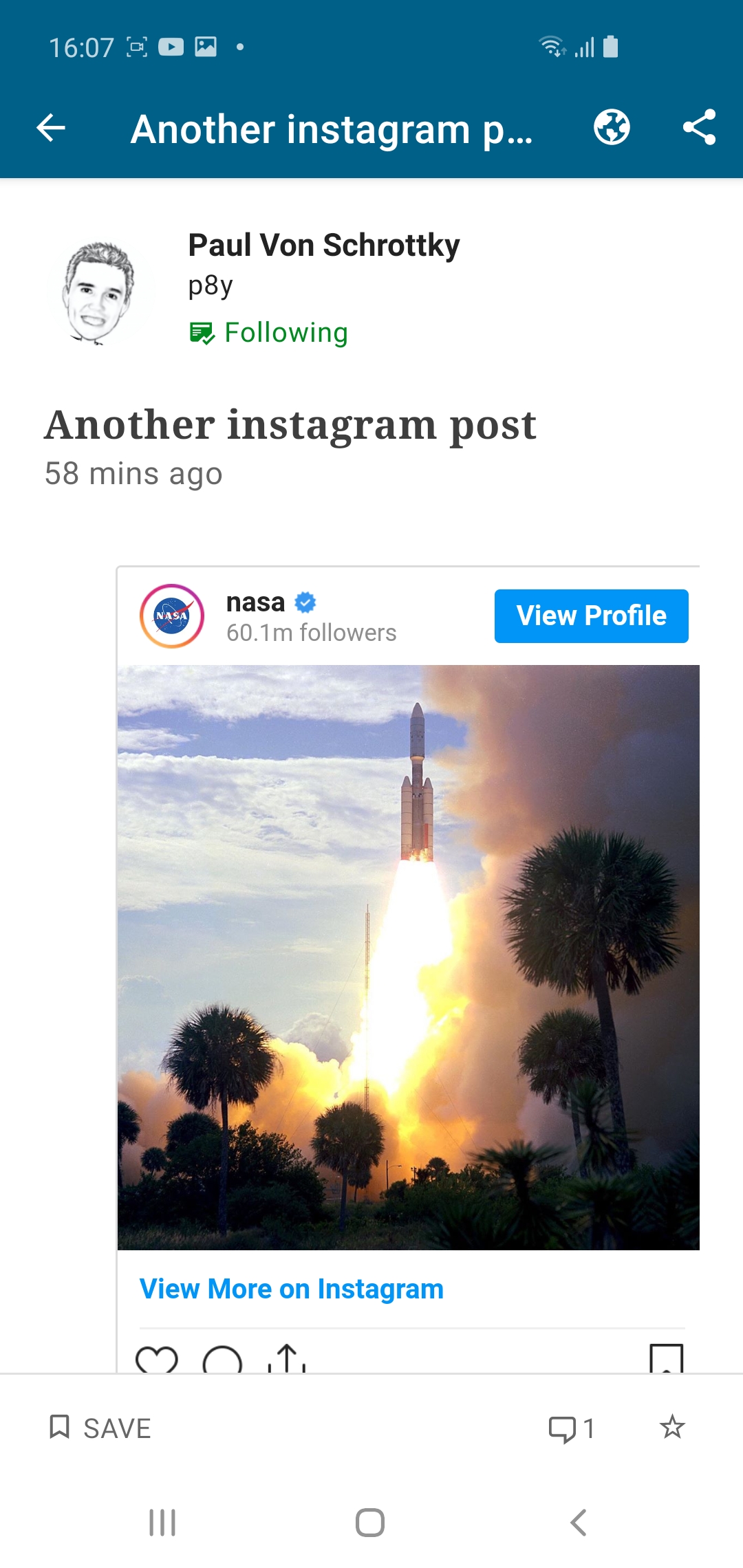 |
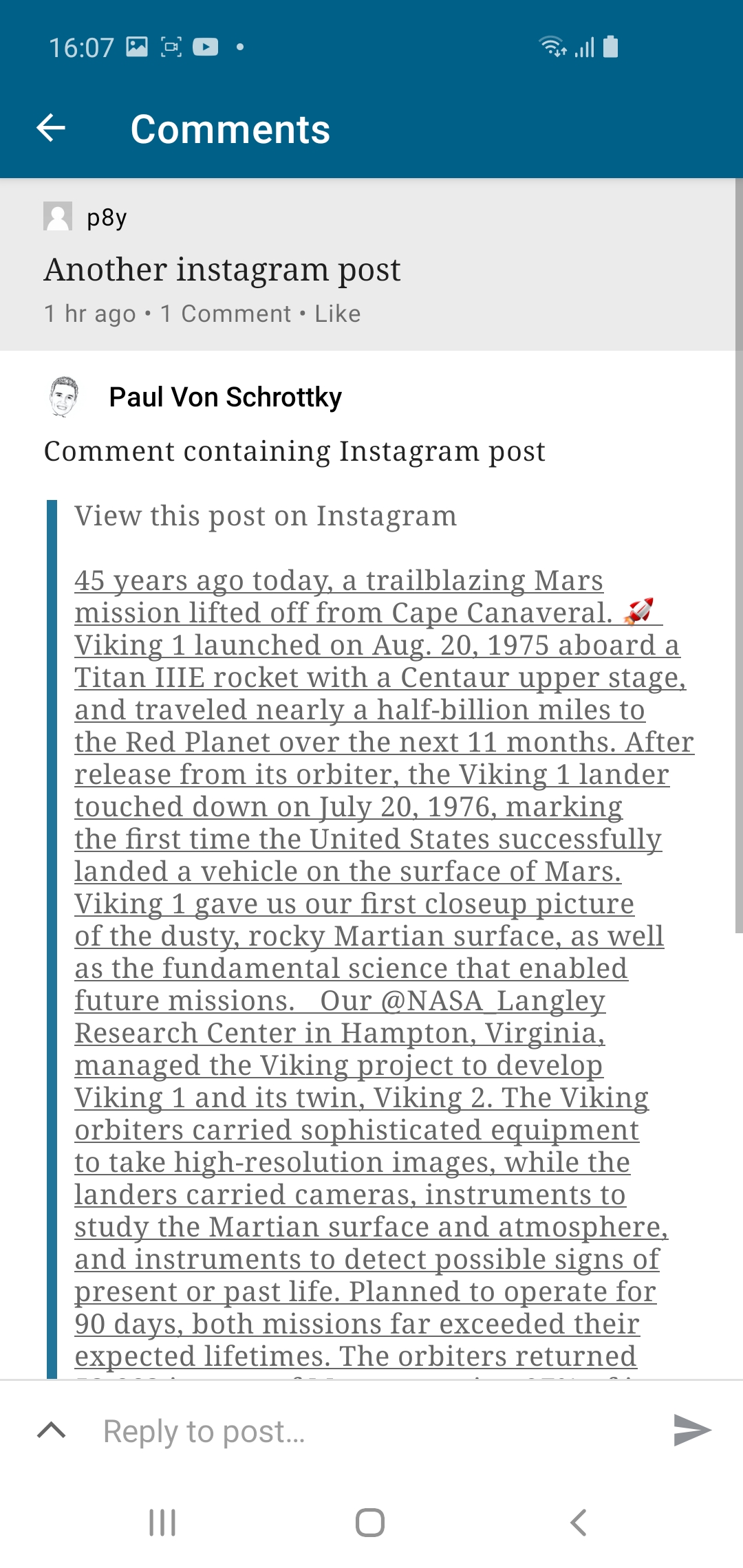 |
Steps to reproduce the behavior
- Log into the WPAndroid app and locate a post with a comment that contains an Instagram embed. If none are available, here's how to create one: a. On the web, log into a WordPress site that has Gutenberg enabled in comments (e.g. create a site on http://wp.com/p2) b. Reply to any post or comment, and add the Instagram block (embed any Instagram post) c. Click Reply to send the comment d. Return to the app and locate the newly added comment
- Go to Reader, and find the comment (you can filter by the site in question)
- Notice:
- the embed renders as "View this post on Instagram" instead of the post's photo
- the Instagram post's text has lost most of its formatting (new lines, blank lines, etc)
Tested on Samsung S10, Android 10, WPAndroid 15.4.1

FYI: At the time of this ticket, the Android app doesn't render any gutenberg blocks in comments.

This issue has been marked as stale because:
- It has been inactive for the past year.
- It isn't in a project or a milestone.
- It hasn’t been labeled
[Pri] Blocker,[Pri] High, orgood first issue.
Please comment with an update if you believe this issue is still valid or if it can be closed. This issue will also be reviewed for validity and priority during regularly scheduled triage sessions.
![stale[bot] avatar](https://avatars.githubusercontent.com/in/1724?v=4 "Published by a pub.dev verified publisher")
This is still an issue in 20.6-rc-2, though it's being handled a bit more gracefully. Currently, if an Instagram embed is added in a comment, the Comments List preview for that comment reads "View this post on Instagram", rendered like a quote block.
After tapping the comment to view it in full, it still states "View this post on Instagram", rendered like a quote block, with a short description stating who it's by.
Though having the post itself render in Comments would be nice, this handling seems acceptable - especially given the use case (Blocks in Comments) appears to be mostly for p2 (internal).

Closing in favor of https://github.com/wordpress-mobile/WordPress-Android/issues/17416, as discussed in this internal post: pdcxQM-1v4-p2