

 woodemi
Bluetooth name is empty [Windows]
When i start scan on Windows, bluetooth devices are listed. But their names are empty. However I can see their rssi and MACs.


Again one of the cases where BluetoothLEExplorer works.
You seem to be using Advertisement().LocalName(). In BluetoothLEExplorer I see ShortenedLocalName and CompleteLocalName with section values 0x08 and 0x09 respectively.
Again one of the cases where BluetoothLEExplorer works. You seem to be using
Advertisement().LocalName(). In BluetoothLEExplorer I seeShortenedLocalNameandCompleteLocalNamewith section values0x08and0x09respectively.
I tested ShortenedLocalName and CompleteLocalName but they didn't work
I review the code of BluetoothLEExplorer and find it use both DeviceWatcher and BluetoothLEAdvertisementWatcher.
The name is in DeviceInformation from DeviceWatcher. Advertisement is added afterwards
The logic is too complicated. I could use either BluetoothLEAdvertisementWatcher or DeviceWatcher but not both.
- DeviceWatcher is necessary if you'd like to show name
- BluetoothLEAdvertisementWatcher is necessary if you'd like to show manufacturerData
#71 is a simple workaround. We could use DeviceWatcher if not feasible. Looking forward to your guys feadback
I only had partial success with this. Only some devices report their name back and some others just report a generic "Bluetooth"
name.
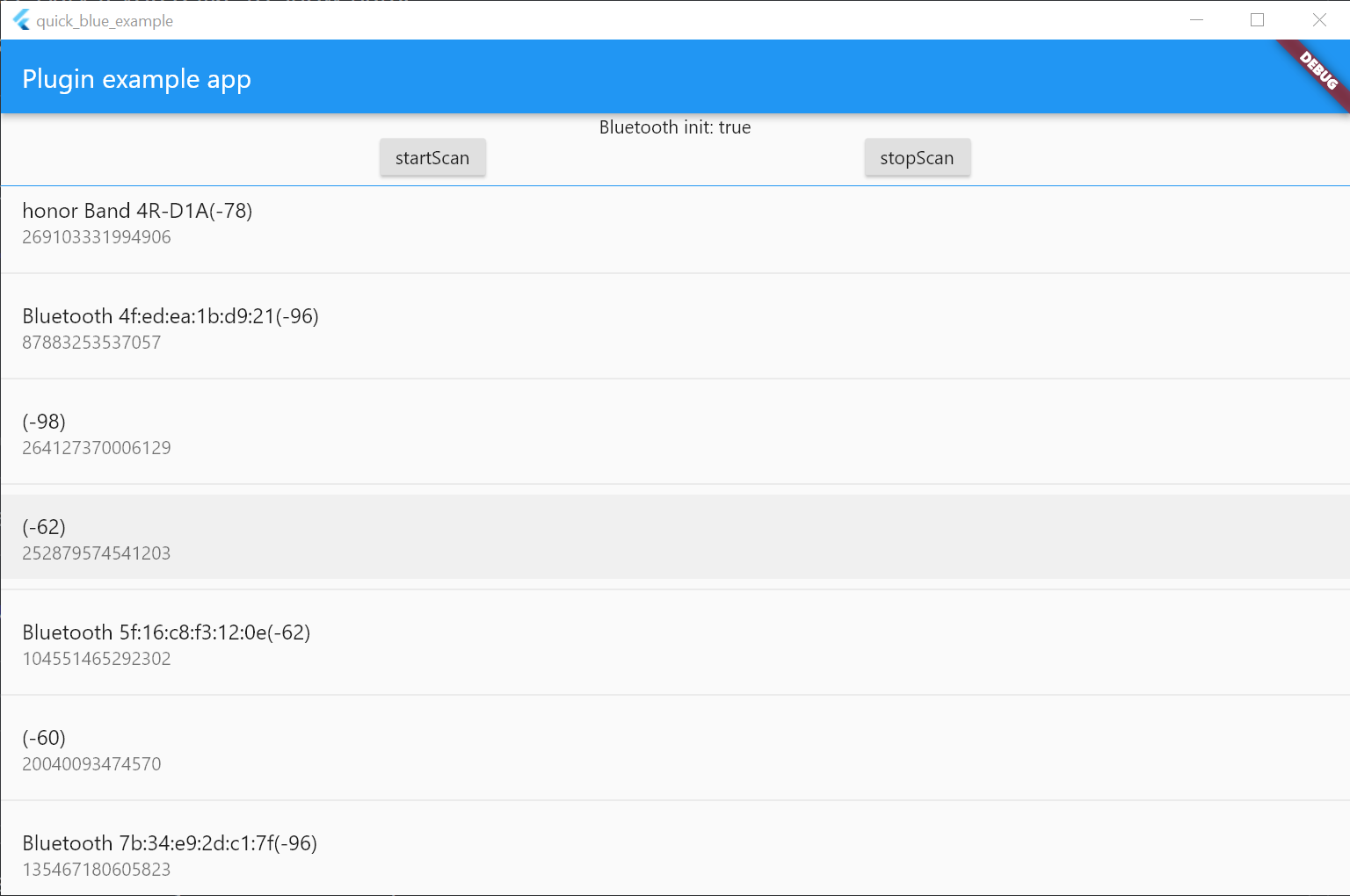
I would try DeviceWatcher later.
But don't expect too much. C++/WinRT is too complicated for a plugin.
Bluetooth example from win32 may be a better solution: https://github.com/timsneath/win32/blob/main/example/bluetooth.dart
@srtonz Do you have an idea why the name is empty?
Maybe we could learn some from device-name-testing of https://github.com/JRHarrison167/flutter_reactive_ble?
@Sunbreak, it's been a while that I looked at it.
Purely from memory I think the BLE spec doesn't require for the device name to be included in the advertisement packet, but it does require a Device Name characteristic. See https://www.bluetooth.org/DocMan/handlers/DownloadDoc.ashx?doc_id=521059 sections 3.2.2.1 and 12.1 for details.
If I remember correctly the implementation in https://github.com/JRHarrison167/flutter_reactive_ble/commit/5af9ab42f3814f39c7a3602a75ec635b8d93cfba#diff-70fd061af48289fdc73361282bf0f58d42283cc57b84a00c170697ee2f2f17c8R127-R155 is naive and slow, but did correctly fetch the device name.
I think we ended up using DeviceWatcher to solve this issue, but that of course comes with a different set of challenges :-)

Thanks a lot. I'll try https://github.com/timsneath/win32/pull/392 first
If not feasible I would try DeviceWatcher later
