
google-listings-and-ads
 google-listings-and-ads copied to clipboard
 woocommerce
Improve debug logging/message when claimed url hash does not match site url hash
User story
As a HE I want to be able to quickly identify that a site's claimed URL does not match site URL So that I can efficiently resolve merchants not being to able to sync
Is your feature request related to a problem?
GLA has a check in place to determine if a claimed site URL and site URL match - this is primarily to protect sites from submitting products for staging sites.
However, it can be a little unclear to Merchants and HEs when there IS a mismatch so it can be resolved quickly.
The error that will be most closely logged in this situation is
2022-09-01T04:43:12+00:00 ERROR Automattic\WooCommerce\GoogleListingsAndAds\Product\ProductSyncer::validate_merchant_center_setup Cannot sync any products before setting up Google Merchant Center.
But as we've seen in 5520525-zen the site can be fully connected/setup which creates confusion.
How to reproduce the problem
It is still unclear how this merchant in 5520525-zen got the claimed URL and site URL out of sync (looks like we clear original values).
To mimic the behavior the gla_claimed_url_hash option can be changed to an MD5 hash of a different url.
Describe the solution you'd like
Ideas
- Add an additional error message or debug log when URL does not match that the clearer about the cause
- Adjust existing validation error/debug messages to be more specific.
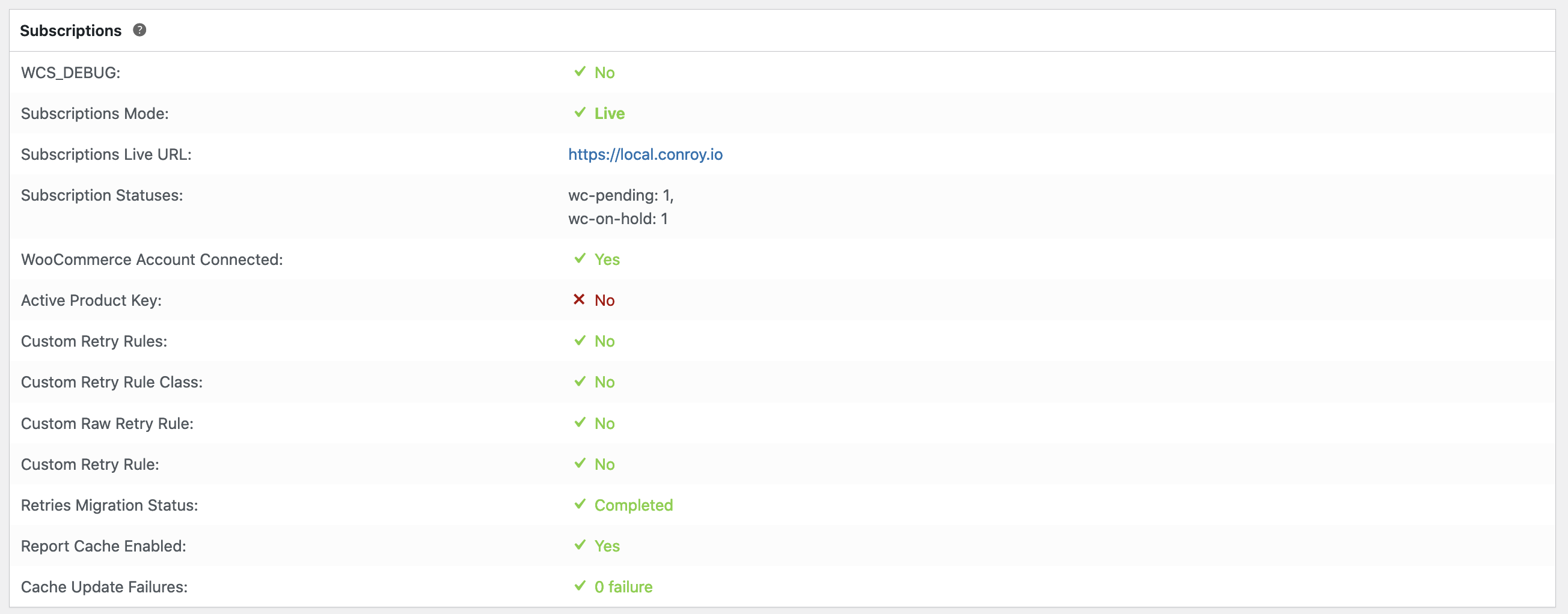
- Possibly add a new GLA section to Woo system status report indicating a mismatch etc. - similar in concept to how Subscriptions show live/staging mode/url
Technical
- n/a
Figma link
- n/a

In addition to reporting the status of the URL, I'd also suggest another tool on the connection test page to reset the site URL hash. Since it saves both an option and a transient that they match, it becomes a little harder to reset it manually. This would cover the first two steps which were performed in the ticket:
- Changed the WP_OPTIONS gla_claimed_url_hash value to the new hash via the options wp-admin page. It's the MD5 hash of the site URL.
- Ran
wp transient delete gla_url_matchesvia WP CLI.
Note We were only able to reset the hash because the Merchant Account had the right URL. The easiest steps to rectify is just to perform a full disconnect / reconnect, which will use the new URL.
