

 wkeeling
selenium get blocked by websites - SSL handshake error
I'm using selenium wire in my project. I'm writing flows to log in to aws and gcp portals.. my flows works good but when I enter to aws/gcp portal I get an errors and I see blank page..
aws portal link:

gcp portal
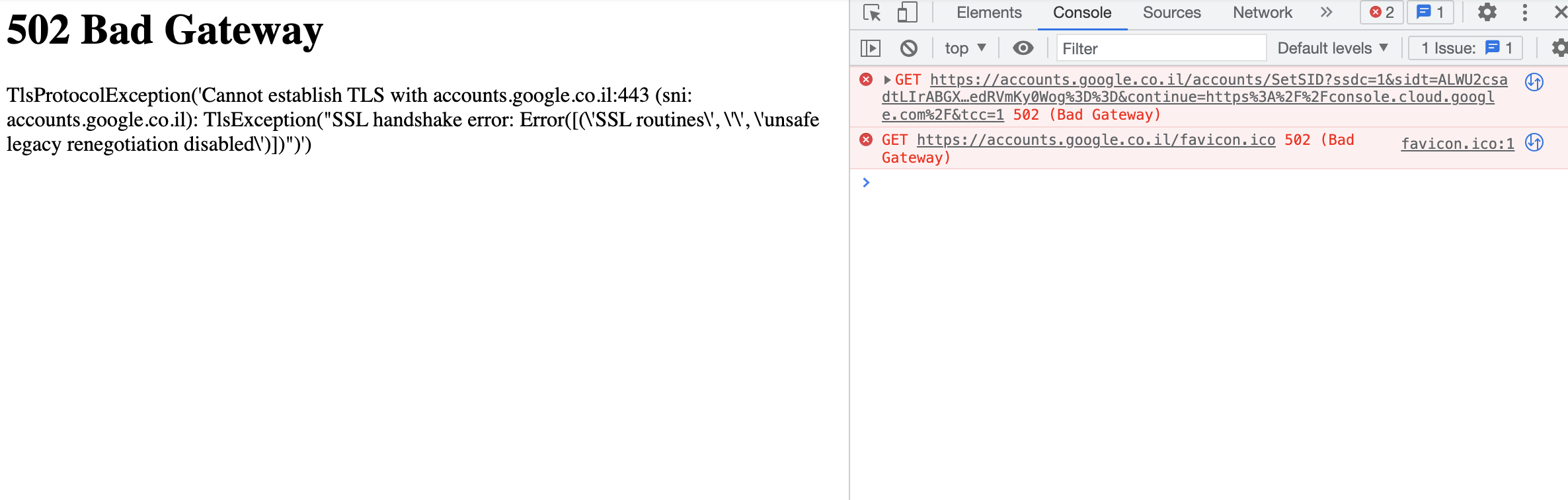
my chrome driver from seleniumwire import webdriver from seleniumwire.webdriver import ChromeOptions
def test_aws_flow():

    options = ChromeOptions()
    options.add_experimental_option("detach", True)
    options.add_argument('--no-sandbox')
    options.add_argument('--single-process')
    options.add_argument('--disable-dev-shm-usage')
    options.add_argument("--start-maximized")
    options.add_argument('--auto-open-devtools-for-tabs')
    options.add_argument('--log-level=2')
    options.add_argument('--disable-features=IsolateOrigins,site-per-process')
    options.add_argument("--ignore_ssl")
    options.add_argument('--ignore-ssl-errors')
    options.add_argument('--ignore-certificate-errors')
    options.add_argument("--disable-extensions")
    options.add_argument("--disable-setuid-sandbox")
    options.add_argument("--dns-prefetch-disable")
    options.add_argument('ignore-certificate-errors')
    options.add_argument('disable-web-security')
    options.add_argument('--allow-insecure-localhost')

    driver = webdriver.Chrome(options=options)
    driver.get('....any-hidden-url')
    # more flow actions - then it open aws portal
I saw the issue here https://github.com/wkeeling/selenium-wire/issues/215 but nothing there helped me to solve my issue, I tried to use undetected chrome browser but still the same issue.
some updates: when I add openssl.cnf and run it locally in my test using pycharm
openssl_conf = openssl_init

[openssl_init]
ssl_conf = ssl_sect

[ssl_sect]
system_default = system_default_sect

[system_default_sect]
Options = UnsafeLegacyRenegotiation
It success to log in into gcp and to aws.. how can I be sure it will not not happen in prod environment when I deploy it to aws lambda?

Botasaurus Framework supports SSL with authenticated proxy sych as http://username:password@proxy-provider-domain:port.
Installation
pip install botasaurus
Example
from botasaurus import *

@browser(proxy="http://username:password@proxy-provider-domain:port") # TODO: Replace with your own proxy
def visit_ipinfo(driver: AntiDetectDriver, data):
    driver.get("https://ipinfo.io/")
    driver.prompt()

visit_ipinfo()
You can learn about Botasaurus Here.
