
draft-js-markdown-plugin
 draft-js-markdown-plugin copied to clipboard
 withspectrum
Can not select all content in code-block if disabling `renderLanguageSelect`
I tried to get rid of language select and set renderLanguageSelect in config as the function that returns ''. Now I dont see the language select but code became not selectable.
@mxstbr the same happens in the spectrum app https://www.dropbox.com/s/hfagg1nr6sgakhs/Screenshot%202018-05-21%2015.44.36.png?dl=0 (try to start a code block and press cmd+a)
Maybe we should make custom code component optional? Because now even if renderLanguageSelect return empty, content is still wrapped in CodeSwitchContainer https://github.com/withspectrum/draft-js-markdown-plugin/blob/master/src/components/Code/index.js#L11

I think the right solution to this issue would have to allow content to be wrapped in CodeSwitchContainer, but still work as expected. It shouldn't happen that specifying renderLanguageSelect breaks the plugin, which would be the case with your suggestion.
Maybe the issue here is that the SwitchContainer is a PureComponent? Let's try changing that to a normal Component and seeing if that fixes it.

Actually, I can't replicate this in the draft-js-markdown-plugin demo. I changed the renderLanguageSelect to () => '', but I can still select the code perfectly fine?

Note how there's no language select
Actually, I can replicate this but only if I have a language select that doesn't have a language selected:

Is that the same bug?a
@mxstbr the issue happens when renderLanguageSelect is 'disabled' and code-block is the last block
http://lush-stamp.surge.sh/

@mxstbr sorry for misunderstanding, I'm using cmd+a hotkey when my cursor is in code-block
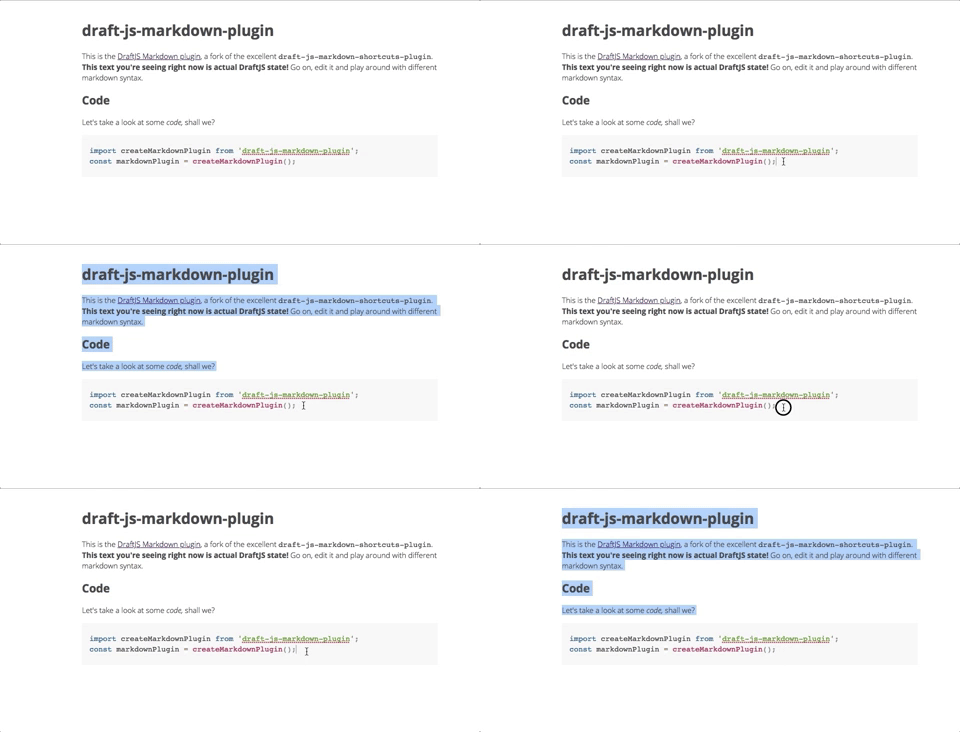
It turns out, I'm not so smart—it does the exact thing you're saying in Chrome, but not in Firefox! I think this is related to https://github.com/withspectrum/spectrum/issues/2897