

 withfig
Autocomplete engine doesn't load if Mac app starts before network connection
Description:
I can't reproduce this consistently unfortunately, but what happens is that some days fig autocomplete just does not show up in my terminal. Closing and reopening the Terminal window doesn't fix it. When it does work, it works like a charm (great work by the way!), I have no idea what could be causing it.
Details:
| OS | Fig | Shell |
|---|---|---|
| macOS 12.4.0 (21F79) | 1.0.57 | /bin/zsh |
fig diagnostic
Fig Diagnostics
Fig details:
- Fig version: Version 1.0.57 (B450) [Italian]
- Bundle path: /Applications/Fig.app
- Autocomplete: true
- Settings.json: true
- Accessibility: true
- Number of specs: 0
- Symlinked dotfiles: false
- Only insert on tab: false
- Keybindings path:
- Installation Script: true
- PseudoTerminal Path: /Users/minvernizzi/.rvm/gems/ruby-2.7.2/bin:/Users/minvernizzi/.rvm/gems/ruby-2.7.2@global/bin:/Users/minvernizzi/.rvm/rubies/ruby-2.7.2/bin:/Users/minvernizzi/.nvm/versions/node/v16.15.0/bin:/opt/homebrew/bin:/opt/homebrew/sbin:/usr/local/bin:/usr/bin:/bin:/usr/sbin:/sbin:/Library/Apple/usr/bin:/Users/minvernizzi/.fig/bin:/Users/minvernizzi/.local/bin:/Users/minvernizzi/Library/Python/3.9/bin:/Users/minvernizzi/Library/Android/sdk/tools/bin:/Users/minvernizzi/Library/Android/sdk/platform-tools:/Users/minvernizzi/Library/Android/sdk/emulator:/Users/minvernizzi/.rvm/bin
- SecureKeyboardInput: false
- SecureKeyboardProcess:
Hardware Info:
- Model Name: MacBook Air
- Model Identifier: MacBookAir10,1
- Chip: Apple M1
- Cores: 8 (4 performance and 4 efficiency)
- Memory: 16 GB
OS Info:
- macOS 12.4.0 (21F79)
Environment:
- User Shell: /bin/zsh
- Current Directory: /Users/minvernizzi/Git/appmedici/gui
- CLI Installed: true
- Executable Location: /Users/minvernizzi/.fig/bin/fig
- Current Window ID: 308/% (com.apple.Terminal)
- Active Process: zsh (991) - /dev/ttys001
- Environment Variables:
- TERM=xterm-256color
- TERM_SESSION_ID=D98507C6-B4F7-4490-9785-25C21DE06F9D
- PATH=/Users/minvernizzi/.rvm/gems/ruby-2.7.2/bin:/Users/minvernizzi/.rvm/gems/ruby-2.7.2@global/bin:/Users/minvernizzi/.rvm/rubies/ruby-2.7.2/bin:/Users/minvernizzi/.nvm/versions/node/v16.15.0/bin:/opt/homebrew/bin:/opt/homebrew/sbin:/usr/local/bin:/usr/bin:/bin:/usr/sbin:/sbin:/Library/Apple/usr/bin:/Users/minvernizzi/.fig/bin:/Users/minvernizzi/.local/bin:/Users/minvernizzi/Library/Python/3.9/bin:/Users/minvernizzi/Library/Android/sdk/tools/bin:/Users/minvernizzi/Library/Android/sdk/platform-tools:/Users/minvernizzi/Library/Android/sdk/emulator:/Users/minvernizzi/.rvm/bin
- FIG_INTEGRATION_VERSION=8
- FIG_TERM=1
- FIG_TERM_VERSION=4.4.0
- FIG_PID=991
Integrations:
- SSH: false
- TMUX: false
- iTerm: application is not present.
- Hyper: application is not present.
- Visual Studio Code: installed!
- Docker: false

When it's not showing, does fig doctor show anything out of the ordinary? And does the debugger see what you've typed? (see below)
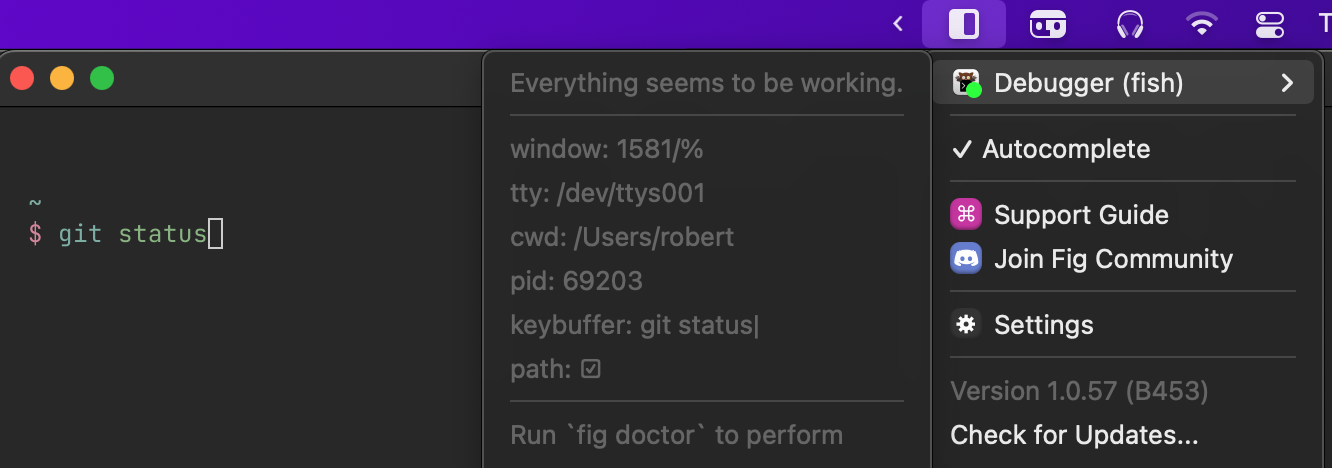
This issue with it not showing up has plagued us for some time now (#760) but we have no visibility into what's actually going wrong, and our stance on privacy definitely works against us in this case since it's hard to get actual data 😅

Thanks for the quick feedback! I'm sure fig doctorsaid "Everything looks good!", but I'll check the debugger when this happens again and I'll let you know here. Today for example it's running smoothly.
Sorry about the double issue, I tried to check if something similar had already been opened but couldn't find it. I guess I have to question my searchbar skills 😅 Do you want me to close this and continue the thread on #760?
I definitely appreciate your stand on privacy, so I won't complain 😂
Let's keep this issue open! Helps keep things clearer since it's less jumping between threads :)
Also when it's not showing, there's two other debugging steps:
- Send the output of
fig diagnostic - Run
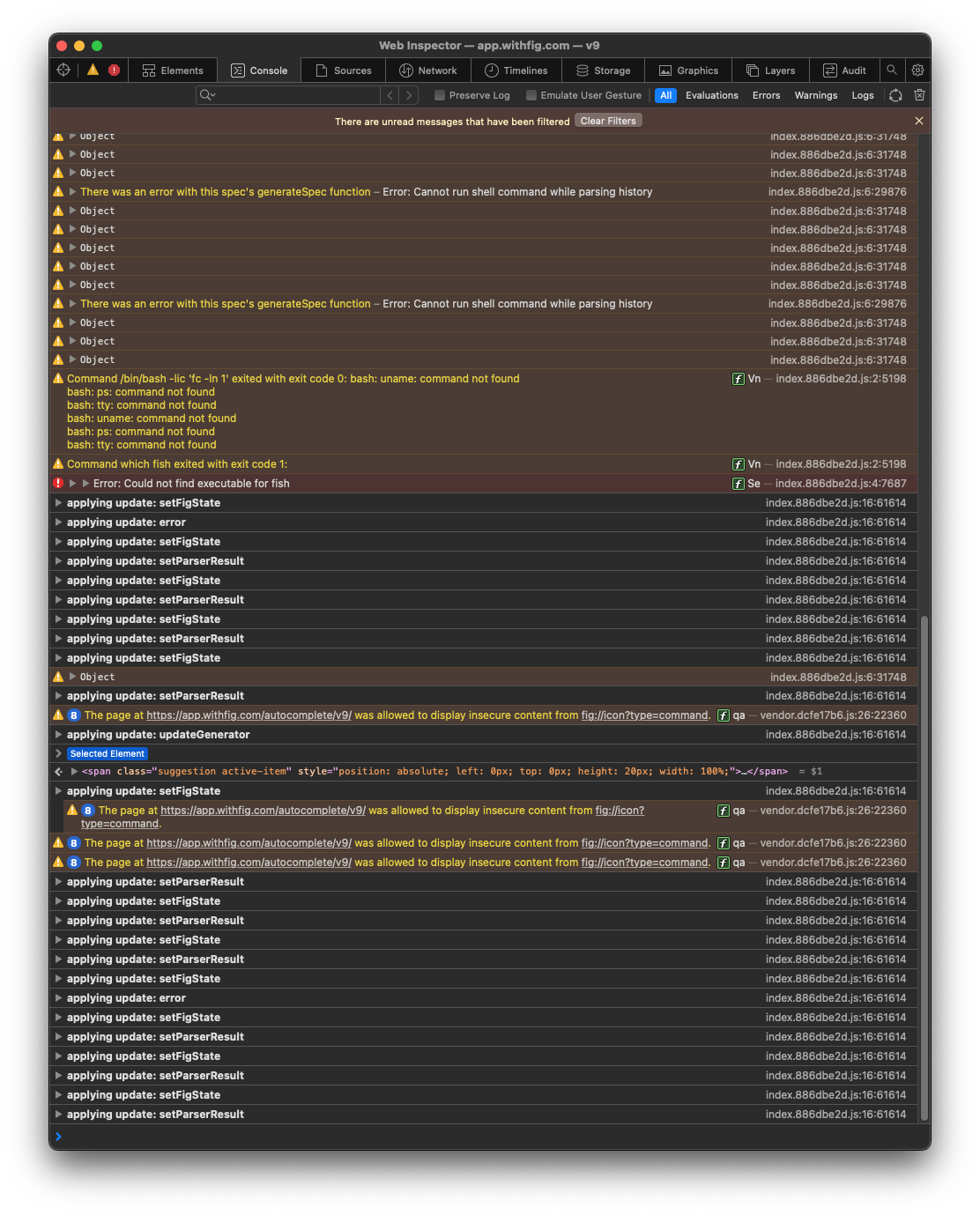
fig debug autocomplete-window, try to right click it (it's 1px wide so it's a pain), then click Inspect Element, and send a screenshot of the Console tab -- maybe it shows some useful info.
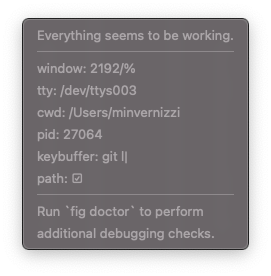
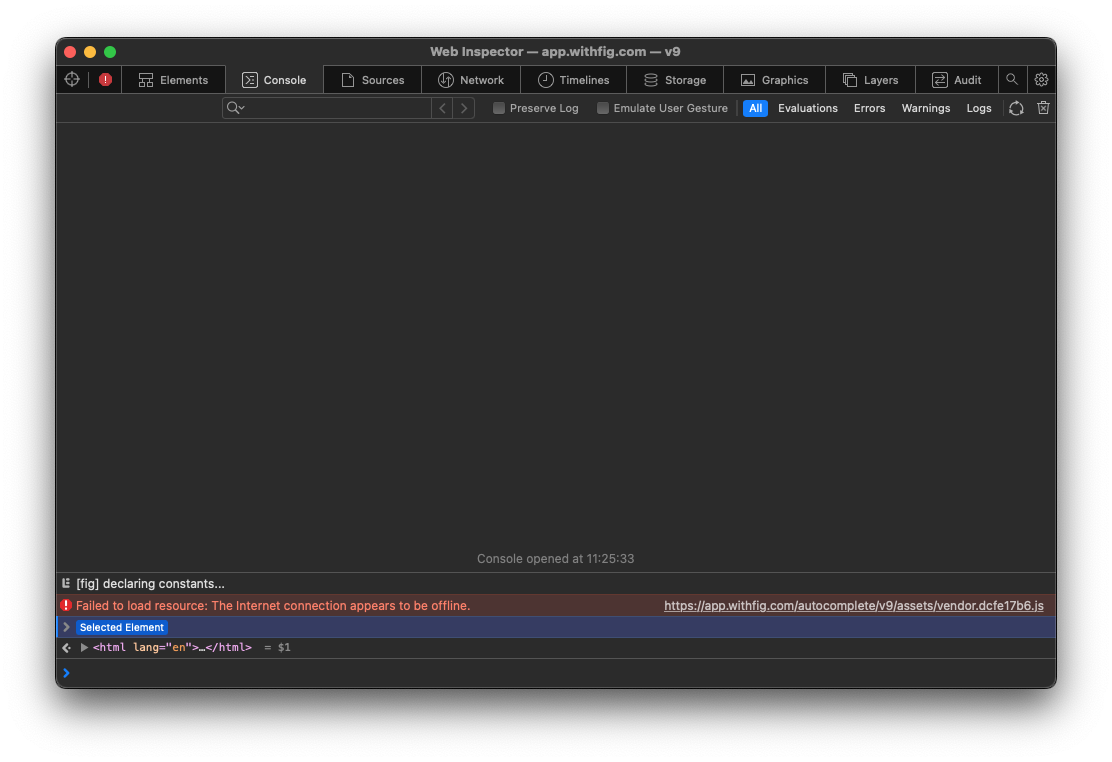
Hi @SeparateRecords, today fig didn't autocomplete again so I took a few screenshots:
- fig debugger (seems fine)
- fig diagnostic
- inspected autocomplete window (fig_inspect_1.png): here something seems off. Nothing was showing apart from that internet error. Typing in the terminal window didn't print anything.
After restarting fig (which always solves the problem by the way, just annoying doing it every other day), the inspect window works (I assume) as expected, with lots of logs firing on every keypress.
I hope this helps, let me know if I can do anything else

 .
.
I'm having this exact issue:
- Fig debugger says everything is ok
- Typing
fig debug autocomplete-windowin terminal gives me a 1px red line and nothing else. - Diagnostics:
My diagnostics:
Description:
Please include a detailed description of the issue (and an image or screen recording, if applicable) My fig popup/autocomplete has stopped working. I've tried reinstalling and rebooting. Fig debugger says everything is good.
Details:
| OS | Fig | Shell |
|---|---|---|
| macOS 12.4.0 (21F79) | 1.0.58 | /bin/zsh |
fig diagnostic
Fig Diagnostics
Fig details:
- Fig version: Version 1.0.58 (B463) [U.S.]
- Bundle path: /Applications/Fig.app
- Autocomplete: true
- Settings.json: true
- Accessibility: true
- Number of specs: 198
- Symlinked dotfiles: false
- Only insert on tab: false
- Keybindings path:
- Installation Script: true
- PseudoTerminal Path: /usr/local/opt/[email protected]/sbin:/usr/local/opt/[email protected]/bin:/usr/local/sbin:/usr/local/opt/[email protected]/sbin:/usr/local/opt/[email protected]/bin:/usr/local/bin:/usr/bin:/bin:/usr/sbin:/sbin:/usr/local/share/dotnet:~/.dotnet/tools:/Library/Apple/usr/bin:/Library/Frameworks/Mono.framework/Versions/Current/Commands:/Users/rickdoesburg/.fig/bin:/Users/rickdoesburg/.local/bin
- SecureKeyboardInput: false
- SecureKeyboardProcess:
Hardware Info:
- Model Name: MacBook Pro
- Model Identifier: MacBookPro16,1
- Chip:
- Cores: 6
- Memory: 16 GB
OS Info:
- macOS 12.4.0 (21F79)
Environment:
- User Shell: /bin/zsh
- Current Directory: /Users/rickdoesburg
- CLI Installed: true
- Executable Location: /usr/local/bin/fig
- Current Window ID: 7426/% (com.apple.Terminal)
- Active Process: /bin/zsh (30210) - /dev/ttys004
- Environment Variables:
- TERM=xterm-256color
- TERM_SESSION_ID=5C854392-F61B-46BE-ADFA-5451D4168472
- PATH=/usr/local/opt/[email protected]/sbin:/usr/local/opt/[email protected]/bin:/usr/local/sbin:/usr/local/opt/[email protected]/sbin:/usr/local/opt/[email protected]/bin:/usr/local/bin:/usr/bin:/bin:/usr/sbin:/sbin:/usr/local/share/dotnet:~/.dotnet/tools:/Library/Apple/usr/bin:/Library/Frameworks/Mono.framework/Versions/Current/Commands:/Users/rickdoesburg/.fig/bin:/Users/rickdoesburg/.local/bin
- FIG_INTEGRATION_VERSION=8
- FIG_TERM=1
- FIG_TERM_VERSION=4.4.0
- FIG_PID=30210
- FIG_ENV_VAR=1
- FIG_CHECKED_PROMPTS=1
Integrations:
- SSH: false
- TMUX: false
- iTerm: application is not present.
- Hyper: application is not present.
- Visual Studio Code: installed!
- Docker: false

Sorry for the delay! These are both super helpful. The solution we'll implement is to retry loading with an exponential backoff. For now, as you found, the workaround is to run fig restart when it fails to load.
Not super sure why this happens though. @rickdoesburg @minvernizzinextbit does this happen when your mac wakes up from sleeping? Or on startup?
Thanks for the reply @SeparateRecords! I cannot confirm this 100%, but I'm pretty sure in my case it happens only on startup (I turn off my computer every night). But I'll try to keep an eye also on sleep wake ups
I just stopped working a week or two ago and I haven't been able to get it to work again. Reinstalling Fig, Reinstalling VS Code, rebooting. Restarting Fig. Nothing will get it to work
@rickdoesburg I think this is a separate issue then, because in my case restarting fig (with a working internet connection) 100% fixes the issue
@minvernizzinextbit very strange -- thanks for the info!
@rickdoesburg could you make a separate issue for this? You can run fig issue, will be easier to keep separate and we can follow up there :)
@SeparateRecords quick follow-up: I can confirm that it only happens on startup. If fig works after startup, it will keep working also if I later disconnect the wifi, put my mac to sleep and wake it after a few minutes. The only way to make fig stop working is if I restart fig with my wifi disconnected (but it will automatically work again if I turn the wifi back on, without need of a restart).
So my guess is that at startup for some reason the connection retry process stops (or doesn't kick in).
P.S: I should mention that I'm now on fig version 1.0.58 (B463). The issue hasn't happened yet, but it's only been a couple of days since updating