
wire-desktop
 wire-desktop copied to clipboard
 wireapp
Unexpected error when logging in on Windows Desktop
Wire version: Version 3.11.3259 Wire for web version: 2019.11.26.1327 Operating system: Windows 10 Pro 10.0.17763 Which antivirus software do you have installed: None
What steps will reproduce the problem?
- Login with correct credentials
What is the expected result?
To login seamlessly.
What is the actual result?
Red unexpected error below the login.
Please provide any additional information below. Attach a screenshot if possible.
I'm using an email as a login, and if I use the wrong password it says "Please verify your details and try again".
I saw this issue but it was macOS. Not sure if they are related.
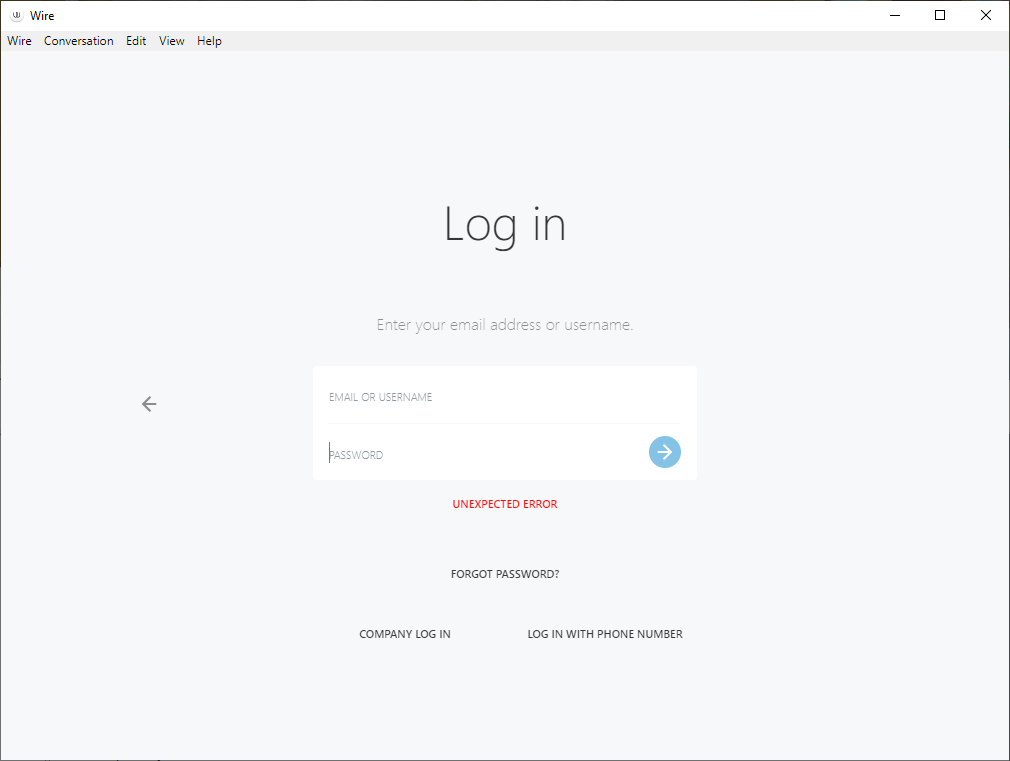

Unfortunately, it's still not working.
https://i.imgur.com/0S0Fqbx.png
On Thu, Jan 9, 2020 at 9:54 AM Florian Keller [email protected] wrote:
Hi @The-Sky https://github.com/The-Sky, can you please try again with version 3.12.3423 https://github.com/wireapp/wire-desktop/releases/tag/windows/3.12.3423 and see if the problem persists?
— You are receiving this because you were mentioned. Reply to this email directly, view it on GitHub https://github.com/wireapp/wire-desktop/issues/3378?email_source=notifications&email_token=AAWNEIPSDZWVQ7VUXACCLXLQ443B5A5CNFSM4J6JFXZKYY3PNVWWK3TUL52HS4DFVREXG43VMVBW63LNMVXHJKTDN5WW2ZLOORPWSZGOEIQSFHA#issuecomment-572596892, or unsubscribe https://github.com/notifications/unsubscribe-auth/AAWNEIPBJISTCM3Y3DGRDNLQ443B5ANCNFSM4J6JFXZA .
@The-Sky, can you please try starting the app with the parameter --enable-logging? See https://github.com/wireapp/wire-desktop/wiki/Start-Parameters for instructions on how to start the app with special parameters.
After the start there should be a console window opening. Please try logging in and then send us a screenshot of the console to [email protected] (mentioning this issue) or post it here.
@ffflorian Stumbled onto this issue today and found this post so I took a printscreen with --enable-logging Hope I did it right
https://imgur.com/a/69OCF52
Got both unexpected error and "please verify your details" on a newly created account. Managed to create account and verify it and got logged in but after downloading the Windows app and trying to login, that didn't work and couldn't login from the web either.
Edit: Disregard me, after a password reset it started working so not sure what happened other than some hiccup along the way

@ffflorian Here's the screenshot as requested. I also submitted the full log to [email protected]
https://i.imgur.com/U7PIXAU.png
@cdeebs Looking at the log, it looks like we have different issues but the same generic error message.
Similar issue here, installed using flatpak on centos I get an "unexpected error" 9 times out of ten, and sometimes it just works...
