

 wintercms
Fix generation of aliased-only css assets
When dealing with aliased-only css assets like so:
<link rel="stylesheet" href="{{ ['@framework.extras.css'] | theme }}">
Because aliased assets are inserted in both $combineJs and $combineJs, the if (count($combineCss) > count($combineJs)) condition results to false.
This results in a failure because then the css aliased assets is handled as a js one and forcefully is not found:
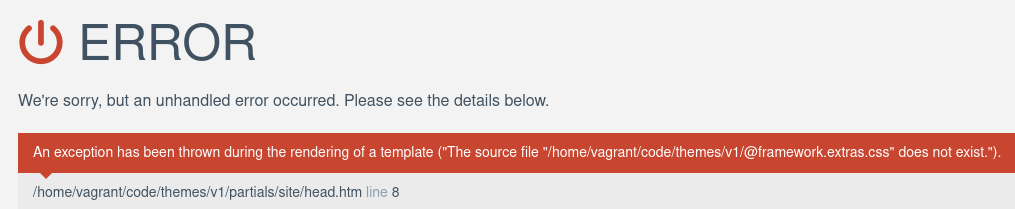
To handle this use case where we can't infer the asset type programmatically,
I suggest to give to the programmer the responsibility to not merge css files with js ones.
To do this I just merged all the aliases together and look for matching aliases in this big merged array.

I just noticed that there is a conflict between two similar aliases existing in both css and js alias: https://github.com/wintercms/winter/blob/929e8f2dd335dd6524f2cdbed85e04785e7a8c5f/modules/system/classes/CombineAssets.php#L160 https://github.com/wintercms/winter/blob/929e8f2dd335dd6524f2cdbed85e04785e7a8c5f/modules/system/classes/CombineAssets.php#L162
Which results in the opposite bug with this commit: when importing only js aliased files like this:
<script src="{{ [
            '@jquery',
            '@framework',
            '@framework.extras'
        ] | theme }}"></script>
The framework.extras shortcut (without the .js or .css extension) results in the .css file due to the fact that it's registered after.
It could easily be solved from a programmer view by just using the alias with the desired extension.

I don't really understand what this PR is seeking to solve
When the assets combiner attempts to combine a css aliased-assets without any other external css file: with the actual logic, the combiner just do the wrong guess that the assets is a js file, and try to load it from the js aliases.
You can try yourself with a single line of code inside a layout. This fails 🔴
<link rel="stylesheet" href="{{ ['@framework.extras.css'] | theme }}">
This works 🟢
<link rel="stylesheet" href="{{ ['@framework.extras.css', 'another-user-css-file.css'] | theme }}">
This is due to this logic, when an alias is used, it's added to both css and js assets stack:
https://github.com/wintercms/winter/blob/09aad658b5f03effd734dbfede84a98ecb6d7d73/modules/system/classes/CombineAssets.php#L316-L323
Because of that, this if statement is false and results to a "js-guessed" wrong extension:
https://github.com/wintercms/winter/blob/09aad658b5f03effd734dbfede84a98ecb6d7d73/modules/system/classes/CombineAssets.php#L338-L348
This PR reinforces the type-guessing logic to make sure css aliases are correctly handled.
@LukeTowers The more this conversation grows, the more I feel like the combiner needs more refactoring to be more strict about the types.
Something like a third $type argument for the combine method could be added when combining only aliased assets would avoid all any type guessing for this edge-case.
Plus, we should not allows to combine a css file with a js one. We may throw an exception when this happens.
How I see these changes
Here, no problem:
<link rel="stylesheet" href="{{ ['@framework.extras.css', 'my-file.css'] | theme }}">
This will throws an exception as we are trying to combine a js file with a css one
<link rel="stylesheet" href="{{ ['@framework.extras.css', 'my-file.css', 'my-file.js'] | theme }}">
This will throws a warning as the system is type-guessing the extension of the alias, which in this case is the wrong one (will return the js alias).
<link rel="stylesheet" href="{{ ['@framework.extras'] | theme }}">
As of today, the only system conflicts is @framework.extras, the warning could includes something like >
Warning: both framework.extras exists as a js and css alias, you should use @framework.extras.css or @framework.extras.js.
Bit of a shame we didn't pick this up before Winter 1.2 was released, as I think we probably should've made a (potentially) breaking change here to remove the ambiguity.
Unless I'm not understanding this correctly, the issue is that when using an aliased asset (like @framework.extras), it's automatically adding this asset to compileJs and compileCss, then using the extensions of the other assets in the same group to determine what is actually being compiled, even if the aliased asset has an extension included.
The way I see it, the easiest way to remove the ambiguity would be to introduce a parameter for the | theme filter, to set a specific combine step. For example, we could have the following to assume that the given paths will be combined as CSS files.
<link rel="stylesheet" href="{{ ['@framework.extras.css', 'my-file.css', 'my-file.js'] | theme('css') }}">
Wtih the above, we would consider the framework extras and "my file" CSS files to be combined into one, and simply ignore (or throw a log) for the JS file included.
For the following:
<link rel="stylesheet" href="{{ ['@framework.extras', 'my-file.js'] | theme('js') }}">
We would combine the JS file for the framework extras alias, and combine the "my file" JS script as well.
If the extra parameter is not included, then we could keep the current behaviour, even though it's broken. We'd probably just have to update the docs to point out that automatically detecting the correct combination has scenarios (like this one) that it can't handle, and to specifically use one of the parameters above.

To be honest I'd prefer we move away from supporting ambiguous aliases entirely.
@bennothommo Yes, unfortunately we didn't realized this issue before 1.2 so we could have handled it more elegantly, introducing a BC.
But this also means that this issue is not that huge. To be honest I discovered it and then fixed it instantly by using an extra css file which "balanced" correctly the weak type guessing system.
I then just dove into the core's code to understand what happened and discovered all that stuff.
From a WinterCMS user's point of view it's like "oh ok, that's how it works, maybe it should have been documented". From a core dev's one it's like "what's that crap?".
Now that we discovered it, we should just decide how we could improve this part of the code, but 99.9% of WinterCMS wouldn't have discover this issue.
Most of the use cases could be solved by adding an extra file or using "the typed alias": framework.extras.css (or .js) to select one or the other asset, and I don't think that any of us use the registerAlias method that could introduce any other ambiguity.
Some additional draft work experiencing an alternative, I know that throwing an exception introduce a BC.
The main goal here is to reverse the type guessing system to simplify it and enforce it at the same time:
Instead of adding the alias name into the combineCss and combineJs variable, the system now resolves the full asset path.
To me, the only question to solve now is "what to do in the else branch of the type guessing system?":
- Throw an exception?
- Keep the dominance of one asset type and just throw a warning?
Greetings.
I'm having a similar issue but when adding the Snowboard framework through its aliases...
in CSS...
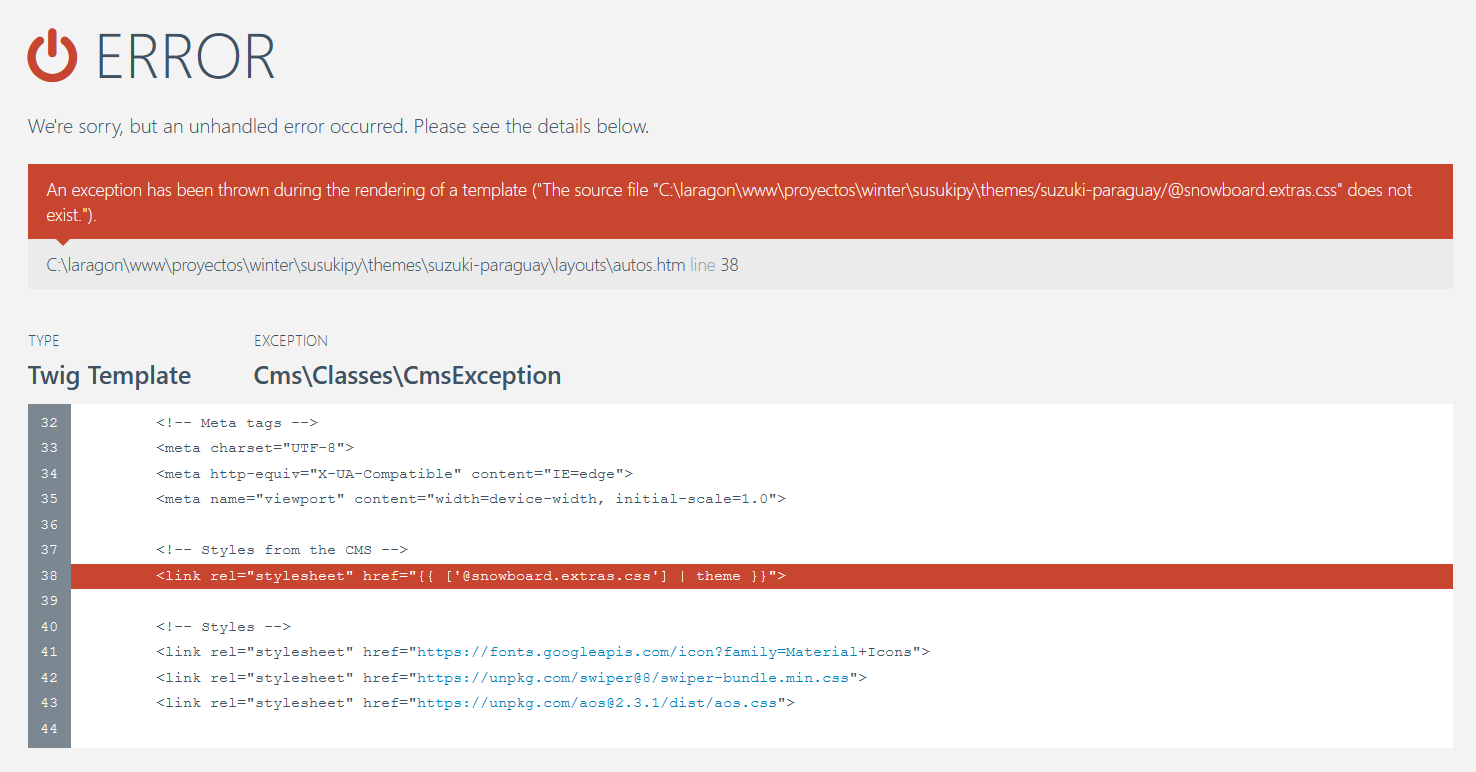
and JS.
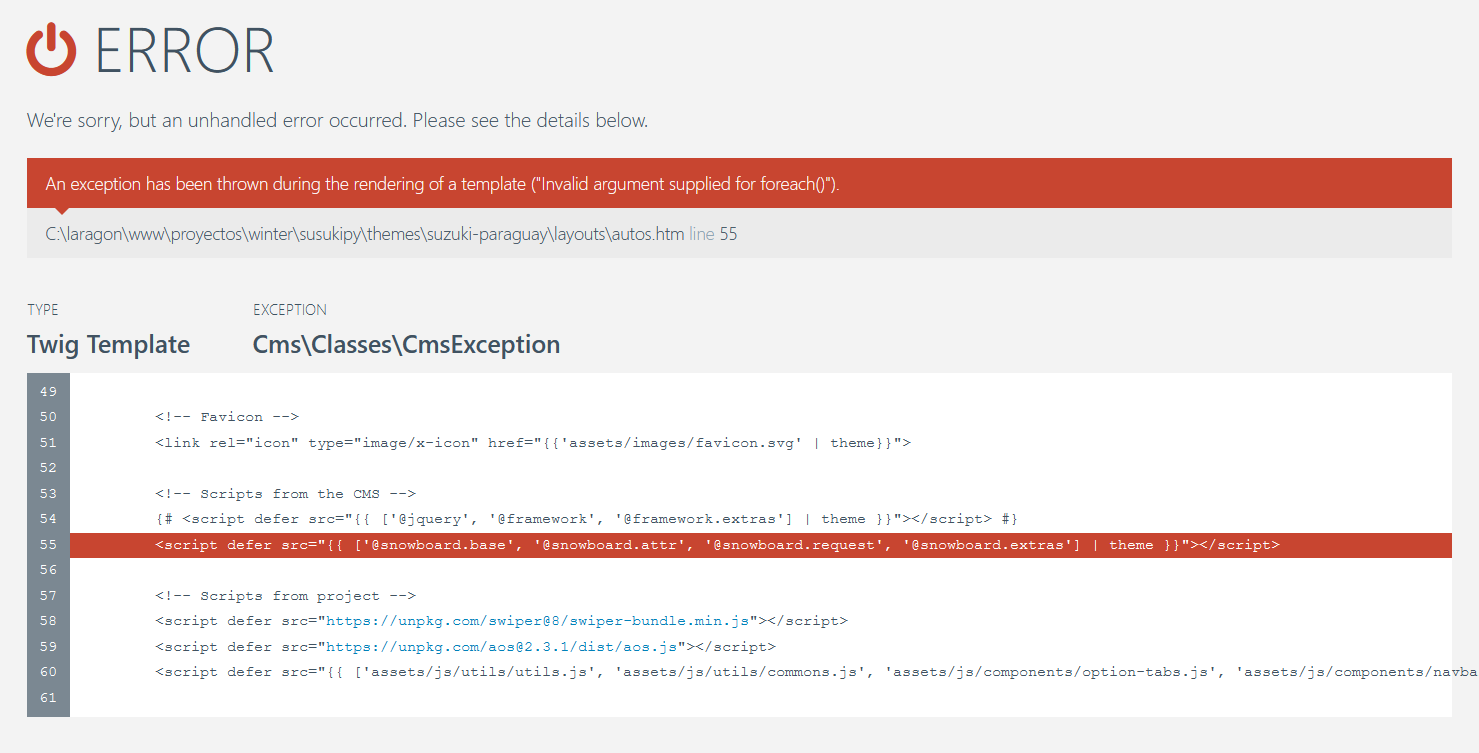
Is there an estimate time for the rollout of the fix to this issue?

@RoKrypto ATM you could fix it yourself at project-level, just merging the aliased asset with one of your asset.
As an example in your JS error problem, you can merge the assets from the line 60 which seems to use the | theme filter too, with the aliased assets.
For the css one, I guess that you import at some point a css file using the | theme filter too.
This pull request will be closed and archived in 3 days, as there has been no activity in this pull request for the last 6 months. If you intend to continue working on this pull request, please respond within 3 days. If this pull request is critical for your business, please reach out to us at [email protected].
![github-actions[bot] avatar](https://avatars.githubusercontent.com/in/15368?v=4 "Published by a pub.dev verified publisher")
This pull request will be closed and archived in 3 days, as there has been no activity in this pull request for the last 6 months. If you intend to continue working on this pull request, please respond within 3 days. If this pull request is critical for your business, please reach out to us at [email protected].
This pull request will be closed and archived in 3 days, as there has been no activity in this pull request for the last 6 months. If you intend to continue working on this pull request, please respond within 3 days. If this pull request is critical for your business, please reach out to us at [email protected].
Closing for now as I think @RomainMazB is no longer actively using the project. If anyone else has this or a similar issue and wants this to be merged then just ping me and I'll reopen it.