
desktopify
 desktopify copied to clipboard
 wimpysworld
Convert Ubuntu Server for Raspberry Pi into a Desktop
Desktopify
Convert Ubuntu Server for Raspberry Pi to a Desktop.
Made with 💝 for 
Introduction
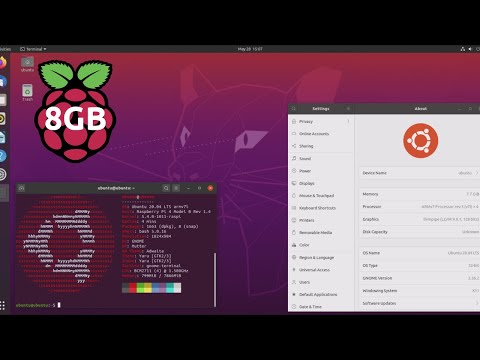
Desktopify is a simple script to convert Ubuntu Server for the Raspberry Pi to one of the official Ubuntu desktop flavours.
We have a Discord for this project:

Installation
- Put an Ubuntu Server image for Raspberry Pi on a SDHC card.
- Boot the Ubuntu Server SDHC on a Raspberry Pi 2, 3 or 4.
- Login to the Raspberry Pi; username
ubuntuand passwordubuntu- You will be prompted to change the password
- Clone the project
git clone https://github.com/wimpysworld/desktopify.git
- Change your current directory to desktopify directory
cd desktopify
- Convert the server to a desktop
sudo ./desktopify --de ubuntu-mate
Usage
Usage
  ./desktopify --de <desktop environment>

Available desktop environments are
  lubuntu
  kubuntu
  ubuntu
  ubuntu-budgie
  ubuntu-kylin
  ubuntu-mate
  ubuntu-studio
  xubuntu

You can also pass the optional --oem option which will run a setup
wizard on the next boot.
TODO
- [ ] Emoji status
DONE
- [x] Install GPIO utilities and libraries
- [x] Enable Bluetooth
- [x] Make sure it's Ubuntu on a Pi
- [x] Make Network Manager the default backend
- [x] Prevent low power WiFi mode
- [x] Disable overscan
- [x] Enable fkms driver
- [x] Enable boot splash
- [x] Enable Firefox hardware acceleration
- [x] Create a snap
- [x] Kubuntu
- [x] Lubuntu
- [x] Ubuntu
- [x] Ubuntu Budgie
- [x] Ubuntu Kylin
- [x] Ubuntu MATE
- [x] Ubuntu Studio
- [x] Xubuntu
- [x] Drop
dpkg-architecturerequirement - [x] Optimise Ubuntu MATE (Marco) window manager
- [x] Enable initial setup
- [x] Prevent pointless re-installs
- [x] Install snaps
- [x] Install gpio tools
Metadata
522
Stars
90
Forks
Watchers
Owner
 wimpysworld
Metadata
Convert Ubuntu Server for Raspberry Pi into a Desktop