

 willowsokora
Code blocks and add pdding between icons
Hi!
Beautiful app, I love the native look of it.
My codeblocks isn’t shown until I tap on them and starts editing. I’m running dark mode on iOS 13.4.1.
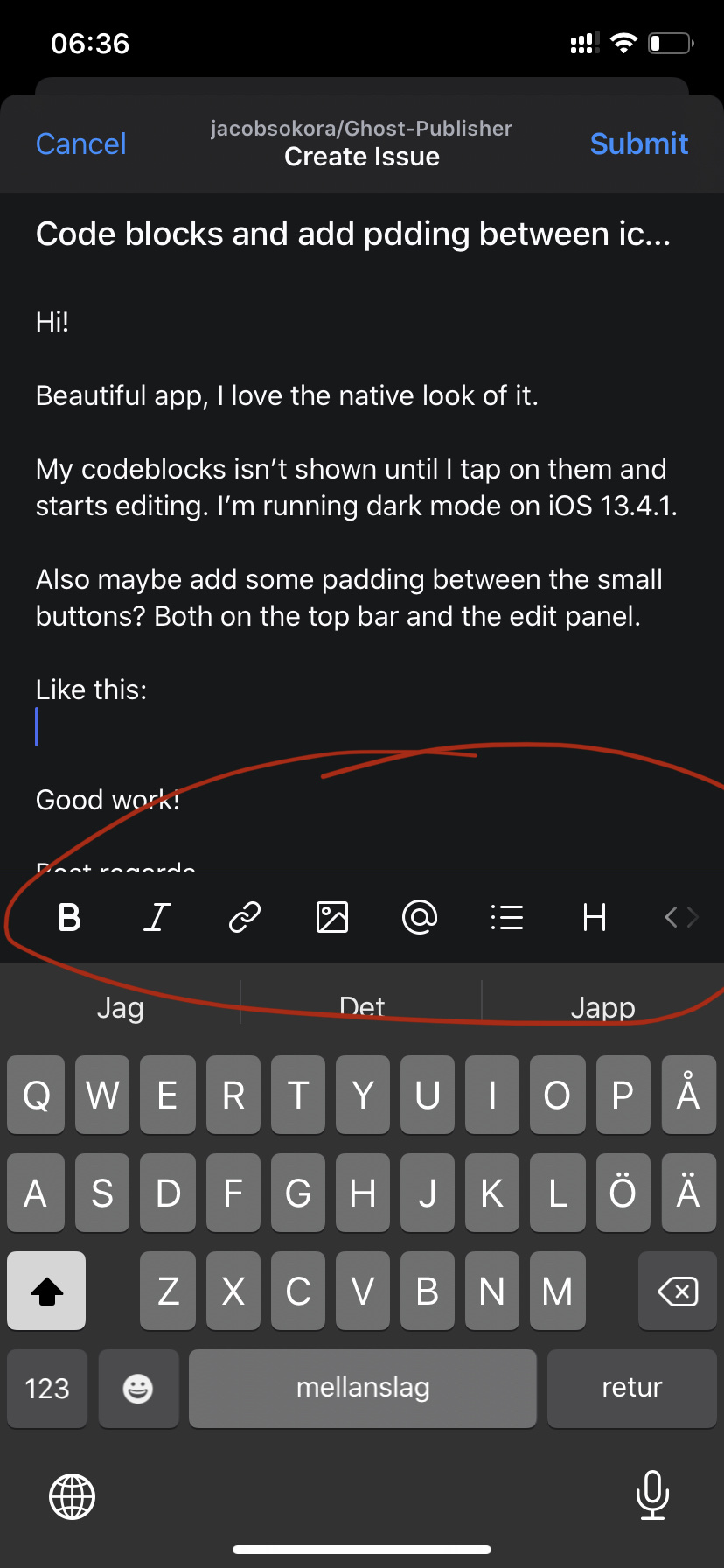
Also maybe add some padding between the small buttons? Both on the top bar and the edit panel.
Like this:
Good work!
Best regards Sebastian

I can try to play around with spacing for the buttons. As for the code block not showing up, can you show me what it looks like both before and after you select it? That might help me figure out what's happening. Including what code should be displayed would also help so I can test it on my blog

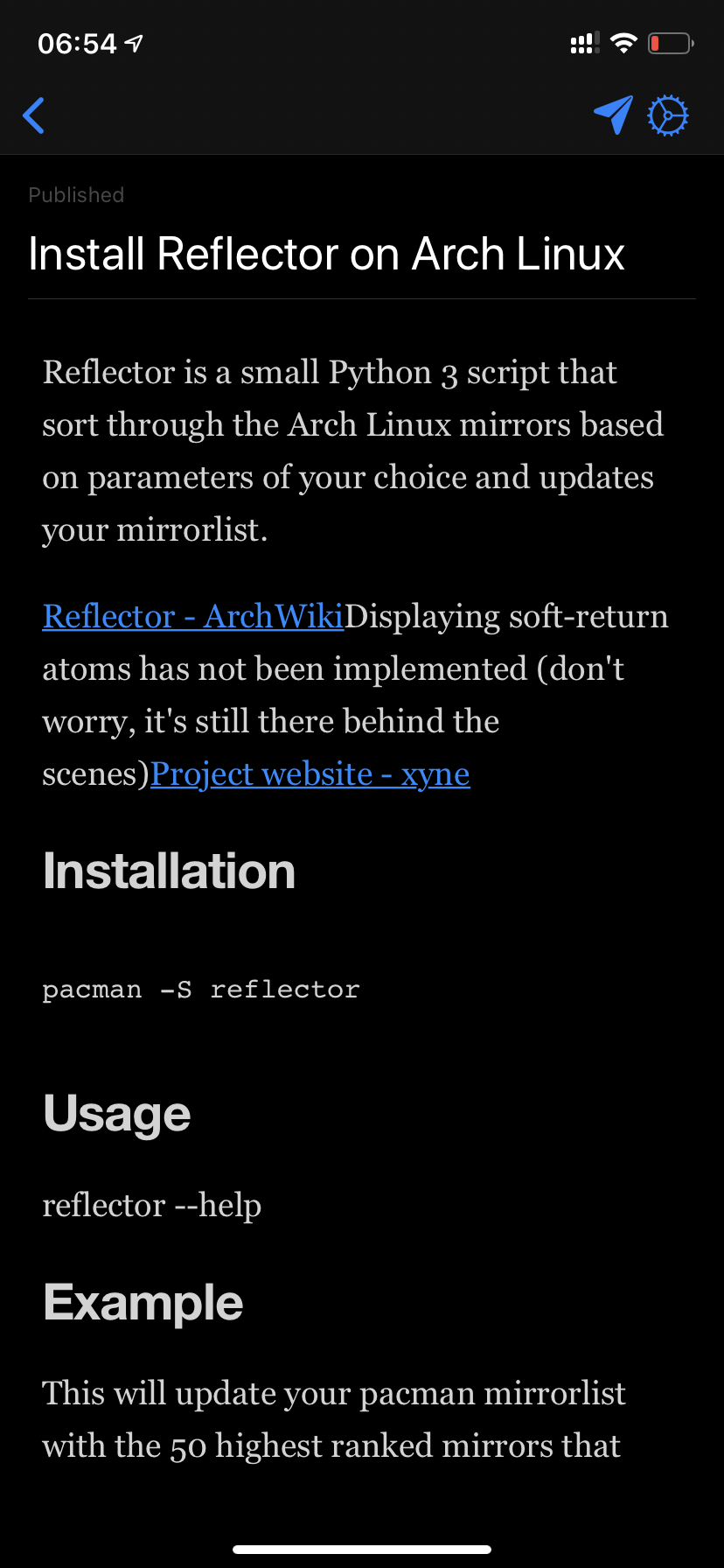
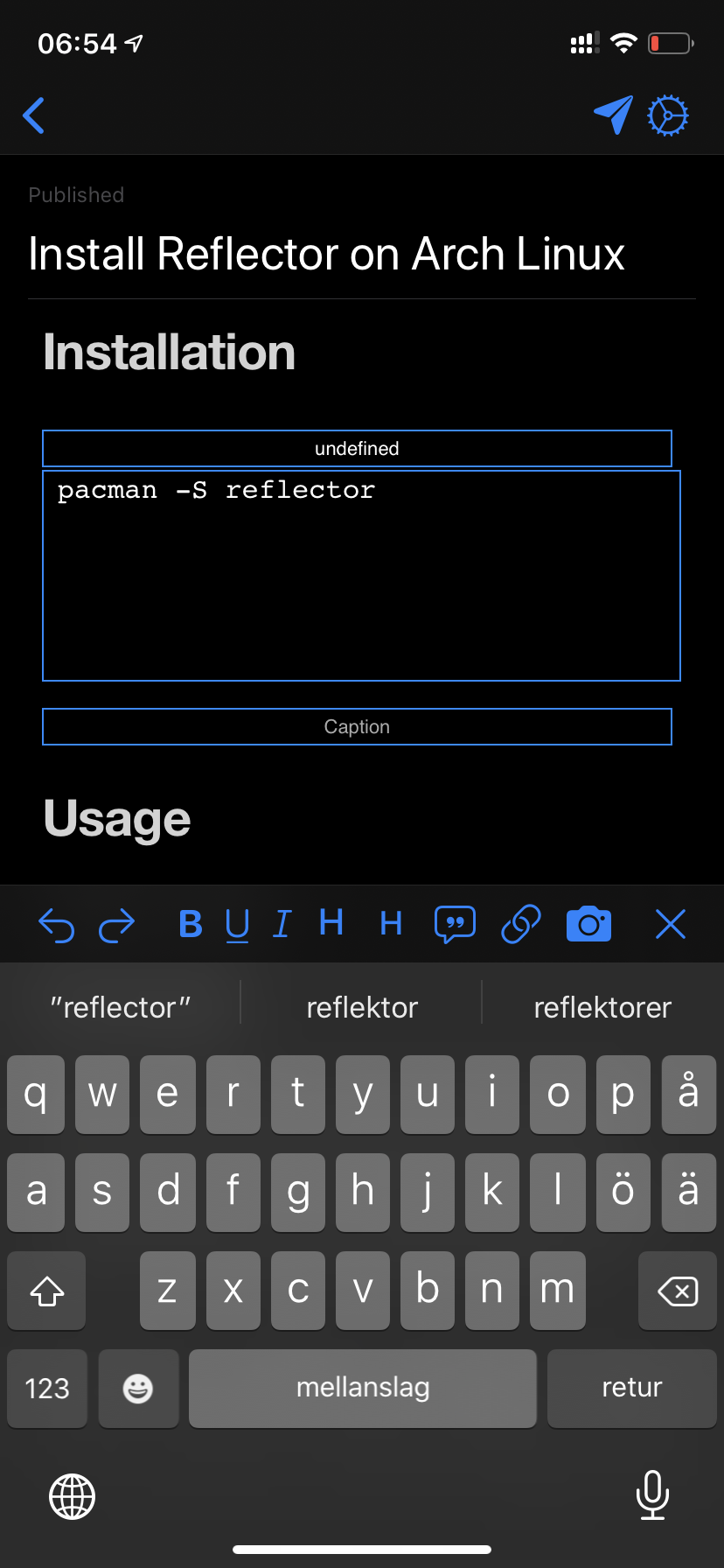
Shouldn't you be able to see the "box" in preview mode just like in edit mode? Like on the Ghost admin panel?