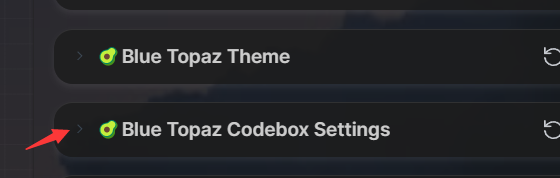
Blue-Topaz_Obsidian-css
 Blue-Topaz_Obsidian-css copied to clipboard
 whyt-byte
Where is the color set for the codebox language text ?
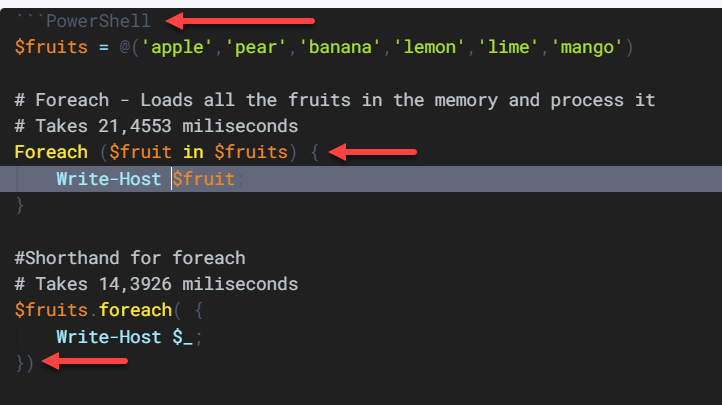
I have edited all my codebox color settings to make the colors be more readable. However, I cannot find where the code box language color is set. This is also the color for the code brackets as well.
Could someone please point me to where that super dark grey color is coming from?
See the screencap - the red arrows point toward the items affected by the dark color....

Not a direct answer, but you can try the Settings Search plugin. It allows you to search within the settings menu, which may shed some light on your issue.

Hmm I also don't like the color because of its low contrast, so I did some experiments. Here's what I found:
- The color codes for that gray is #666666
- #666666 remains the same across different themes, light/dark mode.
- #666666 does not appear anywhere in settings.
TLDR: I guess that cannot be customized.
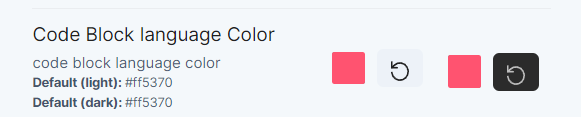
the code box language color:
Code bracket color:
Find the following customization item to set
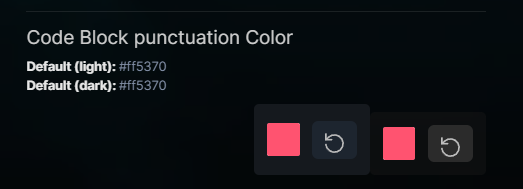

Thank you! it feels like I had checked the color options about 30x and have never seen "Code Block punctuation Color" and "Code Block language Color". Then you mention and there they are right in front of me...
Also thanks for the Search settings plugin tip. Such a helpful plugin.