

 whyboris
getting an error when launching the program
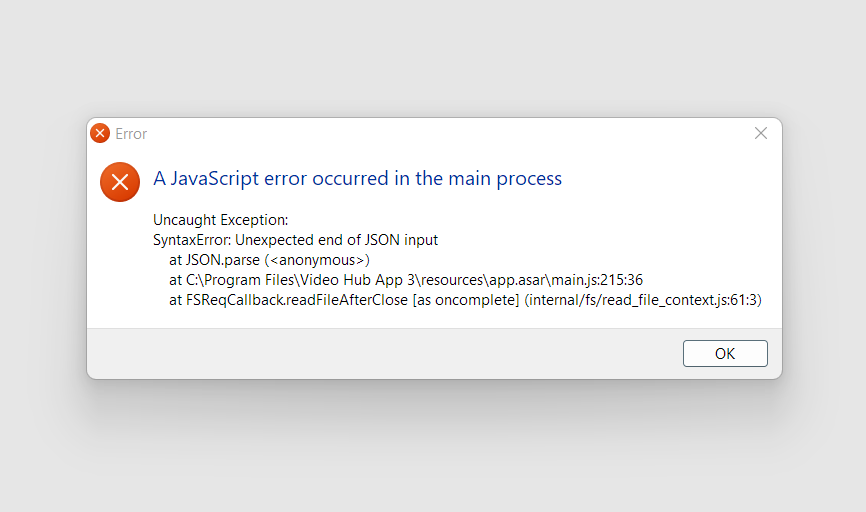
I've tried to reinstall the program but still get the same error. How to get rid of it?

Sorry about this bug. I suspect it can happen when a computer is shut down while the app is open - and the settings.json file gets corrupted (the writing of the file may have been interrupted mid-process) 🤔
Thankfully, the solution is simple: please manually delete the file settings.json in this folder:
C:\Users\[YOUR USER NAME]\AppData\Roaming\video-hub-app-2
Or on the Mac:
/Users/[user name]/Library/Application Support/video-hub-app-2
I'm sorry for the inconvenience. Please let me know if you still have trouble.

I released version 3.2.0 which should avoid this error in two ways: first, it will try to prevent corruption of the settings.json file by using a different mechanism when shutting down, and second, it will just reset settings.json to initial version if the file is corrupt, rather than throwing an error 🤞
Keeping this issue open just in case someone comes across this bug with version 3.2.0 so they could tell me 😅
I stopped 3.2.0 from the Windows task manager while it was scanning a hub, and when I tried to run it again it was showing a blank page with no error. I had to delete the aforementioned folder (I deleted the whole folder, not just the settings.json file) for good measure.
